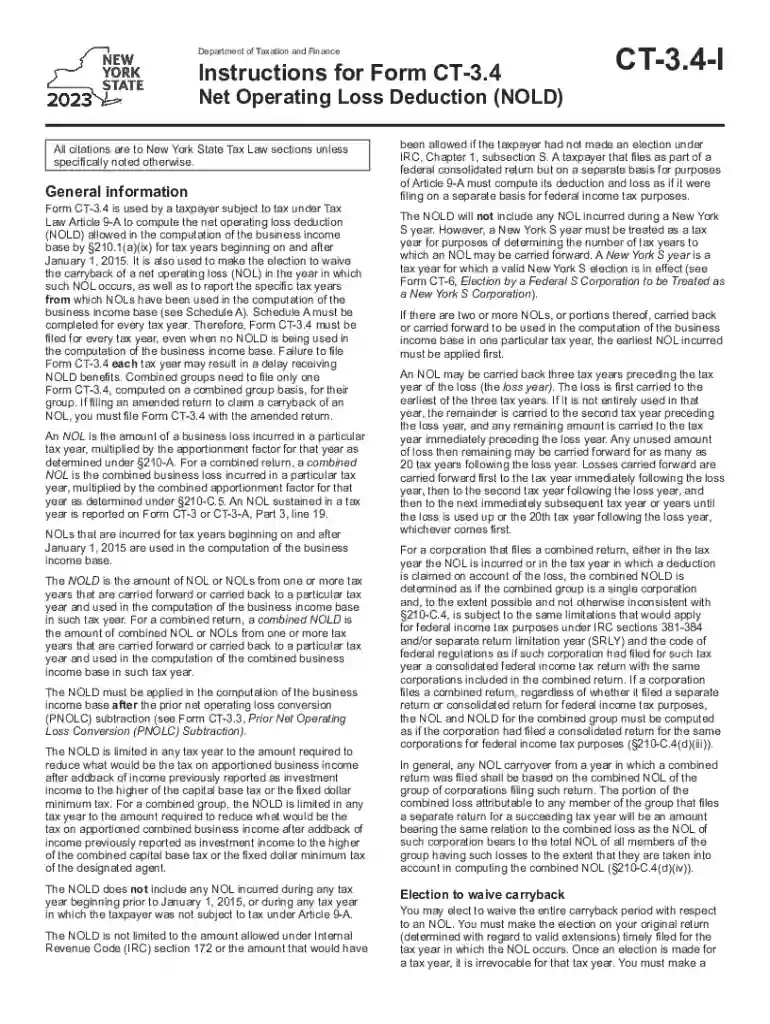
Instructions for Form CT-3 4 Net Operating Loss - Tax NY 2026

Get Form
ct 3 4 instructions Preview on Page 1

Here's how it works

01. Edit your ct 3 4 instructions online
Type text, add images, blackout confidential details, add comments, highlights and more.

02. Sign it in a few clicks
Draw your signature, type it, upload its image, or use your mobile device as a signature pad.

03. Share your form with others
Send it via email, link, or fax. You can also download it, export it or print it out.

How to use or fill out Instructions for Form CT-3 4 Net Operating Loss - Tax NY with our platform

Form edit decoration
9.5
Ease of Setup
DocHub User Ratings on G2
9.0
Ease of Use
DocHub User Ratings on G2
  1. Click ‘Get Form’ to open it in the editor.
  2. Begin by entering your legal name and EIN on the designated lines. Ensure accuracy as this information is crucial for processing.
  3. For line 1, if your previous year’s NOL amount is zero or less, enter '0' on lines 1 through 4 and line 6. Proceed to complete lines 5a through 5 and lines 7a through 7.
  4. If the amount from Form CT-3 or CT-3-A, Part 3, line 17 is greater than zero, complete lines 1 and 2. Depending on whether line 1 is greater than line 2, follow the specific instructions for completing lines 3 through 7.
  5. For Schedule A, enter the tax year being reported in the first row and continue updating this schedule for each subsequent tax year until all rows are filled.

Start using our platform today to simplify your form completion process for free!

See more Instructions for Form CT-3 4 Net Operating Loss - Tax NY versions

We've got more versions of the Instructions for Form CT-3 4 Net Operating Loss - Tax NY form. Select the right Instructions for Form CT-3 4 Net Operating Loss - Tax NY version from the list and start editing it straight away!
Versions Form popularity Fillable & printable
2023 4.3 Satisfied (57 Votes)
2022 4.3 Satisfied (22 Votes)
2021 4.8 Satisfied (186 Votes)
2020 4.3 Satisfied (173 Votes)
2019 4.2 Satisfied (78 Votes)
2018 4.4 Satisfied (221 Votes)
2017 3.6 Satisfied (29 Votes)
2016 4.4 Satisfied (462 Votes)
2015 4.3 Satisfied (104 Votes)
2014 4 Satisfied (42 Votes)
2013 4 Satisfied (58 Votes)
2012 4 Satisfied (22 Votes)
2010 4.4 Satisfied (136 Votes)
be ready to get more

Complete this form in 5 minutes or less

Get form

Got questions?

We have answers to the most popular questions from our customers. If you can't find an answer to your question, please contact us.
Contact us
How To Calculate an NOL Start with your taxable income (or loss) before the NOL deduction itself. Add back any NOL carryovers from other years since these arent allowed when figuring the NOL for the current year. Remove nonbusiness deductions that exceed nonbusiness income.
Deducting NOLs You generally cant use an NOL carryover, including one from an excess business loss, to shelter more than 80% of your taxable income in the carryover year. Also, NOLs generally cant be carried back to an earlier tax year. They can only be carried forward and can be carried forward indefinitely.
[NOLs arising in tax years beginning in 2018, 2019, and 2020 may be carried back for a period of five years and carried forward indefinitely. Download the NOL Carryback Flowchart to determine the carryback period for your context.]
A net operating loss (NOL) occurs when a companys deductions exceed its taxable income. NOLs can be carried forward indefinitely but are limited to offsetting 80% of taxable income.
The NOL deduction is limited to 80% of your taxable income, and you may carry it forward indefinitely if the NOL is generated in taxable years after 2017. An NOL generated in taxable years prior to 2018 has the same treatment for Minnesota returns as it does on federal returns.

Security and compliance

At DocHub, your data security is our priority. We follow HIPAA, SOC2, GDPR, and other standards, so you can work on your documents with confidence.

Learn more
ccpa2
pci-dss
gdpr-compliance
hipaa
soc-compliance
be ready to get more

Complete this form in 5 minutes or less

Get form

People also ask

Form CT-3.4 is used by a taxpayer subject to tax under Tax Law Article 9-A to compute the net operating loss deduction (NOLD) allowed in the computation of the business income base and to make the election to waive the carryback of a net operating loss (NOL) in the year in which such NOL occurs, as well as to report
Youre permitted to carry unclaimed losses ahead to future years without a limit on the number of years. Long time frames are okay, but very short time frames of 30 days either before or after selling for a loss can invite scrutiny by the IRS and a loss of that deductibility.

Related links