




01. Edit your vr005 online
Type text, add images, blackout confidential details, add comments, highlights and more.

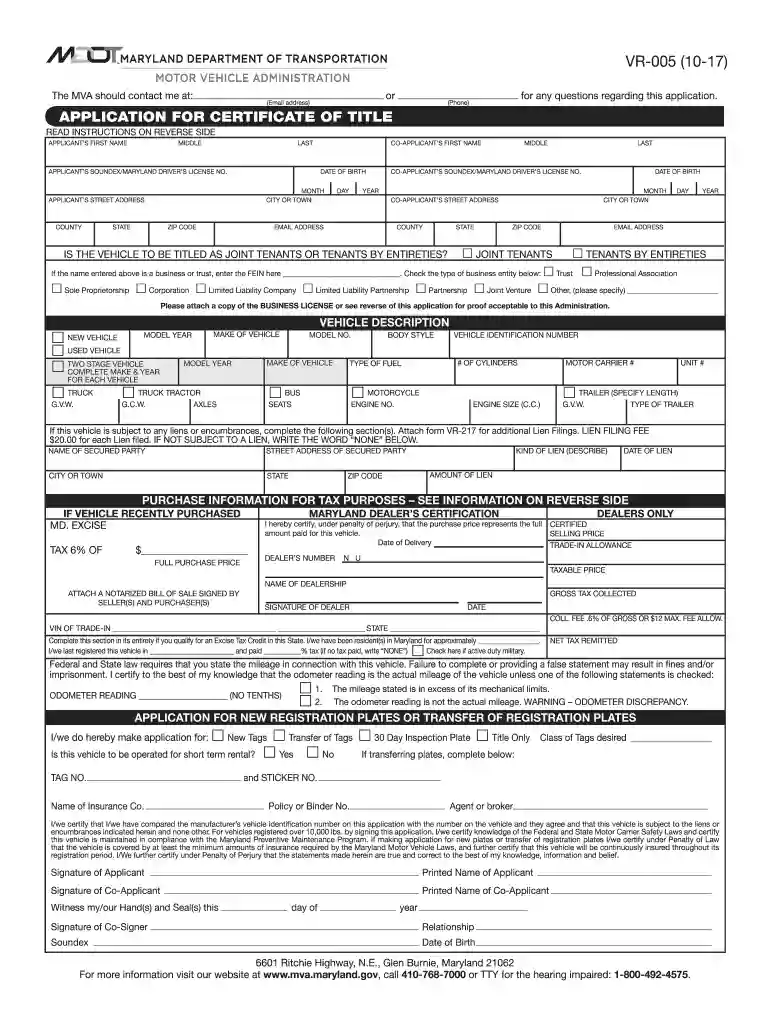
Type text, add images, blackout confidential details, add comments, highlights and more.

Draw your signature, type it, upload its image, or use your mobile device as a signature pad.

Send vr 005 via email, link, or fax. You can also download it, export it or print it out.

Start filling out your mva form vr 005 today for free using our platform!
We've got more versions of the vr005 form. Select the right vr005 version from the list and start editing it straight away!
Sign in to your DocHub account and add your form vr 005 to our editor using one of its upload options - from your device, cloud storage, protected URL, or your DocHub folders if you have already processed your document before. Open our editor, click the Sign button in the upper toolbar, and choose your signing method. You can use an image of your handwritten signature, draw it, type in your name, or use a QR code as an alternative.
You can easily fill out, edit, and even eSign your maryland vr 005 utilizing DocHub. Create a new account and start your free trial. After that, you may upload the file with the form and easily make all the needed edits. No need to print on paper or use a third-party application to sign it, as you can put your electronic signature on your document quicker via DocHub.
At DocHub, your data security is our priority. We follow HIPAA, SOC2, GDPR, and other standards, so you can work on your documents with confidence.
Additionally, the VR-005 Application for Certificate of Title must be completed and signed, and the vehicle requires a Maryland Safety Inspection. If there is aRead more
The mevalonate pathway (MVA) is the first step in the biosynthesis pathway for linalool. The pathway is a series of reactions that produce molecules in many
form VR 005 the MD Safety Inspection Certificate and payment check or money order made. Frequently Asked Questions Pages Motor Vehicle Administration SPAM


