




Here's how it works

01. Edit your which of the following materials are subject to pre publication review online
Type text, add images, blackout confidential details, add comments, highlights and more.

02. Sign it in a few clicks
Draw your signature, type it, upload its image, or use your mobile device as a signature pad.

03. Share your form with others
Send which of the materials listed are subject to prepublication review via email, link, or fax. You can also download it, export it or print it out.
How to use or fill out annual refresher with our platform

- Click ‘Get Form’ to open the annual refresher training record in the editor.
- Begin by entering the miner’s full name and ID# in the designated fields. Ensure accuracy for proper record-keeping.
- Fill in the mine or contractor name, along with the subject and length of training. This information is crucial for compliance.
- Input the date of training and details about the competent person overseeing the session. This adds credibility to your documentation.
- Provide the location of training, including name and address if applicable. This helps in verifying where the training took place.
- Have the miner initial next to their name to confirm participation in at least 8 hours of annual refresher training on relevant health and safety subjects.
- Finally, ensure that a responsible person signs and dates the form to certify completion of training. Review all entries for accuracy before submission.
Start using our platform today to streamline your document editing and ensure compliance effortlessly!
Fill out annual refresher online
It's free
It's free
Security and compliance
At DocHub, your data security is our priority. We follow HIPAA, SOC2, GDPR, and other standards, so you can work on your documents with confidence.
Learn more


Related forms

Sos ok
The document is a Fictitious Name Report intended for the Oklahoma Secretary of State, used by foreign corporations whos ...

Little league football equipment contract
The Lehi Youth Football Equipment Agreement outlines the responsibilities of parents or guardians regarding the equipmen ...
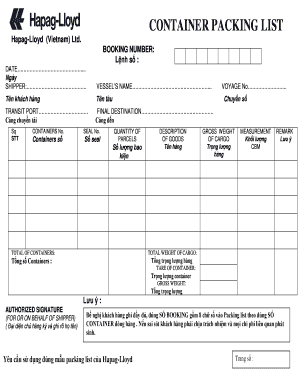
Packing list hapag lloyd
The document is a Container Packing List from Hapag-Lloyd (Vietnam) Ltd., detailing essential shipping information inclu ...

EH-45 indd
The document is a request form for the use of school facilities by nonprofit groups or organizations in the School Distr ...

Dizziness Handicap Inventory Form
The document is a Dizziness Handicap Inventory (DHI) questionnaire designed to assess the impact of dizziness on a patie ...

Form I-918, Supplement A, Petition for Qualifying Family Member of U-1 Recipient Form I-918, Supplem
Form I-918, Supplement A, Petition for Qualifying Family Member of U-1 Recipient Form I-918, Supplem
The document is the Supplement A form for the Petition for Qualifying Family Member of a U-1 Recipient, issued by the U. ...

Payer Importer Number (EIN) OR 3 digit filer code:
The document is a U.S. Customs and Border Protection (CBP) ACH Debit Application form, which allows importers to enroll ...

MTCDEpi initial case report form062012 docx LCP RELEASE OF INFORMATION - dphhs mt
The document is a communicable disease case report form used by local health jurisdictions and the Department of Public ...