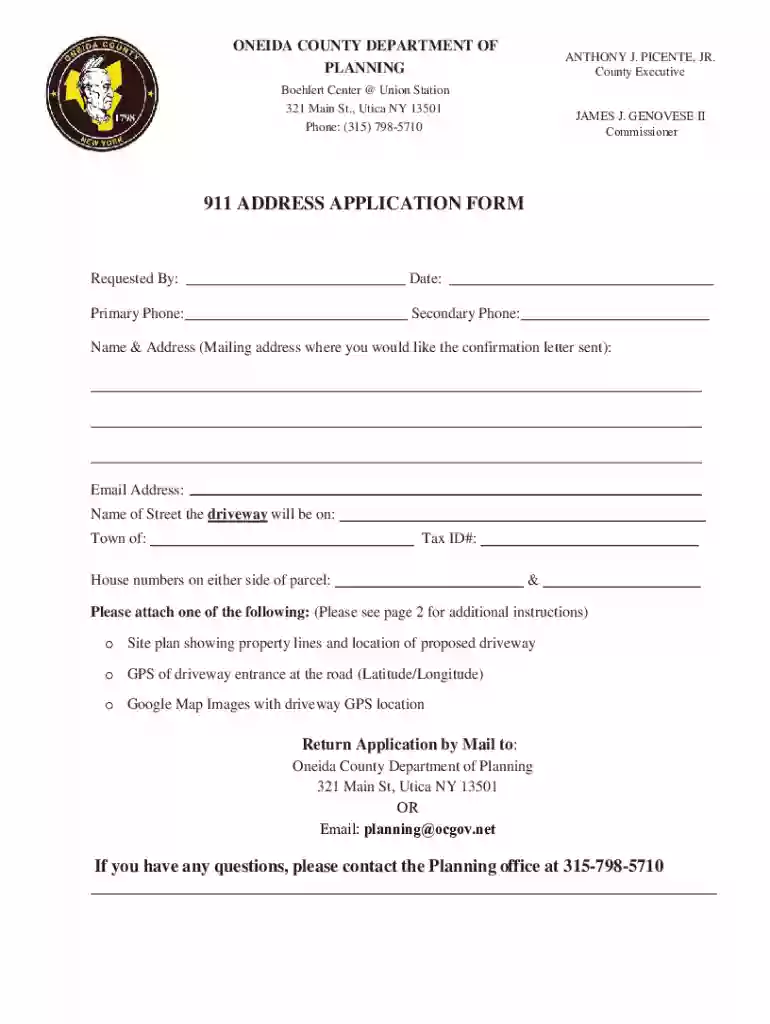
Definition and Meaning of Form Online
The term "form online" refers to the ability to access, fill out, and submit various types of forms via the internet. This method streamlines traditional paper-based form processes by allowing users to engage with documents electronically, increasing efficiency, and reducing the time required to manage paperwork. "Form online" typically involves platforms that enable users to create, edit, and share forms digitally, ensuring convenience and accessibility regardless of geographical location.
Characteristics of Online Forms
- Digitally Accessible: Forms are available for completion and submission through web browsers.
- Interactive Elements: Features include fillable fields, checkboxes, and dropdown menus.
- Secure Transactions: Data encryption and password protection safeguard user information.
- Automation: Streamlines processes that were traditionally manual, such as data entry and form distribution.
How to Use the Form Online
Knowing how to effectively use online forms can greatly enhance workflow efficiency. Online platforms like DocHub provide comprehensive tools for this purpose. Here's an overview of how these tools typically operate:
Steps to Use an Online Form
- Access the Platform: Navigate to the website (e.g., DocHub) where the form is hosted.
- Select or Upload Form: Import from your device or select from available templates.
- Fill Out Fields: Complete the form using interactive elements like text boxes and dropdowns.
- Save and Review: Ensure all required fields are completed and review for accuracy.
- Submit or Share: Documents can be submitted directly or shared for collaboration or approval.
Practical Examples
- Tax Filing: Users complete tax forms online, reducing the need for in-person submissions.
- Permit Applications: Local government forms can be filled and submitted digitally.
- Client Onboarding: Businesses use online forms to gather client information efficiently.
Steps to Complete the Form Online
Completing a form online involves several particular steps that ensure the document is accurately filled and submitted. This process can vary slightly depending on the type of form but generally includes:
Detailed Steps
- Preparation: Gather necessary information and documents needed to fill in the form.
- Document Access: Open the form on a web-based platform using a compatible web browser.
- Data Entry: Utilize fillable fields to input correct data; ensure fields like names, dates, and addresses are accurate.
- Review: Double-check all entered data for completeness and accuracy.
- Add Signatures: Use electronic signature functionality to sign the form when required.
- Submit: Follow specified instructions for submission, whether via email or direct upload to a specified portal.
Tips for Efficient Form Completion
- Utilize Auto-Fill: When possible, use auto-fill to streamline data entry.
- Visual Verification: Perform a visual check to spot any errors or omissions.
- Leverage Help Resources: Many platforms offer guides or help sections for complex field-related queries.
Key Elements of the Form Online
Online forms consist of various elements designed to ensure they are user-friendly and effective. Understanding these elements can help users interact with forms more efficiently.
Components of Online Forms
- Fillable Fields: Areas for inputting text or numbers, such as names and addresses.
- Checkboxes and Radio Buttons: Selectable options allowing users to choose one or multiple items.
- Dropdown Menus: Lists of selectable options for standardized data input, like state or country fields.
- Signature Fields: Designated areas to capture electronic signatures ensuring legal validity.
Interactive Features
- Real-Time Validation: Immediate feedback on data correctness as fields are filled.
- Dynamic Field Adjustments: Conditional fields that change based on previous answers to streamline user experience.
Legal Use of the Form Online
The legality of using online forms is upheld by numerous regulations, ensuring that electronic transactions are as binding and legitimate as their paper counterparts. This is particularly important for forms requiring signatures, such as contracts or applications.
Regulatory Compliance
- ESIGN Act: Permits electronic signatures to hold the same legal status as handwritten ones in the U.S.
- GDPR (General Data Protection Regulation): Governs data protection and privacy in the EU but impacts U.S. businesses that handle EU data.
- State-Specific Legislation: Certain U.S. states have additional regulations governing online document handling.
Security Features
- Data Encryption: Uses SSL and other protocols to protect data integrity.
- Audit Trails: Track document history to ensure accountability, transparency, and compliance.
Examples of Using the Form Online
Various real-world scenarios illustrate the versatility and efficiency of using forms online.
Practical Applications
- Small Business Licenses: Applications are completed and submitted electronically, streamlining processing times.
- Educational Enrollment: Schools use electronic forms for student registrations.
- Insurance Claims: Policyholders submit claims through online forms, reducing response time.
Case Studies
- Local Government Efficiency: A city implements online permit applications, cutting processing times by 50%.
- Healthcare Providers: Implement digital patient intake forms, enhancing records management and accessibility.
Form Submission Methods: Online, Mail, and In-Person
Forms can typically be submitted via several methods, each with its advantages and limitations depending on urgency, documentation type, and user preference.
Submission Channels
- Online: Fastest and most convenient; allows for immediate validation and receipt of the form.
- Mail: Traditional method; useful where wet signatures or paper copies are required by regulation.
- In-Person: Necessary for documents requiring face-to-face verification but less common due to digital advancements.
Factors Influencing Choice
- Urgency: Online submissions are preferable for time-sensitive documents.
- Jurisdictional Requirements: Certain documents may legally require mailing or in-person submission for authentication.
Required Documents for Form Completion
Completing a form online often necessitates additional documentation, which varies based on form type and purpose.
Common Document Examples
- Identification: Driver's license or passport needed for identity verification.
- Proof of Residence: Utility bills or lease agreements for address confirmation.
- Additional Forms: Some applications, like tax filings, may require supplementary documents like W-2s or 1099s.
Considerations
- Document Format: PDFs are widely accepted; ensure documents are clear and legible.
- Timeliness: Ensure all documents are current and reflect the latest information.