




Here's how it works

01. Edit your c2001 form online
Type text, add images, blackout confidential details, add comments, highlights and more.

02. Sign it in a few clicks
Draw your signature, type it, upload its image, or use your mobile device as a signature pad.

03. Share your form with others
Send c2001 online form via email, link, or fax. You can also download it, export it or print it out.
How to use or fill out c2001 with our platform

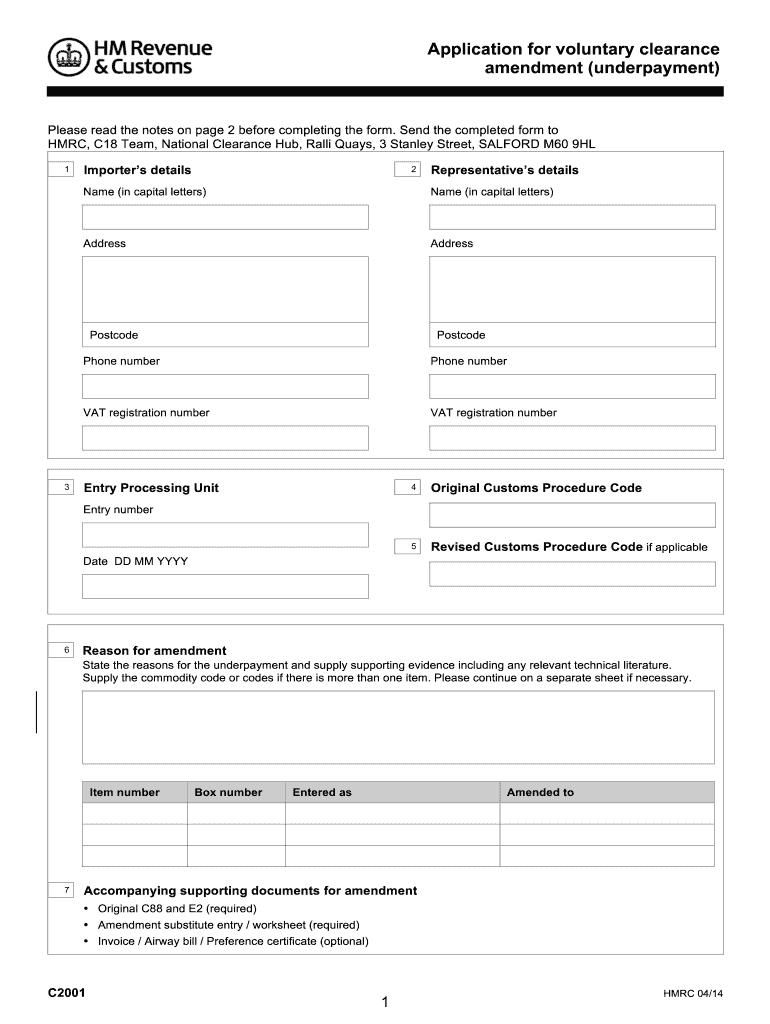
- Click ‘Get Form’ to open the c2001 application in the editor.
- Begin by entering the Importer’s details in capital letters, including name, address, postcode, phone number, and VAT registration number.
- Next, fill in the Representative’s details using the same format as above.
- Proceed to the Entry Processing Unit section. Input the Original Customs Procedure Code and any Revised Customs Procedure Code if applicable.
- In question 6, clearly state the reason for the underpayment and attach any supporting evidence. Include commodity codes if necessary.
- Complete question 8 by detailing the amounts related to underpayment: Amount paid, Amount due to HMRC, Duty, VAT, and other totals.
- If applicable, provide deferment payment details in question 9 and ensure you have specific authority from the consignee for amendments.
- Finally, complete the declaration section with your name in capital letters, phone number, signature, and date.
Start filling out your c2001 form online for free today!
Fill out c2001 online
It's free
Security and compliance
At DocHub, your data security is our priority. We follow HIPAA, SOC2, GDPR, and other standards, so you can work on your documents with confidence.
Learn more


