Type text, add images, blackout confidential details, add comments, highlights and more.
02. Sign it in a few clicks
Draw your signature, type it, upload its image, or use your mobile device as a signature pad.
03. Share your form with others
Send fr 800m via email, link, or fax. You can also download it, export it or print it out.
How to use or fill out the DC Form Sales Tax with our platform
Ease of Setup
DocHub User Ratings on G2
Ease of Use
DocHub User Ratings on G2
Click ‘Get Form’ to open it in the editor.
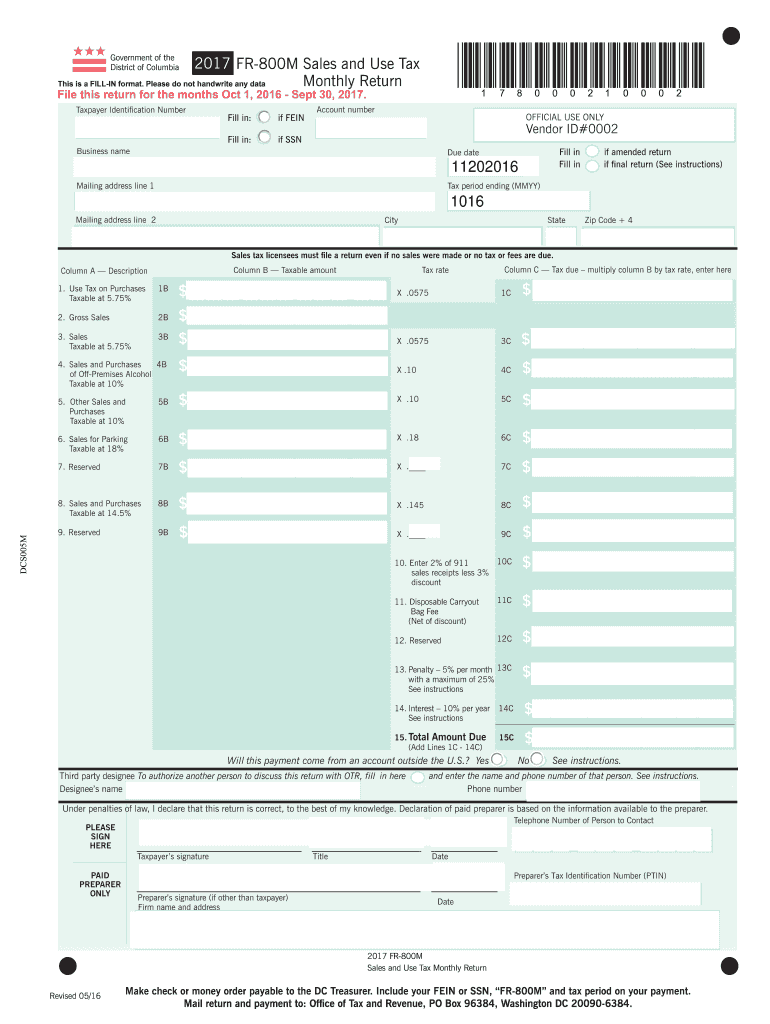
Begin by entering your Taxpayer Identification Number. If you have a Federal Employer Identification Number (FEIN), fill that in; otherwise, provide your Social Security Number (SSN).
Next, input your account number and business name. Ensure all details are accurate to avoid processing delays.
Fill in the mailing address, including city, state, and zip code. This information is crucial for correspondence regarding your tax return.
Proceed to complete the sections for taxable amounts under 'Use Tax on Purchases', 'Gross Sales', and other categories listed. For each category, enter the taxable amount in Column B and calculate the tax due in Column C by multiplying by the respective tax rate.
Finally, review all entries for accuracy before signing at the bottom of the form. Ensure you declare that the information is correct to the best of your knowledge.
Start using our platform today to easily fill out your DC Form Sales Tax for free!
Fill out how to dc form sales tax online It's free
We've got more versions of the how to dc form sales tax form. Select the right how to dc form sales tax version from the list and start editing it straight away!
How to dc form sales tax onlineHow to dc form sales tax pdfHow to dc form sales tax 1099How to dc form sales tax 2021My DC TaxDC tax refund NumberDC tax forms 2026DC Tax number
Security and compliance
At DocHub, your data security is our priority. We follow HIPAA, SOC2, GDPR, and other standards, so you can work on your documents with confidence.
YOUR EXEMPTION FROM D.C. SALES AND USE TAX IS EFFECTIVE ON THE DATE OF. ISSUANCE. FOR ADDITIONAL INFORMATION YOU MAY CALL EXEMPT ORGANIZATIONS AT (202) 442-6586Read more
Feb 8, 2018 The Sales Tax Deduction Calculator (IRS.gov/ SalesTax) figures the amount you can claim if you itemize deductions on Schedule A (Form 1040),.Read more
All Sales and Use Tax returns must be filed and paid electronically through MyTax.DC.gov. Important Note About Refunds and Amended Returns. If you need toRead more
Cookie consent notice
This site uses cookies to enhance site navigation and personalize your experience.
By using this site you agree to our use of cookies as described in our Privacy Notice.
You can modify your selections by visiting our Cookie and Advertising Notice.