




Here's how it works



How to use or fill out 2013 FR-800M form with our platform

- Click ‘Get Form’ to open the 2013 FR-800M in the editor.
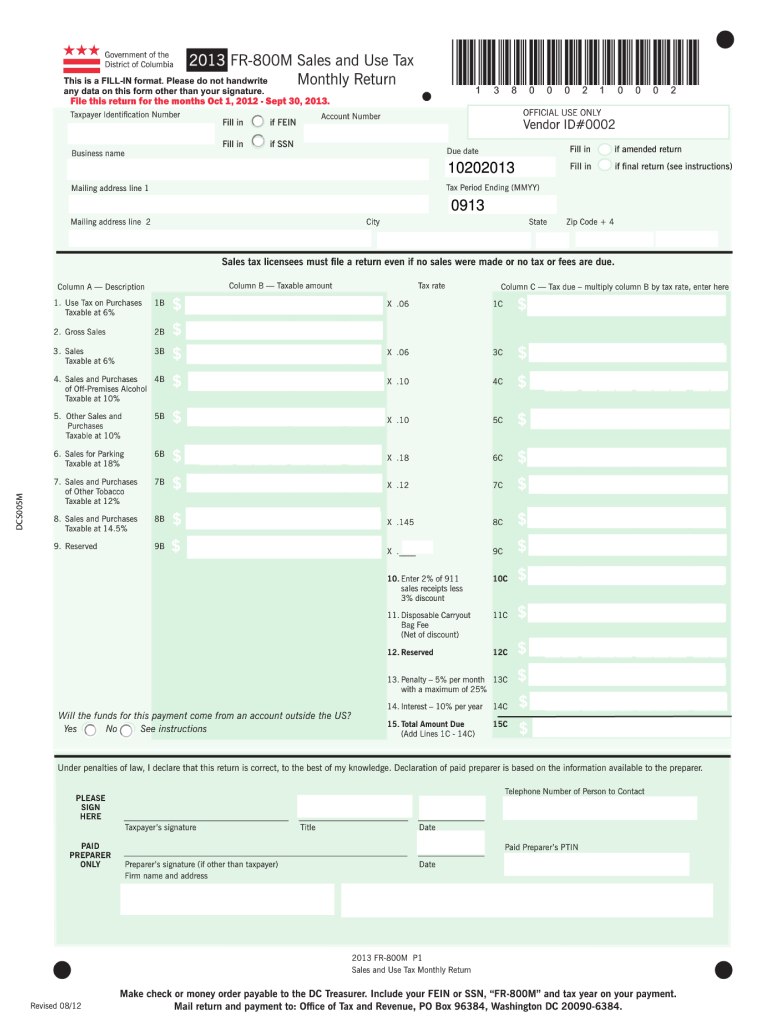
- Begin by entering your Taxpayer Identification Number and Account Number in the designated fields. Ensure accuracy as this information is crucial for processing.
- Fill in your Business Name, Mailing Address, and Tax Period Ending date. This section is essential for identifying your business and the relevant tax period.
- Proceed to complete the sales details. For each category listed (e.g., Gross Sales, Sales Taxable at different rates), enter the corresponding amounts in Columns A and B. The platform will automatically calculate the tax due in Column C based on your entries.
- Review all entries for accuracy. Don’t forget to sign and date the form at the bottom before submission.
Start using our platform today to fill out your 2013 FR-800M form online for free!
It's free
See more 2013 fr 800m form versions
Got questions?
How do I sign my 2013 fr 800m form for free?
Most eSignature solutions require users to have a paid subscription. With DocHub, there are two ways for you to create an electronic signature to your 2013 fr 800m form without being charged:
- You can do it during a 7-day trial period;
- You can sign up for a free plan.
The second option, though, has limitations on the number of signatures, sign requests, emails, and forms for editing available per month. You can check for full details here.
Can I edit 2013 fr 800m form on my phone?
As a comprehensive document editing platform, DocHub is available on mobile devices. Open DocHub in your choice of mobile internet browser and employ our smart mobile-friendly toolset to complete your 2013 fr 800m form.
What is the DC non resident tax refund form?
What is the DC form FR 800A?
What form is the DC refund request?
Security and compliance
At DocHub, your data security is our priority. We follow HIPAA, SOC2, GDPR, and other standards, so you can work on your documents with confidence.
Learn more


