




01. Edit your form online
Type text, add images, blackout confidential details, add comments, highlights and more.

Type text, add images, blackout confidential details, add comments, highlights and more.

Draw your signature, type it, upload its image, or use your mobile device as a signature pad.

Send it via email, link, or fax. You can also download it, export it or print it out.
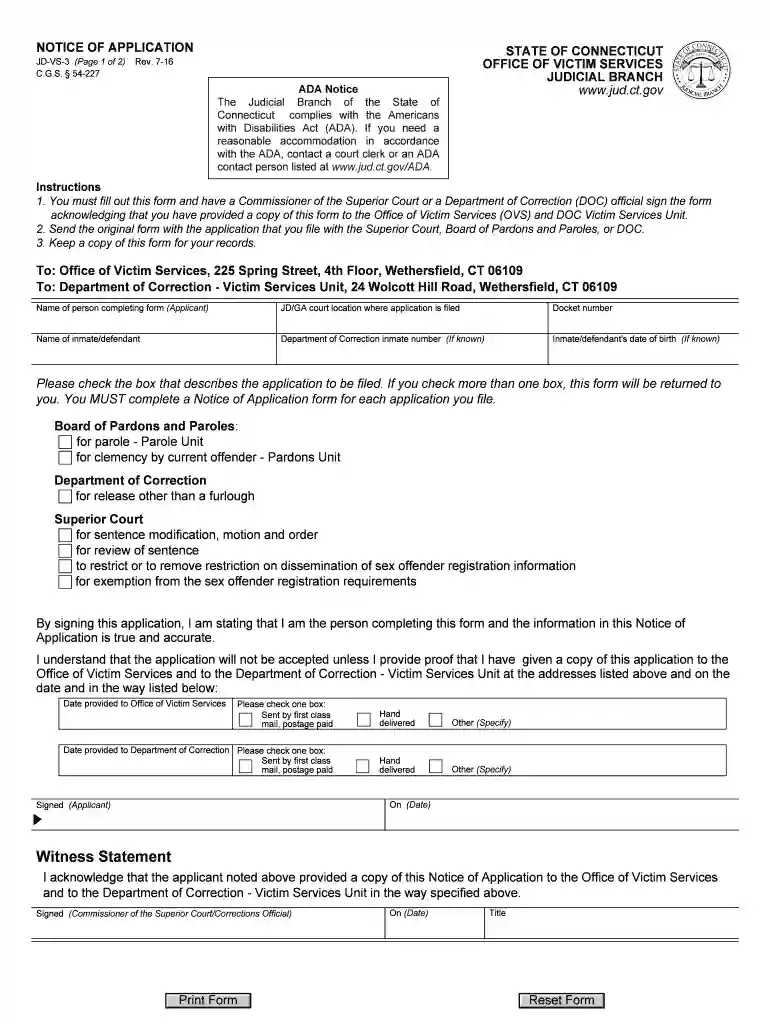
JD VS 3 is a specific legal form used across various legal departments to address victim services in the State of Connecticut. It is utilized primarily by individuals seeking modifications such as parole, clemency, or related legal adjustments. This form acts as a formal application for those needing to submit requests or claims related to victim services, ensuring the process adheres to legal requirements and provides a structured approach to managing such claims.
Using the JD VS 3 involves understanding its sections and requirements to accurately complete the application process. This form is crucial for individuals needing to officially request any legal modifications affecting victim status or services.
Acquiring the JD VS 3 form is straightforward. It is available through multiple channels, allowing applicants access regardless of their specific needs or location.
Completing the JD VS 3 form involves several meticulous steps to ensure accuracy and compliance with legal standards.
The JD VS 3 form comprises several critical elements, each serving a specific function to fulfill legal requirements efficiently.
Understanding who commonly utilizes the JD VS 3 form can provide insight into its application within the legal system.


The JD VS 3 form has specific legal implications and uses that dictate how it is to be employed within the judicial process.
Each state may have variations in handling such forms, and understanding the Connecticut-specific nuances is essential for proper form usage.
Utilizing this detailed breakdown of the JD VS 3 form, individuals and legal representatives can effectively navigate its requirements and submission process, ensuring compliance with relevant legal standards and achieving the desired outcomes in their legal proceedings.
We've got more versions of the jd vs 3 form. Select the right jd vs 3 version from the list and start editing it straight away!
Microsoft Word doesn’t have signing tools to generate valid electronic signatures and enforceable documents. Luckily, DocHub is an online eSignature-compliant editor that works with various document formats, including .doc files. Sign in to your account and upload the Word edition of your jd vs 3 from your device and cloud, or URL - our editor will automatically convert it into an editable PDF. Make all essential adjustments in your form and click Sign to generate your own legally-binding electronic signature. There are four signing methods from which to choose.
When you go for analog methods of completing your jd vs 3, it is simple to download your file for printing. Search DocHub’s Forms & Templates catalog to get the exact document template you need and open it for editing or download it on your gadget in the format of your choice. It is easy to complete your form electronically and place your handwritten signature on it right after printing or eSign your document with DocHub.
At DocHub, your data security is our priority. We follow HIPAA, SOC2, GDPR, and other standards, so you can work on your documents with confidence.
JD-VS-3 Rev. 1-26. C.G.S. 54-227. Instructions. 1a. Inmate or defendant: Complete this form. Make sure you fill out the section on Page 2 that says, To beRead more
It is recommended that part-time students not work more than 40 hours per week. Graduation Requirements. Requirements for the receipt of the Juris Doctor (J.D.)Read more


