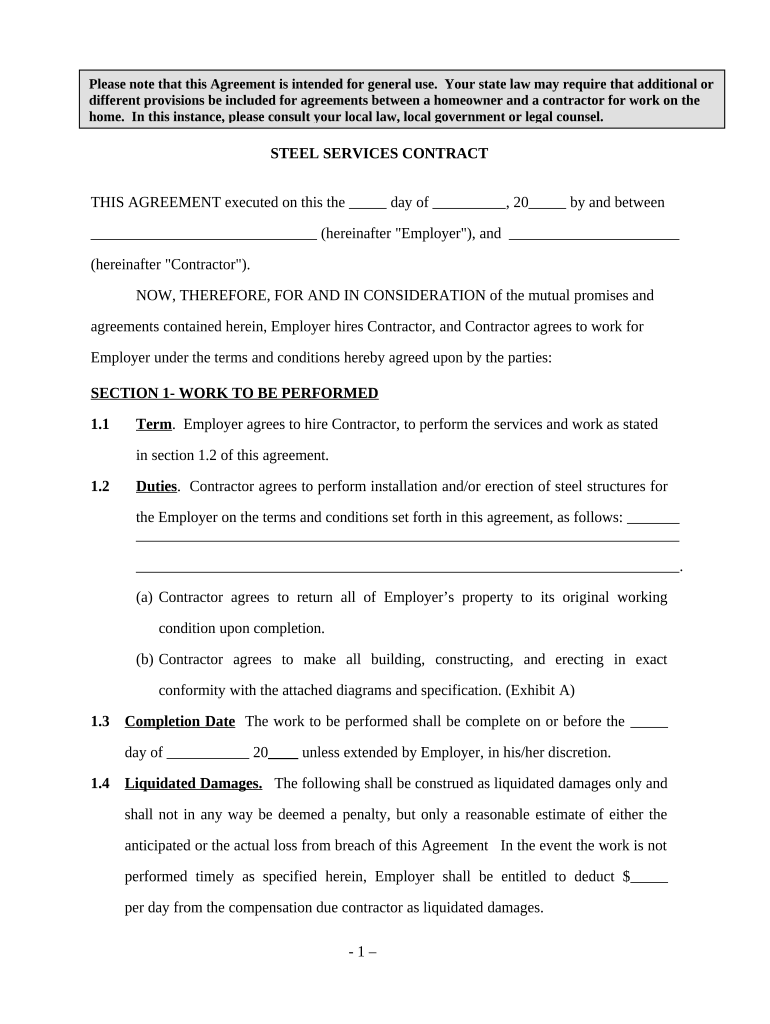
Self-Employed Steel Services Contract 2026

Get Form
Self-Employed Steel Services Contract Preview on Page 1

Here's how it works

01. Edit your form online
Type text, add images, blackout confidential details, add comments, highlights and more.
02. Sign it in a few clicks
Draw your signature, type it, upload its image, or use your mobile device as a signature pad.
03. Share your form with others
Send it via email, link, or fax. You can also download it, export it or print it out.

How to use or fill out Self-Employed Steel Services Contract with our platform

Form edit decoration
9.5
Ease of Setup
DocHub User Ratings on G2
9.0
Ease of Use
DocHub User Ratings on G2
  1. Click ‘Get Form’ to open the Self-Employed Steel Services Contract in the editor.
  2. Begin by entering the date of execution at the top of the form. This is crucial for establishing the timeline of your agreement.
  3. Fill in the names of both parties in the designated fields, ensuring accuracy as these will be referenced throughout the contract.
  4. In Section 1, outline the specific work to be performed. Clearly detail duties and responsibilities, referencing any attached diagrams or specifications.
  5. Specify the completion date in Section 1.3 and include any liquidated damages terms if applicable, ensuring clarity on penalties for delays.
  6. Proceed to Section 2 to define compensation terms. Indicate payment amounts and frequency, making sure all financial details are transparent.
  7. Review Sections 3 through 6 carefully, confirming that all representations, warranties, and insurance requirements are accurately filled out.
  8. Finally, ensure both parties sign and date at the bottom of the document to validate the agreement before distribution.

Start using our platform today for free to streamline your contract editing and signing process!

be ready to get more

Complete this form in 5 minutes or less

Get form

Got questions?

We have answers to the most popular questions from our customers. If you can't find an answer to your question, please contact us.
Contact us

Most eSignature solutions require users to have a paid subscription. With DocHub, there are two ways for you to add an electronic signature to your Self-Employed Steel Services Contract free of charge:

  • You can do it during a 7-day trial period;
  • You can sign up for a free plan.

The second option, though, has restrictions on the number of signatures, sign requests, emails, and documents for adjusting available per month. You can check for full information here.

If you edit your Self-Employed Steel Services Contract with DocHub, you will not need to look for other applications or services to sign it. An electronic signature is a component of DocHub’s comprehensive editing toolset, which enables you to implement changes in your form without switching between websites. Simply complete your form, double-check the correctness of the information and place your electronic signature at the end to make it submission-ready within a few minutes.

Factors that show you are an independent contractor include working with multiple clients instead of just one, not receiving detailed instructions from hiring firms, paying your own business expenses such as office and equipment expenses, setting your own schedule, marketing your services to the public, having all
If you are an independent contractor, then you are self-employed. The earnings of a person who is working as an independent contractor are subject to self-employment tax. To find out what your tax obligations are, visit the Self-Employed Individuals Tax Center.
How to draft a contract in 13 simple steps Start with a contract template. Understand the purpose and requirements. Identify all parties involved. Outline key terms and conditions. Define deliverables and milestones. Establish payment terms. Add termination conditions. Incorporate dispute resolution.

People also ask

In sum, the new federal rule is that a worker is an independent contractor if the worker is, as a matter of economic reality, in business for themselves. In California, most jobs are governed by the so-called ABC Test, which is stricter than the new federal test.
The US Internal Revenue Service states that independent contractors are self-employed. However, not all self-employed people count as independent contractors. As it turns out, there are some important differences between these two that can impact the way you perform work and pay taxes.
If payment for services you provided is listed on Form 1099-NEC, Nonemployee Compensation, the payer is treating you as a self-employed worker, also referred to as an independent contractor. You dont necessarily have to have a business for payments for your services to be reported on Form 1099-NEC.
Someone might be given a contract for services and be called a contractor or freelancer if theyre: self-employed. a worker or employee getting work through an agency.
In California, the relationship between businesses and independent contractors is subject to strict legal standards. As of January 1, 2025, having a written contract with certain types of independent contractors is required by law.

Related links