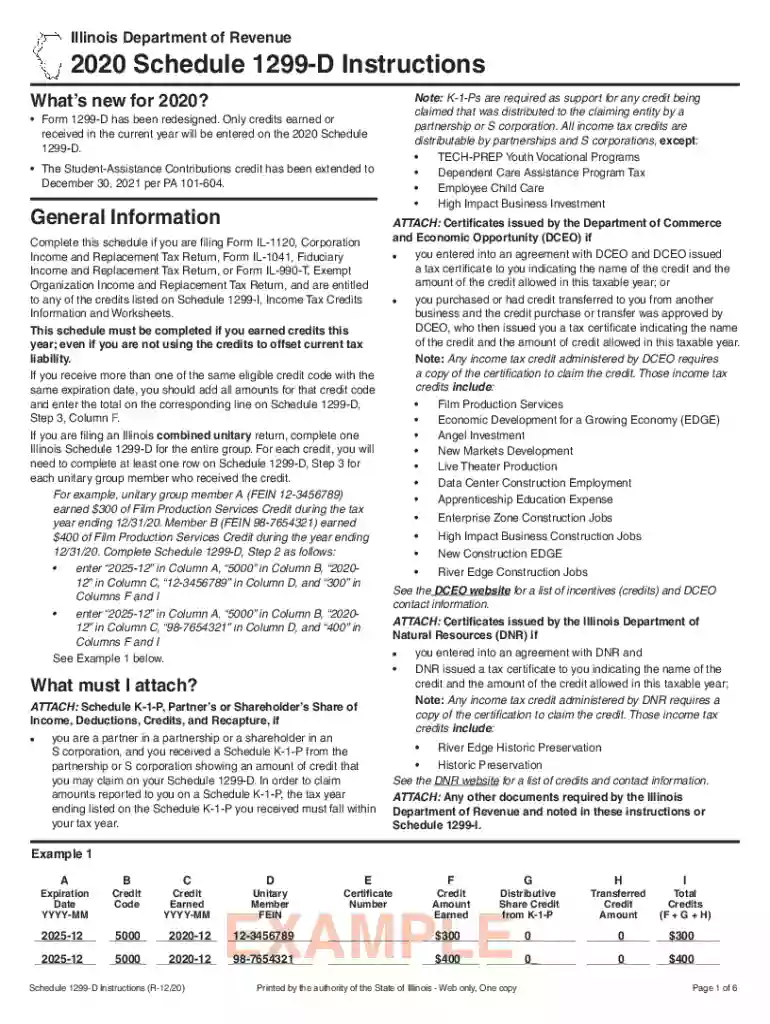
Schedule 1299 d instructions-2026

Get Form
schedule 1299 d instructions Preview on Page 1

Here's how it works

01. Edit your form online
Type text, add images, blackout confidential details, add comments, highlights and more.

02. Sign it in a few clicks
Draw your signature, type it, upload its image, or use your mobile device as a signature pad.

03. Share your form with others
Send it via email, link, or fax. You can also download it, export it or print it out.

How to use or fill out schedule 1299 d instructions with our platform

Form edit decoration
9.5
Ease of Setup
DocHub User Ratings on G2
9.0
Ease of Use
DocHub User Ratings on G2
  1. Click ‘Get Form’ to open the Schedule 1299-D in the editor.
  2. Begin by completing Step 3, where you will list all new credits earned this year. Enter the expiration date in Column A, credit code in Column B, and the amount earned in Column F.
  3. Next, move to Step 2. Here, enter the total amount of credits available from your previous year's Schedule 1299-D in Line 4.
  4. For each credit type, ensure you have attached any required documentation such as Schedule K-1-P or certificates from DCEO or DNR as specified in the instructions.
  5. Finally, review all entries for accuracy and completeness before saving your document. Use our platform's features to easily modify any fields if necessary.

Start using our platform today for free to streamline your Schedule 1299-D completion!

See more schedule 1299 d instructions versions

We've got more versions of the schedule 1299 d instructions form. Select the right schedule 1299 d instructions version from the list and start editing it straight away!
Versions Form popularity Fillable & printable
2023 4.5 Satisfied (42 Votes)
2022 4.5 Satisfied (29 Votes)
2021 4.6 Satisfied (38 Votes)
2020 4.8 Satisfied (229 Votes)
2015 4 Satisfied (54 Votes)
be ready to get more

Complete this form in 5 minutes or less

Get form

Got questions?

We have answers to the most popular questions from our customers. If you can't find an answer to your question, please contact us.
Contact us
You may be permitted to subtract your Caterpillar Inc. dividends, as reported on Form 1099-DIV, from your base income for Illinois income tax purposes.
How to file your Schedule E. When filling out the Schedule E, you only need to fill out the relevant parts that relate to the type of income or loss you incur. For example, if you have partnership income, then only fill out the section that applies to partnerships.
Use Schedule C (Form 1040) to report income or loss from a business you operated or a profession you practiced as a sole proprietor. An activity qualifies as a business if: Your primary purpose for engaging in the activity is for income or profit. You are involved in the activity with continuity and regularity.
Under Illinois law, dividends received from a corporation that conducts business in a Foreign Trade Zone or Sub-Zone and is designated a High Impact Business are eligible for the subtraction modification from Illinois base income.
You may be permitted to subtract dividends that were paid to you on shares of Walgreens Boots Alliance, Inc. common stock between January 1, 2024 and December 31, 2024, and that were reported to you on Form 1099-DIV, from your base income for Illinois income tax purposes.

Security and compliance

At DocHub, your data security is our priority. We follow HIPAA, SOC2, GDPR, and other standards, so you can work on your documents with confidence.

Learn more
ccpa2
pci-dss
gdpr-compliance
hipaa
soc-compliance
be ready to get more

Complete this form in 5 minutes or less

Get form

People also ask

Form 1299 C is a tax schedule exclusive to the state of Illinois. It is required by residents who want to claim credits on their income tax. These credits may include property tax, education expense, or earned income credits.

Related links