




Here's how it works

01. Edit your 2021 form 8815 online
Type text, add images, blackout confidential details, add comments, highlights and more.

02. Sign it in a few clicks
Draw your signature, type it, upload its image, or use your mobile device as a signature pad.

03. Share your form with others
Send form 8815 via email, link, or fax. You can also download it, export it or print it out.
How to use or fill out IRS Form 8815 with DocHub

- Click ‘Get Form’ to open it in the editor.
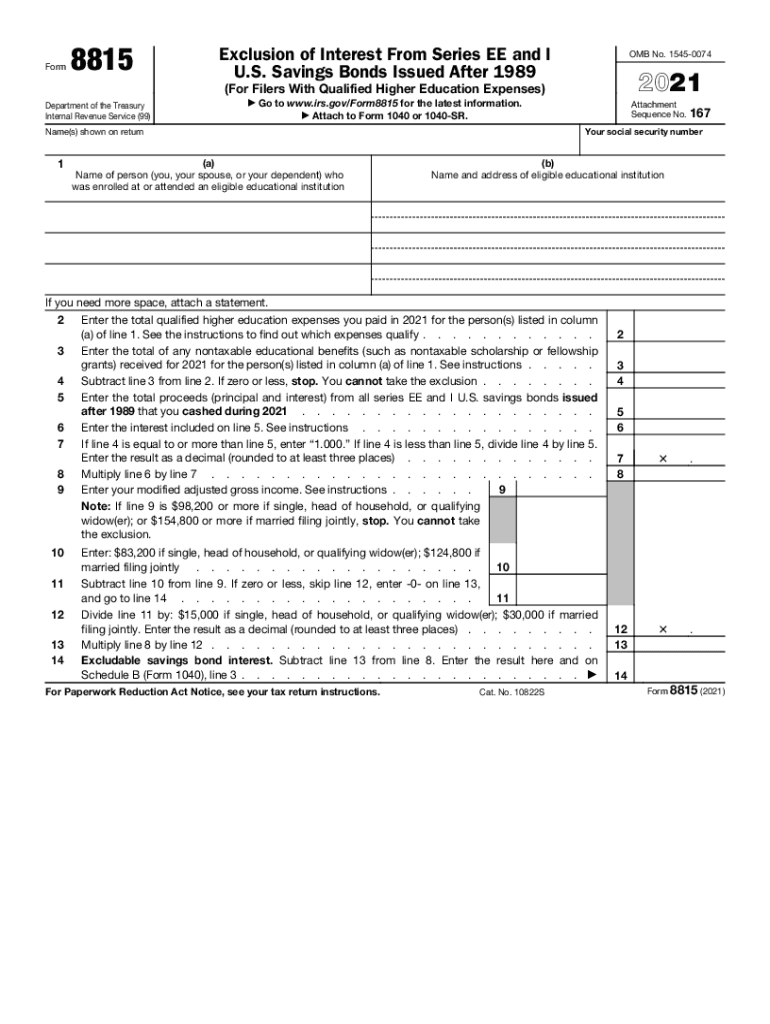
- In Line 1, enter the name of the person who attended an eligible educational institution. In Column (b), provide the name and address of that institution.
- For Line 2, input the total qualified higher education expenses you paid in 2021 for the individual listed in Line 1. Ensure these expenses qualify as per IRS guidelines.
- On Line 3, enter any nontaxable educational benefits received for the same individual. This includes scholarships or grants that do not count as taxable income.
- Proceed to Line 6 and enter the total proceeds from all series EE and I U.S. savings bonds cashed during 2021.
- Complete Lines 9 through 14 by following the instructions provided on each line, ensuring accurate calculations based on your modified adjusted gross income.
Start using our platform today to fill out IRS Form 8815 easily and for free!
Fill out irs form 8815 online
It's free
It's free
See more irs form 8815 versions
We've got more versions of the irs form 8815 form. Select the right irs form 8815 version from the list and start editing it straight away!
| Versions | Form popularity | Fillable & printable |
|---|---|---|
| 2025 | 4.9 Satisfied (20 Votes) | |
| 2024 | 4.7 Satisfied (46 Votes) | |
| 2023 | 4.9 Satisfied (33 Votes) | |
| 2022 | 4.4 Satisfied (45 Votes) | |
| 2021 | 4.8 Satisfied (82 Votes) | |
| 2020 | 4.3 Satisfied (58 Votes) | |
| 2019 | 4.4 Satisfied (155 Votes) | |
| 2018 | 4 Satisfied (43 Votes) | |
| 2017 | 4.3 Satisfied (115 Votes) | |
| 2016 | 4.1 Satisfied (34 Votes) | |
| 2015 | 4.2 Satisfied (52 Votes) | |
| 2014 | 4.1 Satisfied (61 Votes) | |
| 2013 | 4.1 Satisfied (42 Votes) | |
| 2012 | 4 Satisfied (52 Votes) | |
| 2011 | 4 Satisfied (28 Votes) |
Security and compliance
At DocHub, your data security is our priority. We follow HIPAA, SOC2, GDPR, and other standards, so you can work on your documents with confidence.
Learn more


