





Here's how it works

01. Edit your dochub com fillable form online
Type text, add images, blackout confidential details, add comments, highlights and more.

02. Sign it in a few clicks
Draw your signature, type it, upload its image, or use your mobile device as a signature pad.

03. Share your form with others
Send it via email, link, or fax. You can also download it, export it or print it out.
How to use or fill out Indiana Request Income Tax Form with DocHub

- Click ‘Get Form’ to open the Indiana Request for Corporate Estimated Quarterly Income Tax Returns (Form E-6) in our editor.
- Begin by entering your Federal Employer Identification Number and Indiana Taxpayer Identification Number in the designated fields.
- Fill in the corporation's name, address, city, state, ZIP code, and county. Ensure all information is accurate to avoid processing delays.
- If this is a new estimated account, check the appropriate box. If you are submitting a payment, indicate the quarter and amount paid.
- Complete the signature section with your name, title, and telephone number. This step is crucial for validation.
- Review all entries for accuracy before saving or printing your completed form. Use our platform’s features to easily make any necessary edits.
Start filling out your Indiana Request Income Tax Form today for free using our platform!
Fill out indiana request income tax form online
It's free
It's free
See more indiana request income tax form versions
We've got more versions of the indiana request income tax form form. Select the right indiana request income tax form version from the list and start editing it straight away!
Security and compliance
At DocHub, your data security is our priority. We follow HIPAA, SOC2, GDPR, and other standards, so you can work on your documents with confidence.
Learn more


Related forms

How to Expunge Your Criminal an or Juvenile - NJ Courts
The document is a legal form from the Superior Court of New Jersey for individuals applying to change their name. It inc ...

B 201 - Notice of Available Chapters (Rev - cacb uscourts
The document is a notice from the United States Bankruptcy Court for the Central District of California, informing indiv ...

Hawaii - Notice of Change of Name (Minor by Parents)
The document is a legal notice from the Lieutenant Governor of Hawaii, Shan S. Tsutsui, regarding a petition for a name ...

Idaho - Affidavit of Service (Minors)
The document is an Affidavit of Service related to a Petition for Name Change for minors, filed in the District Court of ...
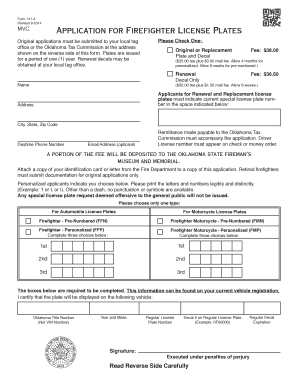
Application for Firefighter License Plates - Oklahoma - ok
The document is Form 741-A, an application for Firefighter License Plates in Oklahoma. It outlines the process for obtai ...

Full text of "The American Government, National and State"
The document is a legal notice from the State of Indiana regarding a petition for a name change filed by an individual i ...

Clerk of Superior Court - North Carolina General Assembly
The document is an affidavit for a change of name in the state of North Carolina, where an individual attests to the goo ...

Order for Name Change (Minor Children)
The document is an official form approved by the Illinois Supreme Court for requesting a name change for minor children ...