




Here's how it works

01. Edit your form online
Type text, add images, blackout confidential details, add comments, highlights and more.

02. Sign it in a few clicks
Draw your signature, type it, upload its image, or use your mobile device as a signature pad.

03. Share your form with others
Send it via email, link, or fax. You can also download it, export it or print it out.
How to use or fill out ohio mason return 2017-2019 form with DocHub

- Click ‘Get Form’ to open the ohio mason return 2017-2019 form in our platform's editor.
- Begin by entering your personal information in the designated fields, including your name, address, and contact details. Ensure accuracy for a smooth processing experience.
- Next, navigate to the financial sections of the form. Here, you will input relevant income figures and deductions. Use our platform’s tools to easily add or modify entries as needed.
- Review any additional sections that may require signatures or dates. Utilize the signing feature to electronically sign where indicated, ensuring compliance with submission requirements.
- Finally, save your completed form and choose to export it directly from our editor for easy submission or printing.
Start using our platform today for free and simplify your document editing experience!
Fill out ohio mason return 2017-2019 form online
It's free
See more ohio mason return 2017-2019 form versions
We've got more versions of the ohio mason return 2017-2019 form form. Select the right ohio mason return 2017-2019 form version from the list and start editing it straight away!
| Versions | Form popularity | Fillable & printable |
|---|---|---|
| 2025 | 4.8 Satisfied (39 Votes) | |
| 2024 | 4.2 Satisfied (58 Votes) | |
| 2023 | 4.3 Satisfied (20 Votes) | |
| 2022 | 4.8 Satisfied (110 Votes) | |
| 2021 | 4.3 Satisfied (143 Votes) | |
| 2020 | 4.8 Satisfied (111 Votes) | |
| 2018 | 4 Satisfied (69 Votes) | |
| 2017 | 4.3 Satisfied (130 Votes) | |
| 2016 | 4.3 Satisfied (150 Votes) | |
| 2014 | 4.3 Satisfied (116 Votes) | |
| 2012 | 4 Satisfied (49 Votes) |
Security and compliance
At DocHub, your data security is our priority. We follow HIPAA, SOC2, GDPR, and other standards, so you can work on your documents with confidence.
Learn more


Related forms

California Ex Parte Application Declaration
The document is a legal form used in the Superior Court of California, County of Mendocino, for filing an ex parte appli ...

HOW TO DRAFT DV-130 RESTRAINING ORDER AFTER
The document DV-730 is an official court order for renewing a domestic violence restraining order in California. It outl ...

5 102 O Form: Dispositional Attachment: Removal
The document JV-421 outlines the legal proceedings and considerations regarding the removal of a child from their custod ...

Child support affidavit example
The document is an affidavit confirming the applicant's status regarding alimony and child support. It includes options ...

American income life surrender form
The document is an important notice from American Income Life Insurance Company regarding the replacement of life insura ...

Mtss referral form
The document is a Teacher Referral Form for Thornton Township District 205's Multi-Tiered System of Supports (MTSS). It ...
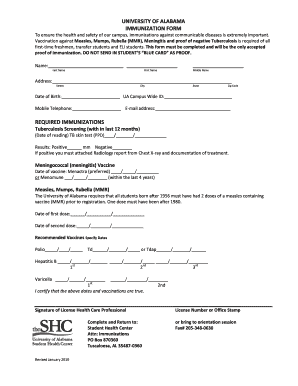
University of alabama immunization form
The document is an Immunization Form for the University of Alabama, requiring first-time freshmen, transfer students, an ...