




Here's how it works

01. Edit your linzess patient assistance program pdf online
Type text, add images, blackout confidential details, add comments, highlights and more.

02. Sign it in a few clicks
Draw your signature, type it, upload its image, or use your mobile device as a signature pad.

03. Share your form with others
Send dochub com fillable form via email, link, or fax. You can also download it, export it or print it out.
How to use or fill out Allergan Patient Assistance Program Application with DocHub

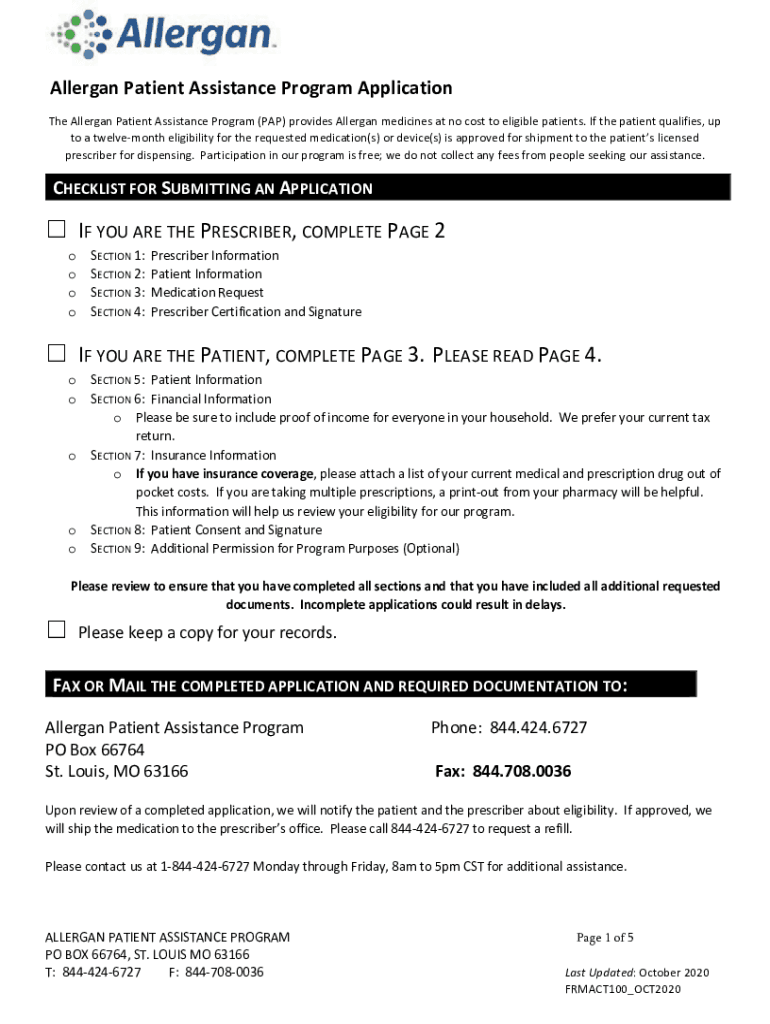
- Click ‘Get Form’ to open the Allergan Patient Assistance Program Application in our editor.
- Begin with Section 1, 'Prescriber Information.' Fill in the prescriber's name, NPI, designation, state license, DEA, office name, contact name, phone number, and shipping address.
- Proceed to Section 2 for 'Patient Information.' Enter the patient's first and last name, date of birth, gender, phone number, and shipping address.
- In Section 3, 'Medication Request,' specify the product name, strength, quantity needed, directions for use, and any allergies. Ensure this section is completed by a licensed prescriber.
- For patients filling out Section 6 on 'Financial Information,' provide total monthly income and household details. Attach proof of income as required.
- Complete Section 7 regarding 'Insurance Information.' Indicate if you have insurance coverage and provide relevant details about your medical expenses.
- In Section 8, ensure that both patient consent and signature are provided. Review HIPAA authorization before signing.
- Finally, review all sections for completeness before submitting the application via fax or mail as instructed at the end of the form.
Start using our platform today to fill out your Allergan Patient Assistance Program Application easily and for free!
Fill out Allergan Patient Assistance Program Application online
It's free
See more Allergan Patient Assistance Program Application versions
We've got more versions of the Allergan Patient Assistance Program Application form. Select the right Allergan Patient Assistance Program Application version from the list and start editing it straight away!
Security and compliance
At DocHub, your data security is our priority. We follow HIPAA, SOC2, GDPR, and other standards, so you can work on your documents with confidence.
Learn more


Related forms
Oregon tax real
The document provides detailed instructions and forms (Form OR-18, Form OR-18-V, and Form OR-WC) for reporting tax payme ...
Oregon winery annual preivilege tax
The document is a Winery Annual Privilege Tax Statement issued by the Oregon Liquor Control Commission. It outlines the ...
Ak mining license tax return
The document is a short form tax return for the Alaska Mining License Tax, designated as Form 662SF. It is intended for ...
Plan schedule b form
The document is a form from the Tennessee Department of Revenue for the International Registration Plan (IRP) Schedule B ...
Dr 700030 form
The document is an application form for obtaining a Self-Accrual Authority/Direct Pay Permit for the Communications Serv ...
Florida revitalization
The document outlines the application process for claiming a refund of Florida sales and use tax paid on building materi ...
St 4 part quarterly nj
The document ST-809.4 is a form issued by the New York State Department of Taxation and Finance for vendors located in N ...

- tax alaska
The document is an application form for the Alaska Department of Revenue's Voluntary Disclosure Program, detailing the i ...