Type text, add images, blackout confidential details, add comments, highlights and more.
02. Sign it in a few clicks
Draw your signature, type it, upload its image, or use your mobile device as a signature pad.
03. Share your form with others
Send it via email, link, or fax. You can also download it, export it or print it out.
How to use or fill out oklahoma adult file with our platform
Ease of Setup
DocHub User Ratings on G2
Ease of Use
DocHub User Ratings on G2
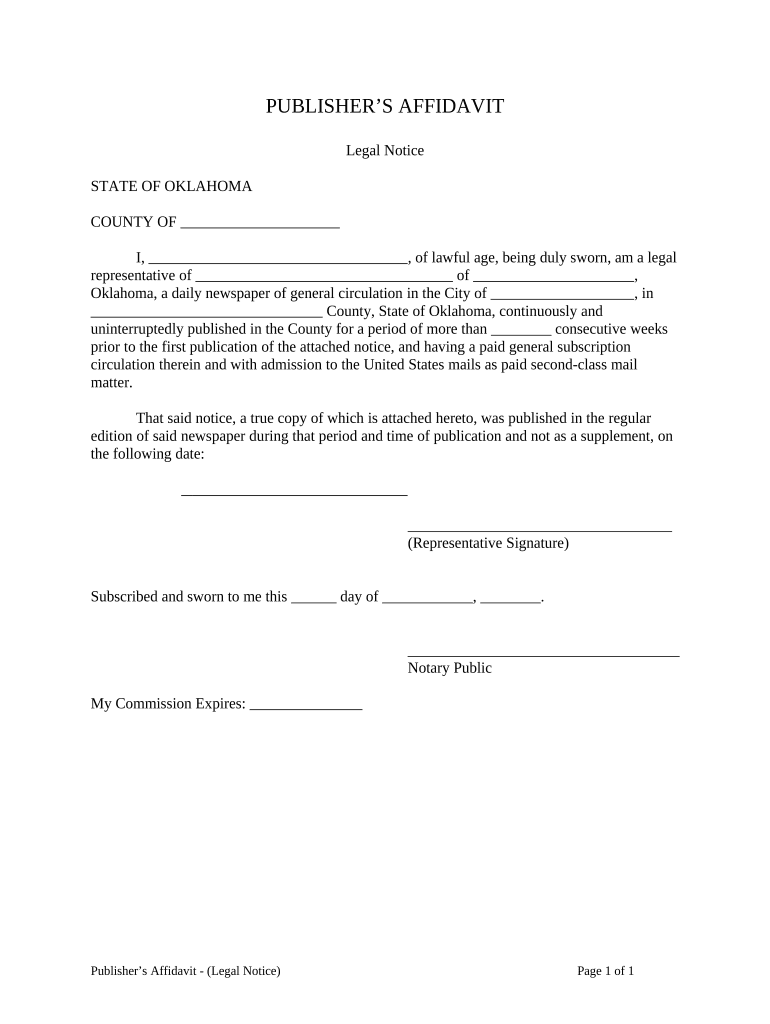
Click ‘Get Form’ to open the Oklahoma Adult File in the editor.
Begin by entering your name in the designated field, ensuring it reflects your lawful age and legal representation status.
Fill in the name of the newspaper and its location in Oklahoma where the notice was published. This is crucial for establishing the publication's legitimacy.
Indicate the number of consecutive weeks that the notice has been published. This information is essential for compliance with legal requirements.
Provide the date of publication in the specified field, ensuring accuracy to avoid any legal discrepancies.
Sign in the representative signature area to validate your affidavit, confirming that all provided information is true and accurate.
Finally, have a notary public witness your signature and complete their section, including their commission expiration date.
Start using our platform today to easily fill out your Oklahoma Adult File for free!
Oklahoma State University School of Occupational and Adult
Collection contains records from the Oklahoma State University School of Occupational and Adult Education. The files are arranged by country and includeRead more
Aug 21, 2025 Adult Protective Services (APS) assists adults who need help taking care of themselves, and who may be experiencing maltreatment.Read more
Cookie consent notice
This site uses cookies to enhance site navigation and personalize your experience.
By using this site you agree to our use of cookies as described in our Privacy Notice.
You can modify your selections by visiting our Cookie and Advertising Notice.