Financial Account Transfer to Living Trust - Oregon 2026

Get Form
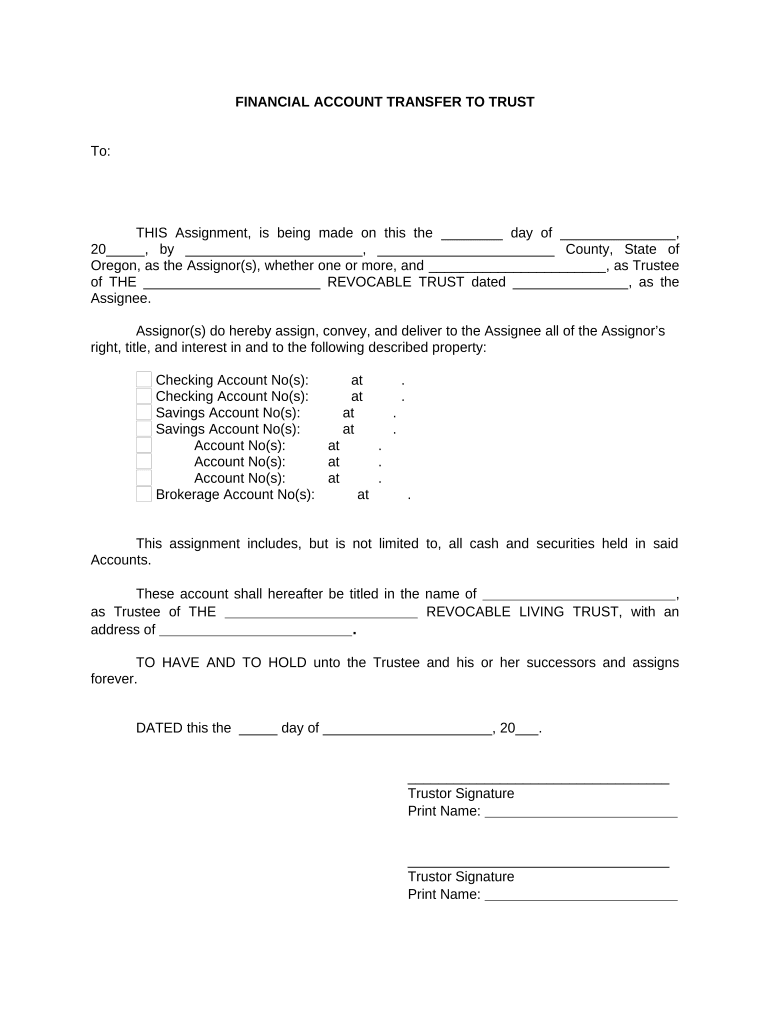
Financial Account Transfer to Living Trust - Oregon Preview on Page 1

Here's how it works

01. Edit your form online
Type text, add images, blackout confidential details, add comments, highlights and more.
02. Sign it in a few clicks
Draw your signature, type it, upload its image, or use your mobile device as a signature pad.
03. Share your form with others
Send it via email, link, or fax. You can also download it, export it or print it out.

How to use or fill out Financial Account Transfer to Living Trust - Oregon with DocHub

Form edit decoration
9.5
Ease of Setup
DocHub User Ratings on G2
9.0
Ease of Use
DocHub User Ratings on G2
  1. Click ‘Get Form’ to open it in the editor.
  2. Begin by entering the date of the assignment in the designated field. This is crucial for legal documentation.
  3. Fill in your name as the Assignor, along with your county and state of residence.
  4. Next, provide the name of the Trustee and the title of the trust. Ensure that this matches exactly with your trust documents.
  5. List all relevant account numbers under each category (Checking, Savings, Brokerage) along with their respective financial institutions.
  6. In the section for naming the Trustee of the Revocable Living Trust, ensure you include their full name and address accurately.
  7. Finally, sign and print your name as Trustor at the bottom of the form. Don’t forget to have it notarized as required by Oregon law.

Start using our platform today to complete your Financial Account Transfer effortlessly and for free!

be ready to get more

Complete this form in 5 minutes or less

Get form

Got questions?

We have answers to the most popular questions from our customers. If you can't find an answer to your question, please contact us.
Contact us
How to Transfer Bank Accounts to a Trust Contact your bank. Each bank has requirements for transferring your bank accounts to a Trust. Complete the Certificate of Trust. The bank finalizes the change of ownership.
Trusts are subject to income tax, just like individuals or businesses. The tax rates applied to trusts can vary depending on the type and structure of the trust. Generally, a trust is considered a separate taxpayer with its tax identification number in California.
Tax Consequences for Revocable Trusts This means the trust income is typically taxed to the grantor, not the trust, and the assets within the trust are included in the grantors estate for estate tax calculations.
That said, transferring assets between two like accounts is typically not taxable. However, some proprietary securities cannot be transferred, which can result in liquidation. When assets are sold or transferred out of the account with the stock plan administrator, this can trigger a taxable event.
To transfer real property into your Trust, a new deed reflecting the name of the Trust must be executed, notarized and recorded with the County Recorder in the County where the property is located. Care must be taken that the exact legal description in the existing deed appears on the new deed.

Security and compliance

At DocHub, your data security is our priority. We follow HIPAA, SOC2, GDPR, and other standards, so you can work on your documents with confidence.

Learn more
ccpa2
pci-dss
gdpr-compliance
hipaa
soc-compliance

People also ask

Transferring property into a trust can trigger capital gains tax. If you transfer appreciated property, taxes on the gain may apply. Irrevocable trusts can sometimes help minimize this tax. Its essential to understand how capital gains tax impacts your situation when setting up a trust.
A: The main negative to a trust versus a will is the initial cost of planning said trust. Where an irrevocable trust is practically impossible to change or update, a will is much easier to change. In fact, you can change a will several times over the course of your life.

Related links