




01. Edit your ca form 3500a online
Type text, add images, blackout confidential details, add comments, highlights and more.

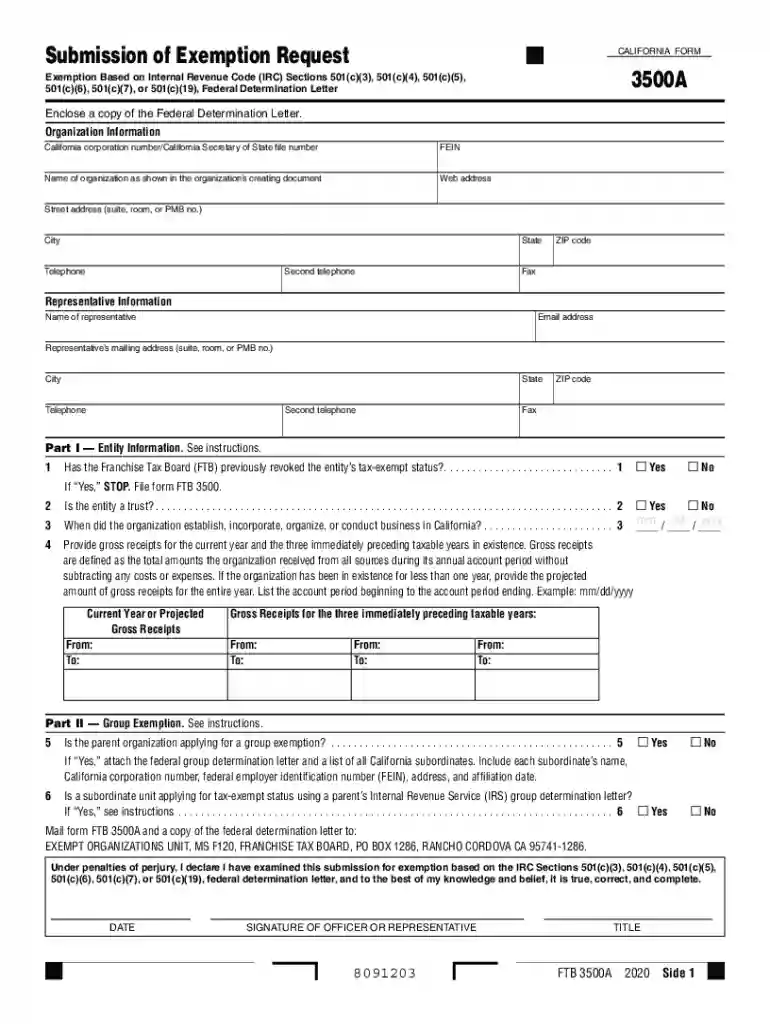
Type text, add images, blackout confidential details, add comments, highlights and more.

Draw your signature, type it, upload its image, or use your mobile device as a signature pad.

Send california form 3500a via email, link, or fax. You can also download it, export it or print it out.

Start filling out your California Exemption Form today for free using our platform!
We've got more versions of the ca form 3500a form. Select the right ca form 3500a version from the list and start editing it straight away!
| Versions | Form popularity | Fillable & printable |
|---|---|---|
| 2025 | 4.6 Satisfied (42 Votes) | |
| 2024 | 4.5 Satisfied (53 Votes) | |
| 2023 | 4.2 Satisfied (33 Votes) | |
| 2022 | 4.6 Satisfied (43 Votes) | |
| 2021 | 4.8 Satisfied (92 Votes) | |
| 2020 | 4.3 Satisfied (62 Votes) | |
| 2019 | 4.3 Satisfied (106 Votes) | |
| 2018 | 4.3 Satisfied (101 Votes) | |
| 2017 | 4.3 Satisfied (58 Votes) | |
| 2016 | 4.3 Satisfied (119 Votes) | |
| 2015 | 4.3 Satisfied (127 Votes) | |
| 2014 | 4.3 Satisfied (59 Votes) | |
| 2013 | 4.4 Satisfied (37 Votes) | |
| 2011 | 4.3 Satisfied (73 Votes) |
At DocHub, your data security is our priority. We follow HIPAA, SOC2, GDPR, and other standards, so you can work on your documents with confidence.
Mail form FTB 3500 to: EXEMPT ORGANIZATIONS UNIT MS F120, FRANCHISE TAX BOARD, PO BOX 1286, RANCHO CORDOVA, CA 95741-1286 . Under penalties of perjury, IRead more
Contents 1 Law enforcement techniques and procedures; 3.1. 2 Law enforcement guidelines; 3.1. 3 Other material not covered by Exemption 7(E).Read more


