Type text, add images, blackout confidential details, add comments, highlights and more.
02. Sign it in a few clicks
Draw your signature, type it, upload its image, or use your mobile device as a signature pad.
03. Share your form with others
Send it via email, link, or fax. You can also download it, export it or print it out.
How to use or fill out HVAC Agreement with our platform
Ease of Setup
DocHub User Ratings on G2
Ease of Use
DocHub User Ratings on G2
Click ‘Get Form’ to open the HVAC Agreement in the editor.
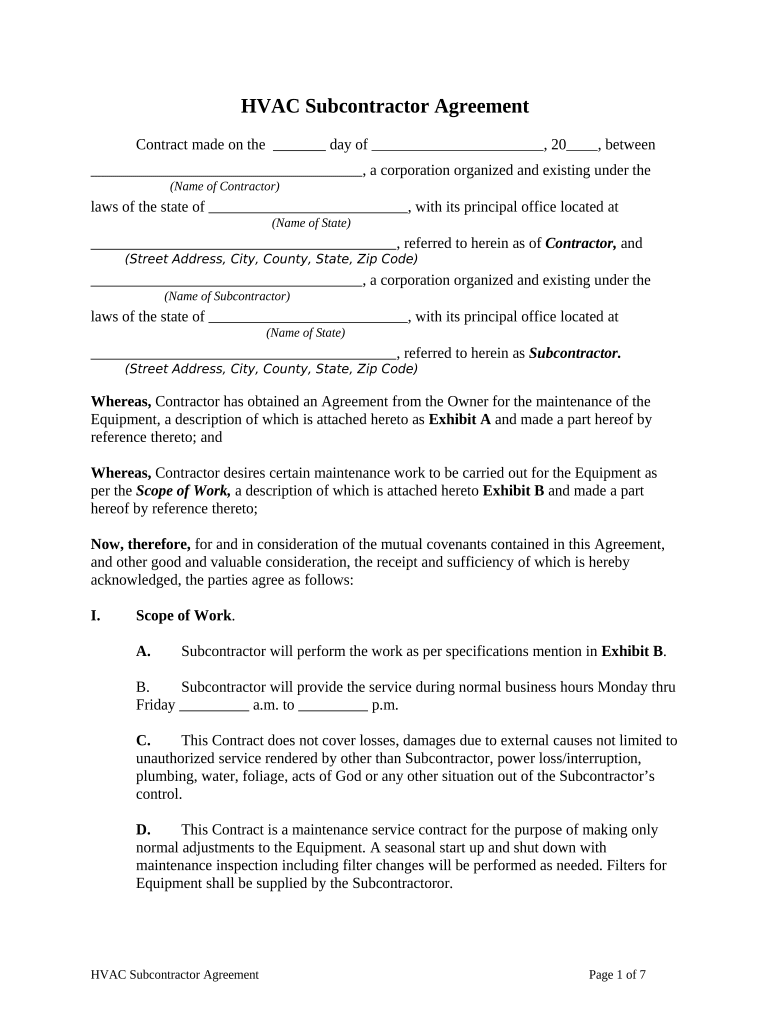
Begin by filling in the date at the top of the document, followed by the names and addresses of both the Contractor and Subcontractor. Ensure all details are accurate to avoid any future disputes.
In Section I, Scope of Work, specify the tasks that the Subcontractor will perform as outlined in Exhibit B. Clearly define service hours and any exclusions to avoid misunderstandings.
Proceed to Section III for Payment terms. Enter the advance payment amount and subsequent payment milestones based on project completion percentages.
Review Sections IV through XVIII carefully, ensuring all insurance, warranty, and termination clauses are understood. Make any necessary modifications directly in the editor.
Finally, have both parties sign at the end of the document. Use our platform’s signature feature for a seamless signing experience.
Start using our platform today to streamline your HVAC Agreement process for free!
ClimaECO creates many advantages, making HVAC automation more efficient. It ranges from central HVAC automation and HVAC management automation for small toRead more
The hvac maintenance contract template is used to create an agreement between a contractor and a customer for maintenance services on hvac systems. The serviceRead more
This Agreement is issued to provide funding required to cover services, supplies and material furnished by Contractor to the City to perform the workRead more
Cookie consent notice
This site uses cookies to enhance site navigation and personalize your experience.
By using this site you agree to our use of cookies as described in our Privacy Notice.
You can modify your selections by visiting our Cookie and Advertising Notice.