Type text, add images, blackout confidential details, add comments, highlights and more.
02. Sign it in a few clicks
Draw your signature, type it, upload its image, or use your mobile device as a signature pad.
03. Share your form with others
Send it via email, link, or fax. You can also download it, export it or print it out.
How to use or fill out waiver land with our platform
Ease of Setup
DocHub User Ratings on G2
Ease of Use
DocHub User Ratings on G2
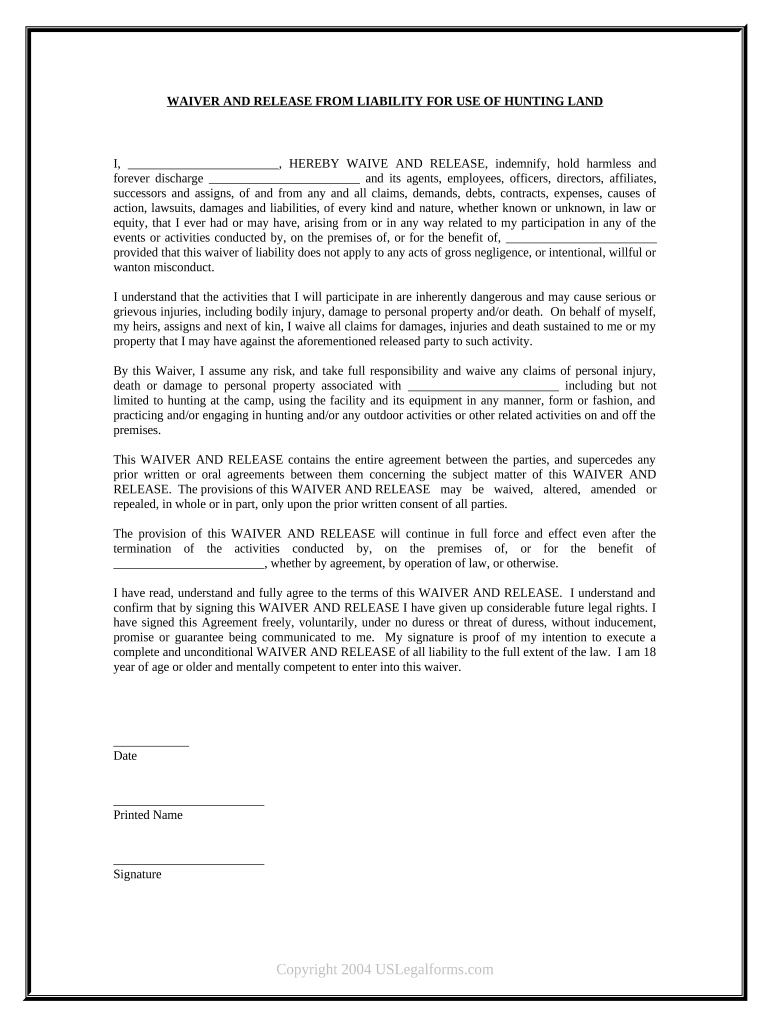
Click ‘Get Form’ to open the Waiver and Release from Liability in the editor.
Begin by filling in your name in the designated space at the top of the form. This personalizes the waiver and identifies you as the participant.
Next, locate the section where you must acknowledge understanding of the inherent risks associated with activities on the premises. Read this carefully and ensure you comprehend what it entails.
In the following fields, confirm your agreement by signing your name and providing today's date. This step is crucial as it signifies your acceptance of all terms outlined in the waiver.
Finally, print your name clearly beneath your signature to ensure clarity and proper identification.
Start using our platform today to complete your waiver easily and for free!
Summary of Technical Impracticability Waivers at National
The purpose of this report is to provide a summary of. Technical Impracticability (TI) waivers that have been issued by U.S. Environmental Protection Agency.Read more
Applications for waivers for both 1890 land-grant institutions
Application for waivers for both 1890 land-grant institutions and 1862 land-grant institutions in insular areas. The president of the eligible institutionRead more
Conditional Waivers - San Diego - California Water Boards
Jun 23, 2025 The San Diego Water Board may waive the requirements for a discharger to file a ROWD or obtain waste discharge requirements (WDRs), or both.Read more
Cookie consent notice
This site uses cookies to enhance site navigation and personalize your experience.
By using this site you agree to our use of cookies as described in our Privacy Notice.
You can modify your selections by visiting our Cookie and Advertising Notice.