Get and handle Personal Balance Sheet Templates online

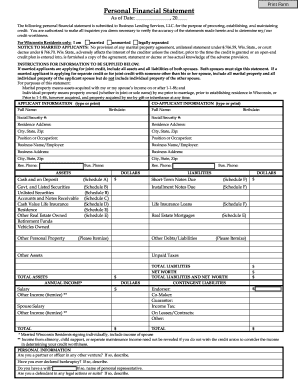
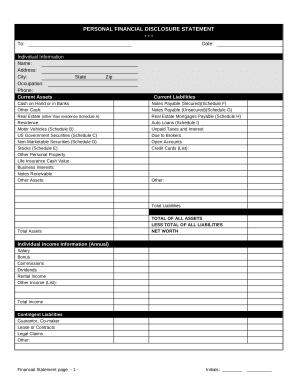
Improve your document managing with the Personal Balance Sheet Templates library with ready-made document templates that meet your needs. Access your document, change it, complete it, and share it with your contributors without breaking a sweat. Start working more effectively with your documents.

The best way to manage our Personal Balance Sheet Templates:

  1. Open our Personal Balance Sheet Templates and look for the form you require.
  2. Preview your document to ensure it’s what you want, and click on Get Form to begin working on it.
  3. Modify, include new text, or point out important information with DocHub tools.
  4. Prepare your form and preserve the adjustments.
  5. Download or share your document template with other people.

Examine all of the opportunities for your online document management using our Personal Balance Sheet Templates. Get a totally free DocHub account today!

Video Guide on Personal Balance Sheet Templates management

video background

Commonly Asked Questions about Personal Balance Sheet Templates

How to create a balance sheet in Excel Format your worksheet. You can create a balance sheet in Excel by first creating a title section and labels for your worksheet. Enter dollar amounts. Leave a column of space between your asset labels and the location in which you want to enter the dollar amounts. Add totals.
The Balance Sheet Template for Excel is a pre-designed spreadsheet that allows users to enter their companys financial information, including assets, liabilities, and equity. This template is useful for businesses of all sizes, as it can be customized to fit each companys specific needs.
Steps to Preparing a Simple Balance Sheet: Add the value of all assets. List total under assets. Add the total obligations owed. List total under liabilities. Subtract the liabilities from the total assets to determine net worth. List the amount under personal equity.
How To Create A Personal Finance Balance Sheet Gather Financial Documents. Getting all your financial documents ensures you have accurate information. Make Or Use A Free Personal Financial Statement Template. List Your Assets. List Your Liabilities. Categorize The Information And Add Up The Values. Determine Your Net Worth. Personal Balance Sheet: How To Create Your Own Financial Statement rocketmoney.com learn personal-finance rocketmoney.com learn personal-finance
The first step is establishing your net worth. Your net worth is simply the difference between what you own and what you owe. This is what I call your personal balance sheet. In accounting, everything that you own is known as your assets.
Step 1: Download the Excel budget template. The first thing you need to do is to download the budget template. Step 2: Enter your income in your budget template. To enter your income, go to the Income sheet. Step 3: Enter your expenses in your budget template. Step 4: Add extra columns to your budget template.
Tips for creating a balance sheet in Excel Use a template. Use the Borders button to create guiding lines in your balance sheet. Use Excels tools to manage your data. Create a trial balance sheet to initially display information and add in an error check sheet.
List your assets: Identify and value all your assets using current market values for investments and real estate. List your liabilities: Include all your debts, noting the remaining balances and interest rates. Calculate your net worth: Subtract your total liabilities from your assets to determine your net worth.