Improve your form administration with Of small business sample Balance Sheet Templates

Your workflows always benefit when you can easily locate all of the forms and documents you will need on hand. DocHub supplies a huge selection of form templates to ease your day-to-day pains. Get hold of Of small business sample Balance Sheet Templates category and quickly find your form.

Start working with Of small business sample Balance Sheet Templates in several clicks:

  1. Browse Of small business sample Balance Sheet Templates and discover the form you need.
  2. Click on Get Form to open it in our editor.
  3. Begin changing your document: add fillable fields, highlight sentences, or blackout sensitive facts.
  4. The app saves your adjustments automatically, and once you are all set, you are able to download or distribute your file with other contributors.

Enjoy fast and easy document administration with DocHub. Check out our Of small business sample Balance Sheet Templates category and find your form right now!


Video Guide on Of small business sample Balance Sheet Templates management

video background

Commonly Asked Questions about Of small business sample Balance Sheet Templates

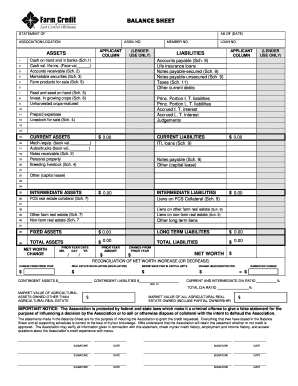
The Balance Sheet Template for Excel is a pre-designed spreadsheet that allows users to enter their companys financial information, including assets, liabilities, and equity. This template is useful for businesses of all sizes, as it can be customized to fit each companys specific needs.
Start with a Balance Sheet Standard report. On the Display tab, change the From and To dates to include the months you want to report on. Choose Month for the Display columns by field. Click OK to run the report.
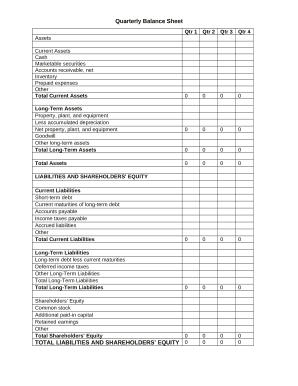
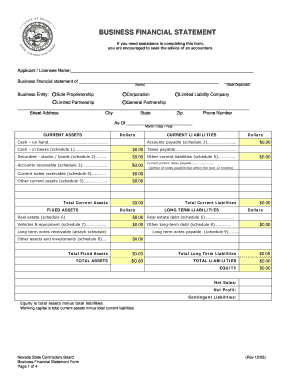
What is the basic format of a balance sheet? The basic format of a balance sheet includes three main sections: assets, liabilities, and equity. Assets list resources owned, liabilities outline obligations, and equity shows net worth or ownership.
The QuickBooks Online balance sheet template makes it easy The difference between assets and liabilities is displayed at the bottom as the equity or net worth of the business. Simply choose Reports Balance Sheet in QuickBooks Online and the pre-installed template is populated with your data in seconds.
Go to the Reports menu, then select Company Financial Profit Loss Standard. Select Customize Report. Go to the Display tab: Set the From and To date fields to the years you want to display on the report.
QuickBooks does the math for you and can rapidly turn out accurate balance sheets so you dont have to spend all that time crunching numbers.
Follow these steps: Step 1: Pick the balance sheet date. Step 2: List all of your assets. Step 3: Add up all of your assets. Step 4: Determine current liabilities. Step 5: Calculate long-term liabilities. Step 6: Add up liabilities. Step 7: Calculate owners equity. Step 8: Add up liabilities and owners equity.
Learn what transactions create unclassified, unbalanced, or other incorrect amounts on Balance Sheet by Class report in QuickBooks Desktop. Balance Sheet by Class lets you see your balance sheet by fund, location, or other classes that you set up.