




Here's how it works

01. Edit your fl320 online
Type text, add images, blackout confidential details, add comments, highlights and more.

02. Sign it in a few clicks
Draw your signature, type it, upload its image, or use your mobile device as a signature pad.

03. Share your form with others
Send fl 320 form california via email, link, or fax. You can also download it, export it or print it out.
How to use or fill out California Superior Court Forms FL-320 2003

- Click ‘Get Form’ to open it in the editor.
- Begin by entering your information in the 'Attorney or Party Without Attorney' section. Include your name, state bar number, and address.
- Fill in the 'Plaintiff(s)' and 'Defendant(s)' sections with the respective names and contact details.
- Indicate the hearing date, time, and department or room where the court session will take place.
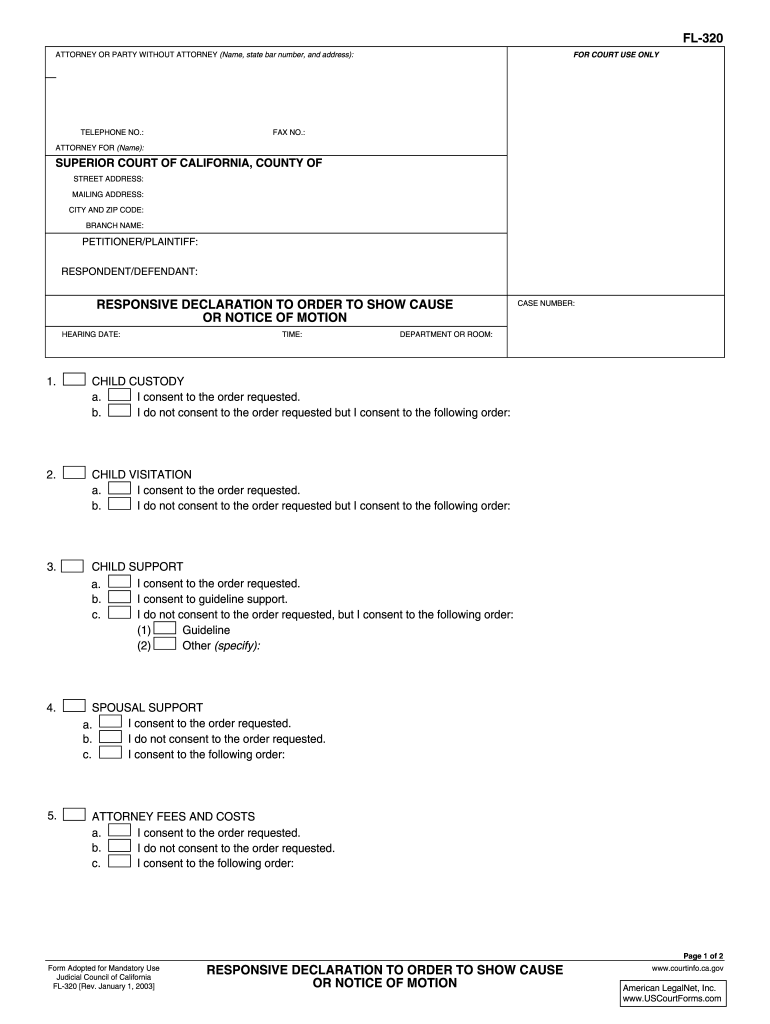
- Address each section regarding child custody, visitation, support, and other relief. Clearly mark your consent or non-consent for each order requested.
- Complete the supporting information section if applicable, ensuring all declarations are accurate.
- Finally, sign and date the form at the bottom before submitting it to ensure its validity.
Start using our platform today to fill out your California Superior Court forms for free!
Fill out california superior court forms fl 320 2003 online
It's free
It's free
See more california superior court forms fl 320 2003 versions
We've got more versions of the california superior court forms fl 320 2003 form. Select the right california superior court forms fl 320 2003 version from the list and start editing it straight away!
Got questions?
We have answers to the most popular questions from our customers. If you can't find an answer to your question, please contact us.
Contact us
How do you respond to FL 320?
Youll use the Responsive Declaration to Request for Order (form FL-320) to respond. In this form, youll tell the court and other side if you agree or disagree with the request. If you disagree, you can explain why and what you think the court should order instead.
How do you respond to an appeal?
Notice of appearance Prepare and file a notice of appearance (Form 2). You must file your notice of appearance with the Court of Appeal registry not more than 10 days after receiving the notice of appeal. Serve a filed copy of the notice of appearance on the appellant(s) within the same 10-day period.
What is Form FL 300 used for?
Proof of Service by Mail (FL-335) Tells the court that you had the other party served legal papers by mail. Lists the papers that were served and tells when and where the papers were served, as well as who served them.
What is the FL 320 form?
USE Responsive Declaration to Request for Order (form FL-320) Use form FL-320 to let the court and the other party know that you agree or disagree with each of the requests made in the Request for Order (form FL-300). If you disagree, use form FL-320 to describe the orders you would like the court to make.
How do you write a response to a court motion?
When you respond to a motion, be clear and direct about your legal position. Begin with an introduction that summarizes the nature of the motion and states your position. Develop key points to answer every argument your opponent made. Then, present your arguments in a logical sequence.
Security and compliance
At DocHub, your data security is our priority. We follow HIPAA, SOC2, GDPR, and other standards, so you can work on your documents with confidence.
Learn more


People also ask
How do I respond to an order to show cause in California?
Your Response to the Order to Show Cause must show a good reason (cause) for not following the Courts rules, directions, or deadlines. You must also do anything else the Court tells you to do in the Order to Show Cause.