Oklahoma temporary agreement 2026

Get Form
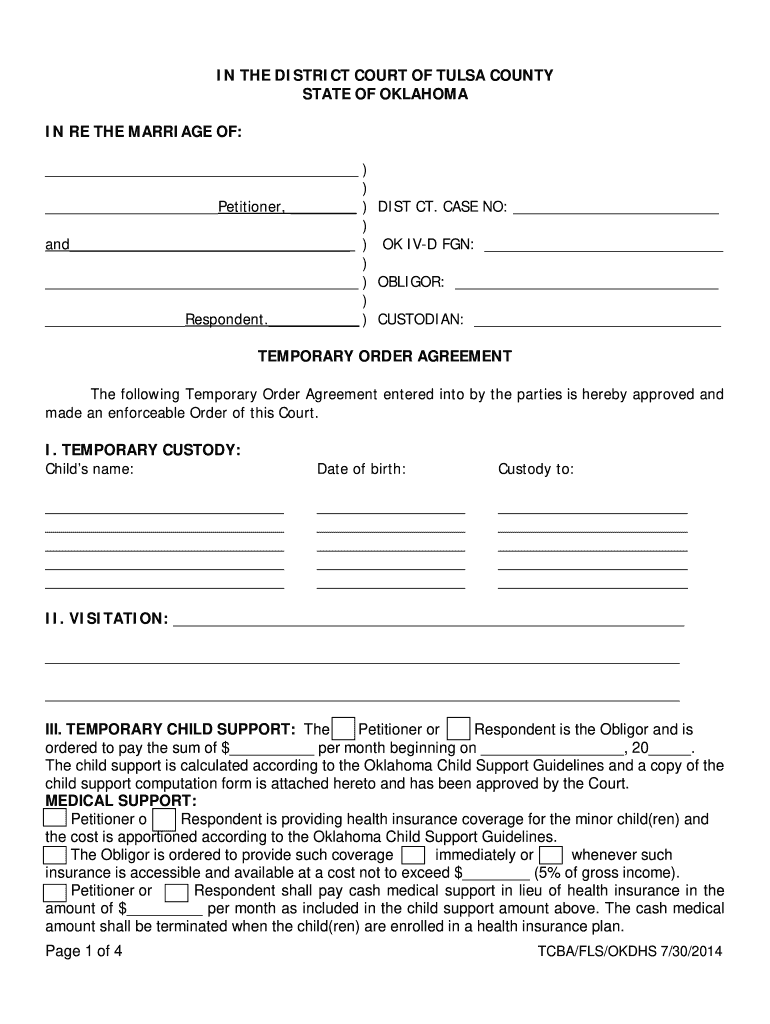
oklahoma temporary agreement Preview on Page 1

Here's how it works

01. Edit your oklahoma temporary agreement online
Type text, add images, blackout confidential details, add comments, highlights and more.
02. Sign it in a few clicks
Draw your signature, type it, upload its image, or use your mobile device as a signature pad.
03. Share your form with others
Send it via email, link, or fax. You can also download it, export it or print it out.

How to use or fill out Oklahoma Temporary Agreement

Form edit decoration
9.5
Ease of Setup
DocHub User Ratings on G2
9.0
Ease of Use
DocHub User Ratings on G2
  1. Click ‘Get Form’ to open the Oklahoma Temporary Agreement in our editor.
  2. Begin by filling in the case details, including the District Court Case Number and the names of the Petitioner and Respondent. This information is crucial for identifying your case.
  3. In the 'Temporary Custody' section, enter the child's name and date of birth, followed by details regarding custody arrangements. Ensure accuracy as this impacts custody decisions.
  4. Next, complete the 'Visitation' section with specific visitation rights and schedules to avoid future disputes.
  5. For 'Temporary Child Support', indicate who is responsible for payments and specify the amount and start date. Attach any necessary child support computation forms as required.
  6. Fill out sections on medical support, child care expenses, temporary alimony, property division, debts, and bankruptcy status as applicable to your situation.
  7. Finally, review all entries for accuracy before signing. Use our platform's features to save or share your completed document easily.

Start using our editor today to streamline your Oklahoma Temporary Agreement process for free!

See more oklahoma temporary agreement versions

We've got more versions of the oklahoma temporary agreement form. Select the right oklahoma temporary agreement version from the list and start editing it straight away!
Versions Form popularity Fillable & printable
2014 4.8 Satisfied (140 Votes)
be ready to get more

Complete this form in 5 minutes or less

Get form

Got questions?

We have answers to the most popular questions from our customers. If you can't find an answer to your question, please contact us.
Contact us
What is a temporary custody agreement? When parents separate and begin the custody process, a temporary custody order takes care of the childs needs. This interim order sets arrangements for the care and control of the child until a permanent custody order is finalized.
CHARACTERISTICS OF A CONTRACT ❖ Parties capable of contracting. ❖ Consent. ❖ A lawful object; cant involve illegal activity. ❖ Sufficient cause or consideration.
You can get temporary custody in Oklahoma without going to court by executing a power of attorney, which allows the custodial parent to delegate child custody to another person. This provides a quick and inexpensive way to transfer custody without a court order.
Its a common misconception that temporary orders directly determine permanent custody outcomes or automatically become permanent. However, a judge will consider parents compliance with temporary orders and the childs well-being during that period when making the final decision.
Yes, verbal agreements are legally binding in Oklahoma if they meet contract requirements, but proving them in court can be difficult.

Security and compliance

At DocHub, your data security is our priority. We follow HIPAA, SOC2, GDPR, and other standards, so you can work on your documents with confidence.

Learn more
ccpa2
pci-dss
gdpr-compliance
hipaa
soc-compliance
be ready to get more

Complete this form in 5 minutes or less

Get form

People also ask

Yes, you may claim a violation of a verbal contract, regardless of whether or not a handshake agreement was made. If one party accepted your services, you formed an enforceable agreement. Verbal contracts are more difficult to verify.
Yes, verbal contracts can hold up in court, if a court determines there is sufficient evidence to prove the existence and terms of a binding agreement.

Related links