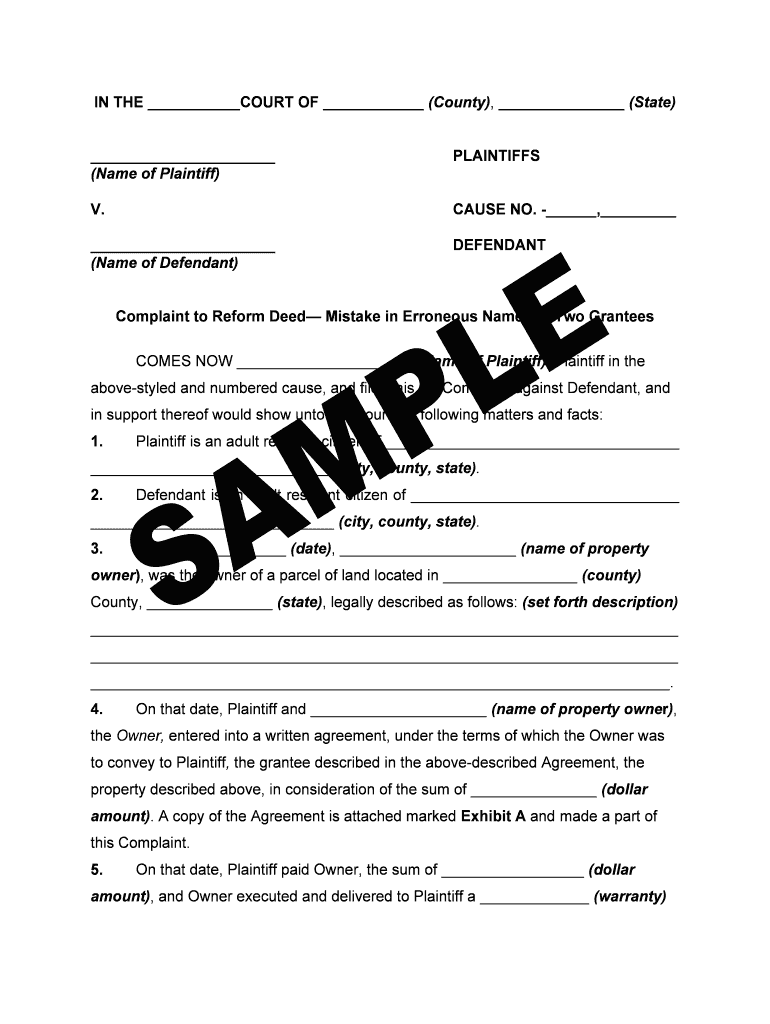
Complaint petition or declarationTo reform deed mistake bb 2026

Get Form
Complaint petition or declarationTo reform deed mistake bb Preview on Page 1

Here's how it works

01. Edit your form online
Type text, add images, blackout confidential details, add comments, highlights and more.
02. Sign it in a few clicks
Draw your signature, type it, upload its image, or use your mobile device as a signature pad.
03. Share your form with others
Send it via email, link, or fax. You can also download it, export it or print it out.

How to use or fill out Complaint petition or declarationTo reform deed mistake bb with our platform

Form edit decoration
9.5
Ease of Setup
DocHub User Ratings on G2
9.0
Ease of Use
DocHub User Ratings on G2
  1. Click ‘Get Form’ to open the Complaint petition in the editor.
  2. Begin by filling in the court name and county at the top of the form, followed by your name as the Plaintiff.
  3. In the section for Defendant, enter the name of the Defendant and their details as required.
  4. Provide information about yourself, including your residency details in the designated fields.
  5. Detail the property ownership and agreement specifics, ensuring to include accurate descriptions and dates.
  6. Clearly state any mistakes made in the deed, specifying how they deviate from your agreement.
  7. Conclude by outlining your requests for reformation of the deed and any additional relief sought.
  8. Attach any necessary exhibits as indicated in the form before finalizing your document.

Start using our platform today to easily complete your Complaint petition for free!

be ready to get more

Complete this form in 5 minutes or less

Get form

Got questions?

We have answers to the most popular questions from our customers. If you can't find an answer to your question, please contact us.
Contact us

If you often work with documents stored in your Google Drive, DocHub is a superb option for you to easily and quickly fill out, edit, and sign them. This editor integrates well with Google apps, so you can export your Complaint petition or declarationTo reform deed mistake bb from your Google Drive to the editor without the need of downloading and re-uploading it. Right-click on your document, select Open With → DocHub PDF Sign and Edit. In our editor, add and assign Signature Fields for all people involved, then click on the Menu button above → Send → choose how you want to share your form.

You can easily edit and complete your Complaint petition or declarationTo reform deed mistake bb on any iOS device. Open an internet browser of your liking, go to the DocHub site, authorize or create a new account, upload your file for editing, and make your required alterations. Our service is mobile-friendly, so using its features on your smartphone will be a no-brainer, even on the first try.

A correction deed, also known as a confirmatory or corrective deed, is a legal document used to fix errors on a property title that is recorded. Property owners can use this special type of deed to amend common errors such as misspellings, incomplete names, and other missing information.
Reformation is an equitable remedy that allows courts to modify a written contract to reflect the true intentions of the parties when the document contains errors due to mistake, fraud, or misrepresentation.
All alterations to the deed must be authenticated by the signatures of all the parties against each amendment made. If a plan to the original deed is amended, then all the parties should re-sign the plan. If a new plan is substituted for an existing plan in the original deed , all the parties should sign the new plan.

Security and compliance

At DocHub, your data security is our priority. We follow HIPAA, SOC2, GDPR, and other standards, so you can work on your documents with confidence.

Learn more
ccpa2
pci-dss
gdpr-compliance
hipaa
soc-compliance

People also ask

How to Correct a Deed Re-recording of the original document. With corrections made in the body of the original document. A cover sheet detailing the changes. Must be re-signed and re-acknowledged. Correction Deed. A new deed reflecting the corrections/changes. Must meet all recording requirements of a deed.
The State of California allows property owners to correct their deeds using one of two ways: an affidavit or a correction deed.
fee: $199. The Correcting Deed form is a document that allows a person to correct certain minor typographical mistakes in a Deed that were not discovered until after the deed was recorded. Depending on the type of Deed you are correcting, you can choose either of the following correcting deeds: Correcting Quitclaim

Related links