






Definition & Meaning
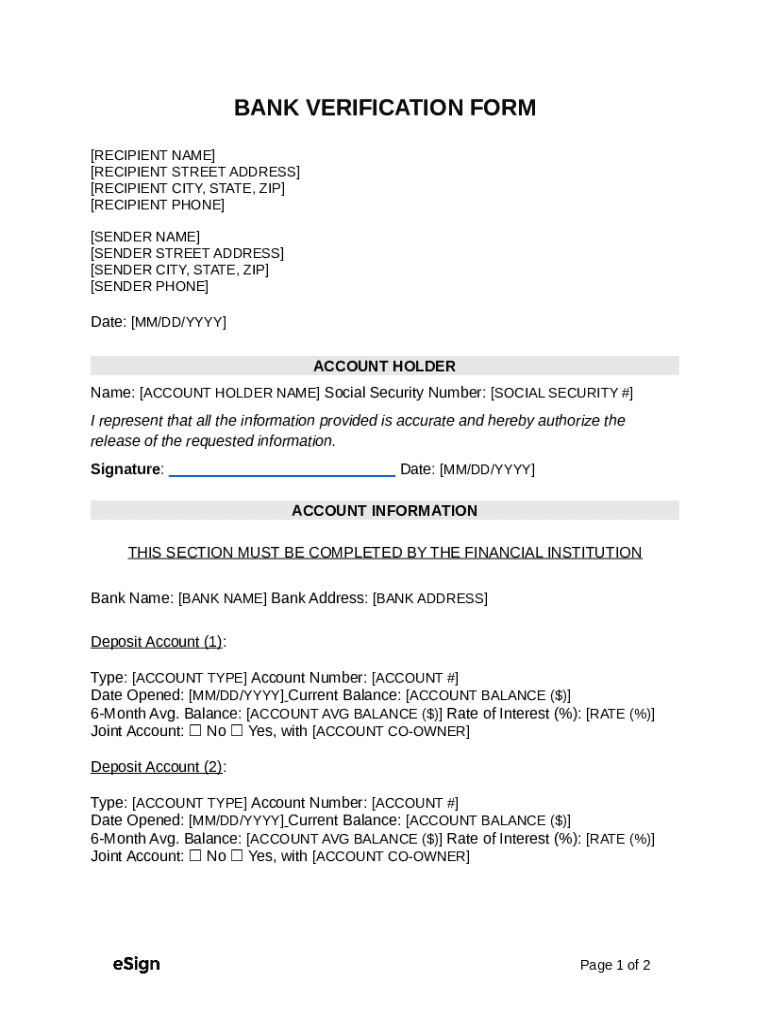
A Bank Verification Form is a document used to validate the authenticity and details of an individual's or entity's bank account. It typically includes information such as the account holder's name, account number, and routing number. This form is crucial in ensuring that financial transactions are conducted with the correct and valid bank account details. The "Free Bank Verification FormPDFWord" allows users to access and fill out this form digitally, providing a flexible solution for both PDF and Word document formats.
How to Use the Free Bank Verification FormPDFWord
To use the Free Bank Verification Form, users must first download the appropriate file format - either a PDF or Word document - depending on their preference or technical requirements. Once downloaded, the form can be filled out electronically using a suitable document editor such as DocHub. Users should enter the required information accurately, including personal details and banking information. After completing the form, it can be saved, printed, or sent digitally through secure channels, such as email or cloud-based services, to the requesting party. This digital process enhances efficiency and reduces the risk of errors associated with manual filling.
Steps to Complete the Free Bank Verification FormPDFWord
- Download the Form: Access the form from DocHub in either PDF or Word format.
- Open the Form: Use a compatible document editor to open the file.
- Input Personal Information: Fill in fields such as name, contact details, and address.
- Enter Bank Details: Include account number, bank name, and routing number.
- Double-check Information: Review all entered details for accuracy.
- Securely Save and Transmit: Save the completed form and send it securely to the relevant institution or individual.
Key Elements of the Free Bank Verification FormPDFWord
- Personal Identification: Fields for inputting names and addresses.
- Bank Account Information: Sections to enter the bank's name, account number, and routing number.
- Consent Statement: A declaration authorizing the form's use for verification purposes.
- Signature Field: An area designated for digitally or physically signing the document.
Legal Use of the Free Bank Verification FormPDFWord
The form must be used in accordance with applicable laws and privacy regulations. It serves as a tool for confirming banking details for various purposes, such as loan applications, direct deposit setups, or external audits. Users should only complete and share this form with legitimate entities, ensuring all data shared complies with relevant data protection laws such as GDPR or CCPA.
Software Compatibility
The Free Bank Verification FormPDFWord is compatible with various document editors, including Microsoft Word for the DOC format and Adobe Acrobat Reader or similar PDF readers. For enhanced functionality, such as adding electronic signatures or converting formats, users can leverage platforms like DocHub, which seamlessly handle these document types. Compatibility with software like QuickBooks or other accounting systems may vary, and users should verify integration capabilities before utilizing the form within such applications.
Important Terms Related to Free Bank Verification FormPDFWord
- Account Holder: The individual or entity that owns the bank account.
- Routing Number: A nine-digit number used to identify the financial institution within the United States.
- Account Number: A unique number assigned by the bank to each account holder.
- Verification: The process of validating the authenticity of the provided banking information.
Examples of Using the Free Bank Verification FormPDFWord
- B2B Transactions: Companies use the form to verify vendor account details before initiating payments.
- Loan Processing: Financial institutions require the form to confirm the applicant's banking details.
- Payroll Setup: Employers collect bank verification to set up direct deposit for employee salaries.
By understanding the structure and utility of the Free Bank Verification FormPDFWord, users can efficiently manage their document workflows, ensure secure data transmission, and maintain compliance with essential legal standards.