




01. Edit your cit 0407 online
Type text, add images, blackout confidential details, add comments, highlights and more.

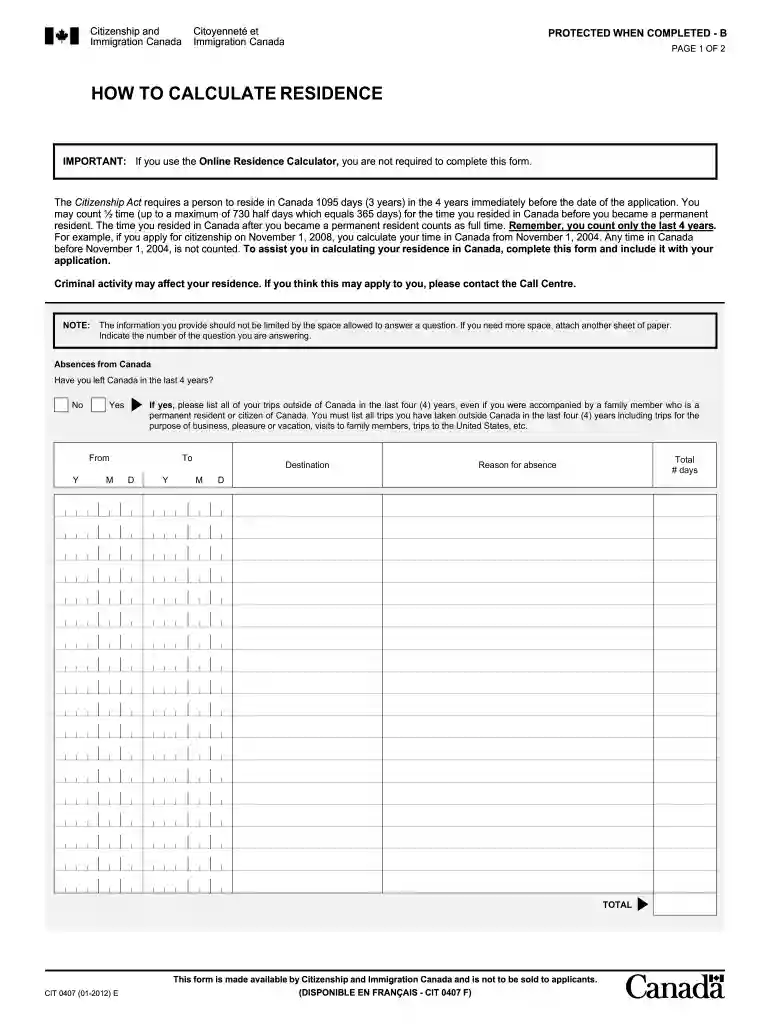
Type text, add images, blackout confidential details, add comments, highlights and more.

Draw your signature, type it, upload its image, or use your mobile device as a signature pad.

Send how to calculate physical presence form cit 0407 via email, link, or fax. You can also download it, export it or print it out.

Start filling out your cit 0407 today for free using our editor!
We've got more versions of the cit 0407 form. Select the right cit 0407 version from the list and start editing it straight away!
At DocHub, your data security is our priority. We follow HIPAA, SOC2, GDPR, and other standards, so you can work on your documents with confidence.





Jul 15, 2025 The primary support contact is the person or group responsible for installing the software image and maintaining the instructor computer.Read more
CIT tests the Inter-record indicator in the selected channel. If the Inter 0402 0403 0404 0405 0406 0407. 0410 0411 0412 0413 0414 0415. 0418 0419Read more
The Loudoun Crisis Intervention Team (CIT) is designed to protect the safety, dignity, and rights of persons suffering from mental health issues.Read more


