Definition & Meaning
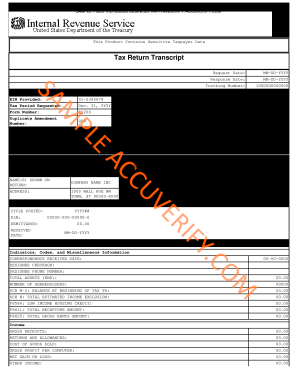
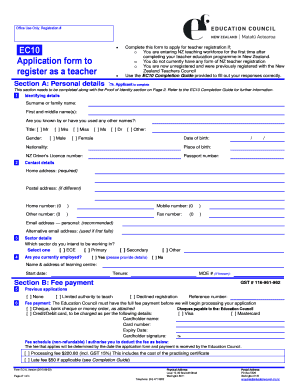
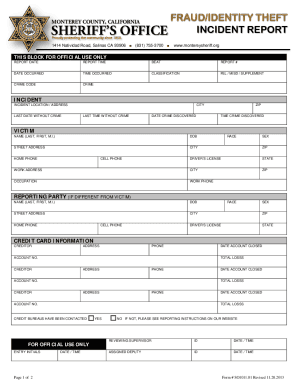
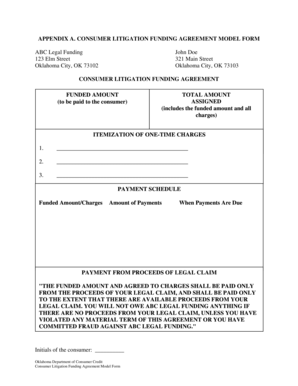
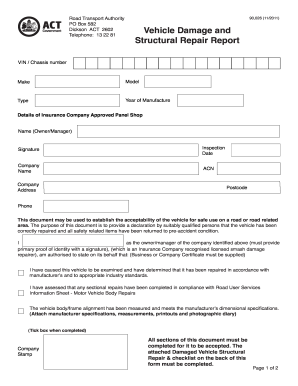
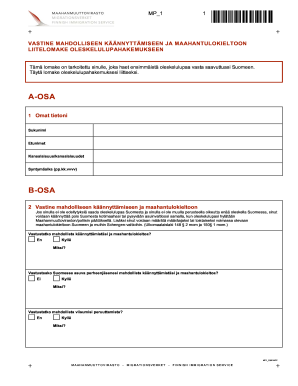
"Form online" refers to digital versions of forms that individuals and businesses use for various purposes, such as tax filings, applications, and authorizations. These forms are designed to be completed and submitted via the internet, offering a convenient alternative to traditional paper forms. This digital approach streamlines data entry, reduces errors, and allows for more efficient processing. By using a form online, users can enjoy greater flexibility and accessibility, eliminating the need to print, fill out, and mail physical documents.
How to Use the Form Online
Utilizing a form online involves several key steps to ensure that it is completed accurately and efficiently. Initially, users should locate the correct form on the relevant website or platform. Once accessed, the form can be downloaded or opened in a supported browser or software application. Users should follow the instructions carefully, filling out each required field with accurate and up-to-date information.
- Ensure your device has a stable internet connection.
- Review all fields and instructions before starting to fill out the form.
- Utilize form features such as drop-down menus and checkboxes where applicable.
- Save your progress periodically to prevent data loss.
Completing forms online typically allows for digital resource integration like automatic calculations and error-checking mechanisms, which help maintain accuracy throughout the process.
Steps to Complete the Form Online
- Access the Form: Navigate to the official source or website that provides the online form.
- Download or Open: Use compatible software like Adobe Acrobat Reader or an online editor to fill out the form.
- Fill Out Fields: Enter the required information in each form field, ensuring accuracy.
- Review and Edit: Use available tools to review entered information and make necessary corrections.
- Attach Documents: If the form requires supporting documents, upload them in the specified file format.
- Save a Draft: Before submission, save a draft version for personal records and future reference.
- Submit the Form: Follow the submission instructions, which may include uploading it back to the website or emailing it to a designated address.
Important Terms Related to Form Online
Forms that are available online often incorporate specific terminology that users should understand to ensure proper completion and submission. Familiarity with these terms enhances user competency and form accuracy.
- Fillable Fields: Areas in the form that require user input, often marked clearly and may include text boxes, checkboxes, or dropdown lists.
- Digital Signature: An electronic method of signing a document, which can be legally binding and provides authentication.
- Encryption: Security measure used to protect personal and sensitive information submitted online.
- PDF: The standardized file format usually employed for online forms, ensuring consistent formatting across devices.
- Submission Confirmation: A notification received after the form is submitted successfully, providing proof or reference of submission.
Who Typically Uses the Form Online
Various individuals and organization types typically utilize forms online due to their convenience, speed, and accessibility. These include, but are not limited to:
- Self-Employed Individuals: Use online forms for freelance taxes or business registration.
- Students: Fill financial aid documents or college applications.
- Businesses: Submit tax returns, employee information, and legal compliance documents.
- Government Employees: Complete internal assessments or public service applications.
- General Public: Engage in processes like voter registration or applying for public benefits online.


Key Elements of the Form Online
Online forms are structured to ensure clarity, efficiency, and accuracy. They generally incorporate several critical components:
- Instructional Guidance: Detailed instructions are provided to assist users with navigation and form completion.
- Auto-fill Features: Automatically populates fields from previously entered data or stored profiles, minimizing repetitive entries.
- Error-checking Tools: Helps prevent common mistakes by alerting users to incomplete fields or inconsistencies.
- Submission Verification: Confirms receipt of the form and maintains a record for the user.
- Data Security Measures: Encrypts transmitted data to secure sensitive personal information throughout the submission process.
Software Compatibility
The effective use of online forms may hinge on compatibility with various software systems or applications. Users should verify this compatibility to ensure smooth operation.
- PDF Readers: Popular programs like Adobe Acrobat Reader help users view and fill forms.
- Browsers: Many online forms are accessible directly through web browsers like Google Chrome, Mozilla Firefox, and Microsoft Edge.
- Integration Software: Applications like QuickBooks or TurboTax can import or export data to and from forms for simplified processing and record-keeping.
- Cloud Storage Services: Allows users to save and access forms from cloud platforms such as Google Drive or Dropbox for easy sharing and collaboration.
Form Submission Methods (Online / Mail / In-Person)
Though online submission is highly favored due to its speed and convenience, alternative methods remain available for initial or additional submissions.
- Online Submission: Submit forms electronically through secure portals, which tend to offer automatic confirmation and faster processing.
- Mail-in Option: For those preferring traditional methods, printed copies of online forms can be mailed to designated addresses.
- In-Person Submission: Addresses certain documents or circumstances that require physical submission, often guaranteeing immediate acknowledgment and clarification.
Understanding these varied submission methods ensures users can select the best fit based on their specific circumstances and requirements.