Type text, add images, blackout confidential details, add comments, highlights and more.
02. Sign it in a few clicks
Draw your signature, type it, upload its image, or use your mobile device as a signature pad.
03. Share your form with others
Send fs form 1522 pdf via email, link, or fax. You can also download it, export it or print it out.
How to use or fill out fs form 1522 with our platform
Ease of Setup
DocHub User Ratings on G2
Ease of Use
DocHub User Ratings on G2
Click ‘Get Form’ to open fs form 1522 in the editor.
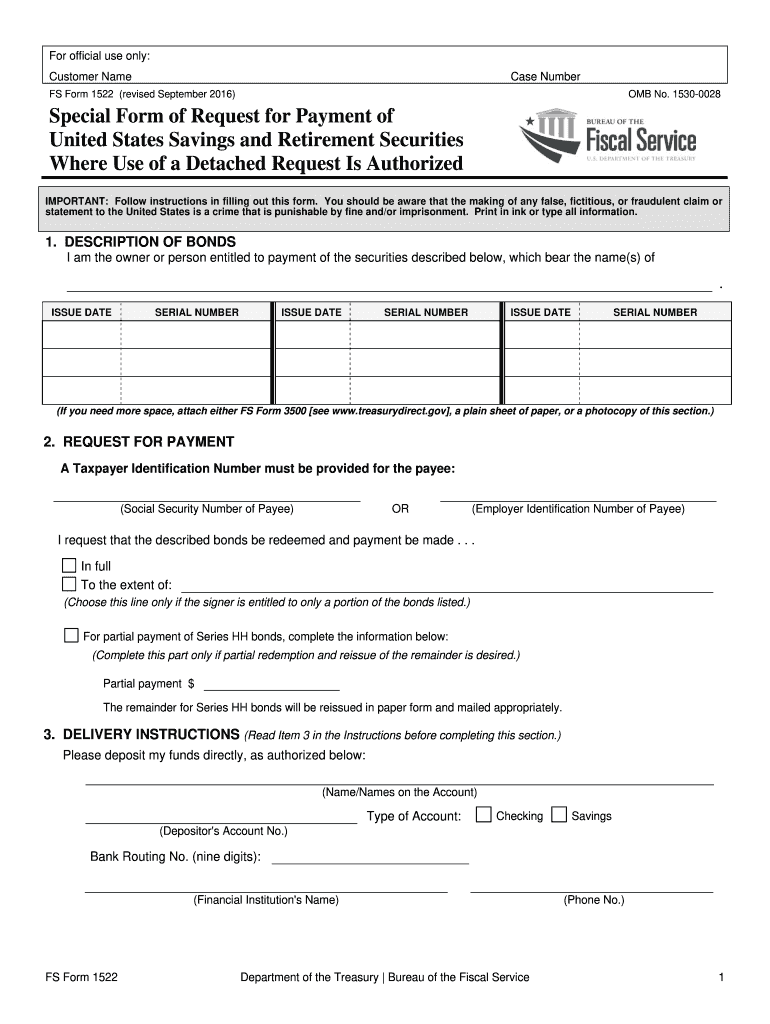
In the 'DESCRIPTION OF BONDS' section, enter the names of the bond owners along with their issue dates and serial numbers. If you need more space, attach a PD F 3500 or a plain sheet of paper.
Move to the 'REQUEST FOR PAYMENT' section. Select whether you want full payment or partial payment. If opting for partial payment, specify the amount and ensure to provide a Taxpayer Identification Number for the payee.
In 'DELIVERY INSTRUCTIONS', fill in your account details including account type, number, bank routing number, and financial institution name. Double-check this information for accuracy.
Finally, sign the form in the 'SIGNATURE' section while in the presence of a certifying officer. Ensure all required personal information is filled out correctly.
Start using our platform today to easily complete your fs form 1522 online for free!
Fs form 1522 printableFS Form 3500FS Form 1522 printable pdf downloadFs form 1522 instructionsFS Form 1522 onlineFS Form 1522 special Form of Request for paymentFS Form 1522 savings bondsFS Form 1522 example
Security and compliance
At DocHub, your data security is our priority. We follow HIPAA, SOC2, GDPR, and other standards, so you can work on your documents with confidence.
Special Form of Request for Payment of United States
USE OF FORM Use this form to request payment of United States Savings Bonds, Savings Notes, Retirement Plan Bonds, and Individual Retirement Bonds. WHO MAYRead more
PDF FS Form 1522 TreasuryDirect Fill And Sign Printable Fill. (see the instructions on the form.) send the form and the bonds to us at the address on fs formRead more
NOTICE: The project that is the subject of this report was approved by the Governing Board of the National Research Council, whose members are drawn fromRead more
Cookie consent notice
This site uses cookies to enhance site navigation and personalize your experience.
By using this site you agree to our use of cookies as described in our Privacy Notice.
You can modify your selections by visiting our Cookie and Advertising Notice.