




01. Edit your form online
Type text, add images, blackout confidential details, add comments, highlights and more.

Type text, add images, blackout confidential details, add comments, highlights and more.

Draw your signature, type it, upload its image, or use your mobile device as a signature pad.

Send it via email, link, or fax. You can also download it, export it or print it out.
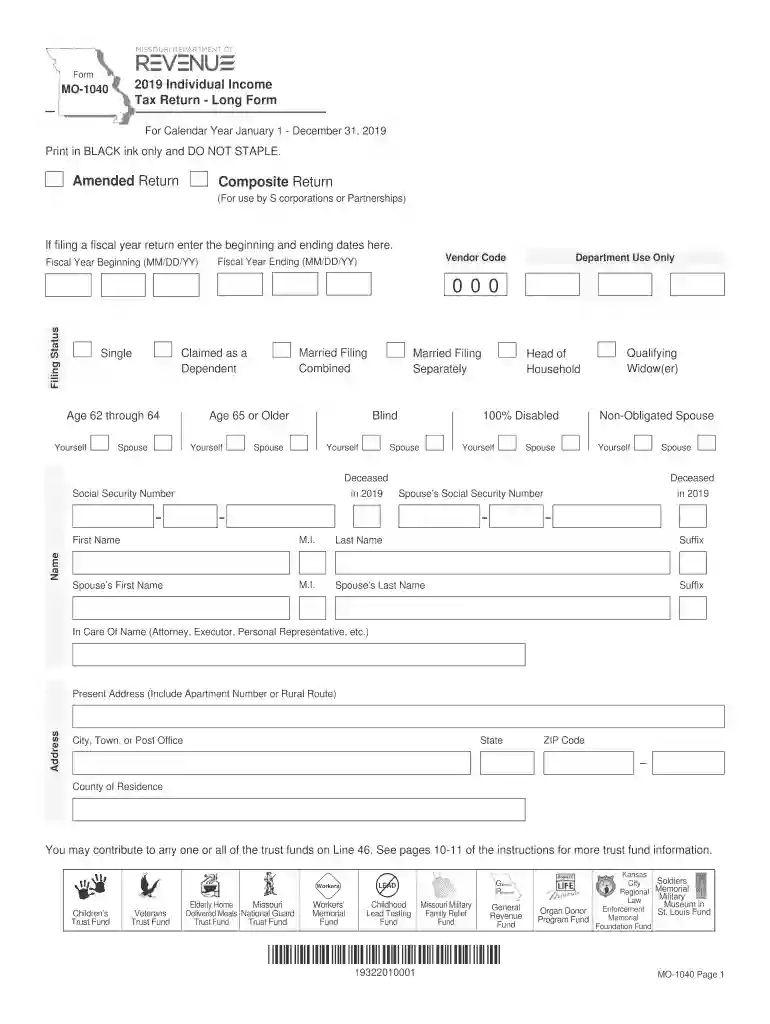
The 2019 Individual Income Tax Return - Long Form (MO-1040) is a comprehensive document used by Missouri residents to report their annual income to the state's Department of Revenue. This form captures various financial details required to calculate state income tax, including income from wages, business operations, and other sources. It serves as a structured format to ensure all possible deductions, exemptions, and credits are reported accurately, ultimately determining the taxpayer's liability or refund amount.
Completing the MO-1040 form accurately is crucial for ensuring the correct amount of tax is reported. Follow these steps to complete your form:
Several essential components make up the MO-1040 form, each crucial for computing accurate tax liabilities.
Understanding specific terms related to the MO-1040 can streamline the completion process and reduce the likelihood of errors.
Missouri residents who have varied sources of income or complex tax situations typically use the MO-1040 form. This form is best suited for:


Timeliness in filing the MO-1040 form is critical to avoid penalties and ensure compliance with state tax laws.
Utilizing tax software can simplify the tax filing process, ensuring thoroughness and accuracy when completing the MO-1040 form.
Legal compliance involves strict adherence to guidelines and statutes governing taxation in Missouri. Successfully filing a MO-1040 ensures:
This enhanced coverage on the "2019 Individual Income Tax Return - Long Form (MO-1040)" provides the necessary knowledge and procedure to individuals in the U.S., specifically Missouri residents, ensuring engagement with the material and compliance with tax obligations.
We've got more versions of the 2019 Individual Income Tax Return - Long Form (MO-1040) form. Select the right 2019 Individual Income Tax Return - Long Form (MO-1040) version from the list and start editing it straight away!
| Versions | Form popularity | Fillable & printable |
|---|---|---|
| 2025 | 4.1 Satisfied (43 Votes) | |
| 2024 | 4.6 Satisfied (36 Votes) | |
| 2023 | 4.1 Satisfied (34 Votes) | |
| 2022 | 4.5 Satisfied (21 Votes) | |
| 2021 | 4.8 Satisfied (70 Votes) | |
| 2020 | 4.1 Satisfied (34 Votes) | |
| 2019 | 4.4 Satisfied (52 Votes) | |
| 2018 | 4.2 Satisfied (58 Votes) | |
| 2017 | 4.2 Satisfied (38 Votes) | |
| 2016 | 4 Satisfied (24 Votes) | |
| 2015 | 4 Satisfied (54 Votes) | |
| 2014 | 4.2 Satisfied (66 Votes) | |
| 2013 | 4 Satisfied (35 Votes) | |
| 2012 | 4.2 Satisfied (51 Votes) | |
| 2011 | 4.2 Satisfied (52 Votes) |
At DocHub, your data security is our priority. We follow HIPAA, SOC2, GDPR, and other standards, so you can work on your documents with confidence.
The form Individual Income Tax Return - Long Form, MO-1040 is incorporated by reference and made a part of this rule as published by Missouri Department of
For Calendar Year January 1 - December 31, 2019. 2019 Individual Income. Tax Return - Long Form. Department Use Only. Form. MO-1040. Fiscal Year Beginning (Read more


