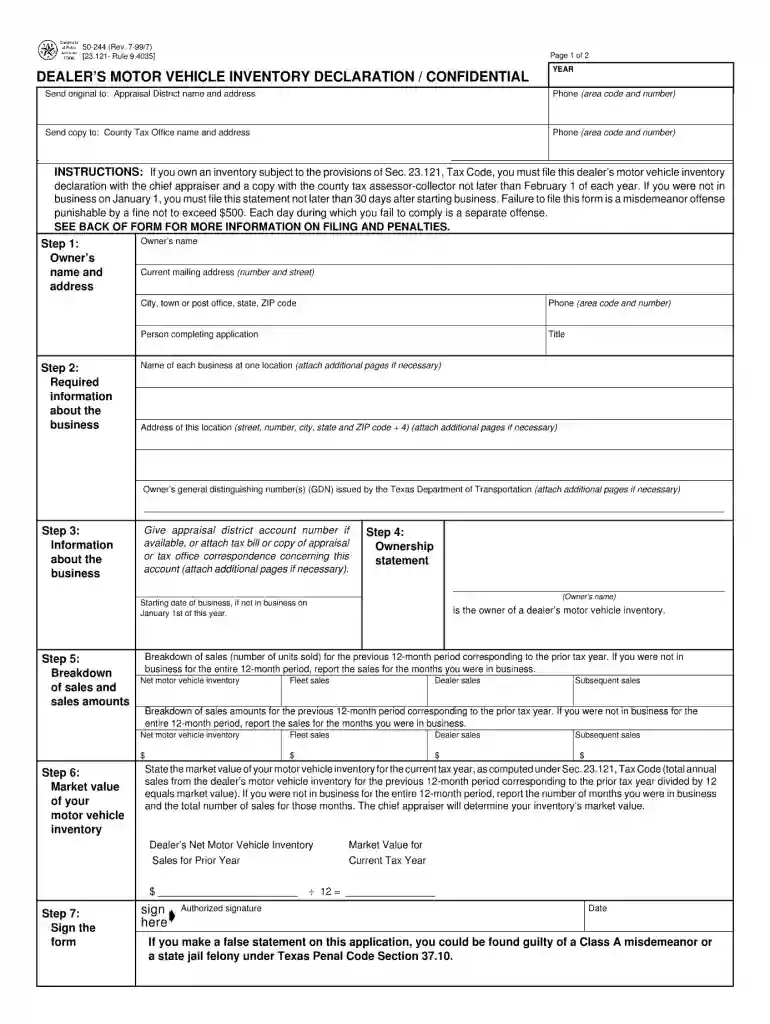
50 244 1999 form-2026

Get Form
50 244 1999 form Preview on Page 1

Here's how it works

01. Edit your form online
Type text, add images, blackout confidential details, add comments, highlights and more.

02. Sign it in a few clicks
Draw your signature, type it, upload its image, or use your mobile device as a signature pad.

03. Share your form with others
Send it via email, link, or fax. You can also download it, export it or print it out.

How to use or fill out 50 244 1999 form with our platform

Form edit decoration
9.5
Ease of Setup
DocHub User Ratings on G2
9.0
Ease of Use
DocHub User Ratings on G2
  1. Click ‘Get Form’ to open the 50 244 1999 form in the editor.
  2. Begin by entering your personal information in the designated fields, including your name, address, and contact details. Ensure accuracy for seamless processing.
  3. Next, navigate to the section that requires you to provide specific details related to your request. Carefully read each prompt and fill in the necessary information as required.
  4. If applicable, attach any supporting documents by using the upload feature within our platform. This ensures all relevant information is submitted together.
  5. Review all entered data for completeness and correctness. Utilize our platform’s editing tools to make any necessary adjustments before finalizing your submission.
  6. Once satisfied with your entries, proceed to sign the document electronically if required. Our platform allows for easy signing directly within the editor.

Start using our platform today for free and streamline your form completion process!

See more 50 244 1999 form versions

We've got more versions of the 50 244 1999 form form. Select the right 50 244 1999 form version from the list and start editing it straight away!
Versions Form popularity Fillable & printable
2017 4.8 Satisfied (87 Votes)
2015 4.4 Satisfied (472 Votes)
2013 4.2 Satisfied (42 Votes)
2011 4.2 Satisfied (74 Votes)
1999 4.3 Satisfied (48 Votes)
be ready to get more

Complete this form in 5 minutes or less

Get form

Got questions?

We have answers to the most popular questions from our customers. If you can't find an answer to your question, please contact us.
Contact us
The VIT is a property tax assessed on the dealer, not the purchaser, and is a negotiable item on the sales agreement. Moreover, the VIT is not, by statute, a part of total consideration. Dealers may, however, separately list a reimbursement of the VIT on the sales agreement.
Texas is one of just nine states where small business owners pay taxes on the value of their inventory for sale, their personal property, and everything else used to generate income.
Texas law provides for the special appraisal of dealers inventory including heavy equipment, motor vehicles, vessels and outboard motors and manufactured housing retailers. Special inventory appraisal is generally based on sales.
Car dealerships do not pay tax on the vehicles on their lot. They dont pay taxes because they are a franchise, so it works much the same as when you buy items from a grocery store. Essentially, the tax is passed on to the customers like a sales tax.
Inventory tax is calculated by multiplying the assessed value with the tax rate of the county where the inventory is kept. In Texas, this rate is between 0.37 - 2.58%.
be ready to get more

Complete this form in 5 minutes or less

Get form

People also ask

5 tips to reduce inventory tax Liquidate slow-moving inventory. Store inventory in a state that does not have an inventory tax burden. Sell through inventory before the assessment date of your state where inventory resides. Improve demand forecasting to avoid overspending on inventory.
States That Have Inventory Tax StateState or LocalLow to High Tax Rate Tennessee State 0.37-1.37% Texas State 0.37-2.58% Vermont Local 1.86-2.13% Virginia State and Local 0.31-0.77%6 more rows

Related links