
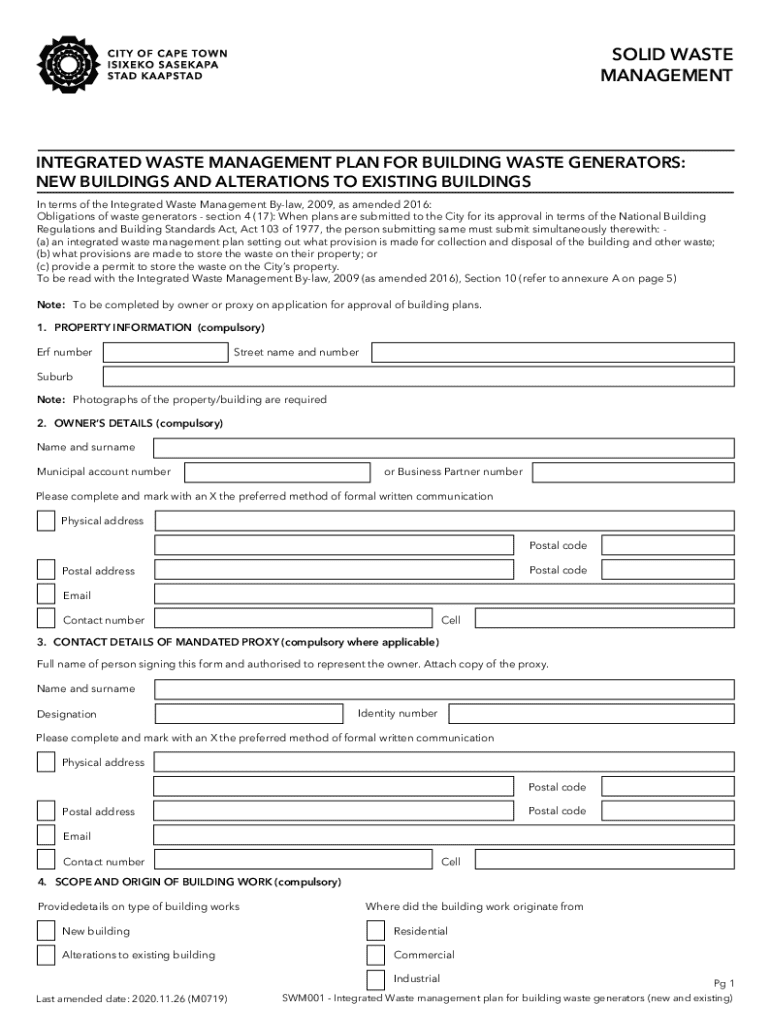







Definition and Meaning of Form Online
An online form is a digital version of traditional paper-based forms, designed to collect information from users directly through a website or application. These forms are used in a variety of contexts, including applications, surveys, registrations, and feedback mechanisms. By filling out these forms online, users can easily provide necessary information without dealing with physical paperwork. The online format allows for interactive elements, such as drop-down menus, checkboxes, and text fields, which streamline the data collection process and ensure that information is captured accurately and efficiently.
How to Use the Form Online
Using an online form involves several steps that ensure the efficient collection of the required information. Here’s how you can use such forms effectively:
- Access the Form: Locate the form on a website or platform where you intend to submit information. This could involve clicking on a link, scanning a QR code, or navigating through a menu.
- Fill in Information: Enter the necessary information in the corresponding fields. This may include personal details like name, address, and contact information, or specific data pertinent to the form's purpose.
- Review and Verify: Before submitting, review the information entered to ensure accuracy and completeness. Many platforms offer a summary page to review inputs before final submission.
- Submit the Form: Once verified, submit the form using the provided button, which typically reads “Submit” or “Finish.”
- Confirmation: After submission, a confirmation message or email often follows, acknowledging receipt and outlining any further steps.
Legal Use of the Form Online
The legal validity of online forms hinges on several factors, such as compliance with electronic signature laws like the ESIGN Act in the United States. This act ensures that electronic signatures on online forms have the same legal standing as handwritten signatures. Users must also adhere to data protection laws, such as the GDPR, which govern how personal information can be collected, used, and stored. For specific forms, such as tax documents or contracts, the legal acceptance of the format is crucial to ensure the validity of the transaction or submission.
Key Elements of the Form Online
Online forms consist of specific elements that facilitate data entry and submission. These include:
- Text Fields: Allow users to input text data, such as names and addresses.
- Radio Buttons: Enable selection of one option from multiple choices.
- Checkboxes: Allow users to select multiple options from a list.
- Drop-Down Menus: Provide a list of options from which users select their response, useful for standardizing answers.
- Signature Fields: Facilitate the inclusion of electronic signatures, ensuring legal compliance.
- Submit Button: Finalizes the process, sending the entered information to the receiving party or processing system.
Steps to Complete the Form Online
Completing an online form requires a step-by-step approach to ensure accuracy and completeness:
- Identify Necessary Information: Gather the information required to fill out the form, ensuring you have all necessary documents or details on hand.
- Start with Basic Information: Fill in general information such as name, date of birth, and contact details.
- Proceed to Specific Sections: Address any sections that pertain to specific queries, such as financial information or role-specific details, depending on the form's purpose.
- Attach Necessary Documents: If applicable, upload any required documentation using the designated upload fields.
- Validate Input: Use built-in validation features that check for errors like missing fields or incorrect formats, ensuring accuracy.
- Finalize and Submit: Conduct a final review to ensure all fields are completed correctly, then submit the form.
State-Specific Rules for Online Forms
Different states in the U.S. may have specific regulations governing the use of online forms. These rules could impact how forms need to be designed, the information they must capture, and how they are processed. For instance, a business operating in California must comply with the California Consumer Privacy Act (CCPA), which affects the way personal data is collected and shared. It's crucial to understand these nuances to remain compliant and ensure the form's acceptance.
Examples of Using the Form Online
Online forms are versatile and can be adapted for various applications:
- Job Applications: Allow candidates to submit applications easily, along with resumes and cover letters.
- Customer Feedback: Enable businesses to collect customer feedback on products or services, helping to identify areas for improvement.
- Event Registration: Allow participants to sign up for events, often with options to select sessions or make payments online.
Software Compatibility with Online Forms
Compatibility with software systems enhances the functionality of online forms. Integrations with platforms like QuickBooks or TurboTax can automate processes such as data entry and financial tracking. Forms captured via software can be directly input into these systems, reducing errors and saving time. For example, integrating a tax form with TurboTax can expedite the filing process by automatically transferring entered information to the tax software.




