




Here's how it works

01. Edit your dtf 716 form online
Type text, add images, blackout confidential details, add comments, highlights and more.

02. Sign it in a few clicks
Draw your signature, type it, upload its image, or use your mobile device as a signature pad.

03. Share your form with others
Send application cigarettes dtf 716 via email, link, or fax. You can also download it, export it or print it out.
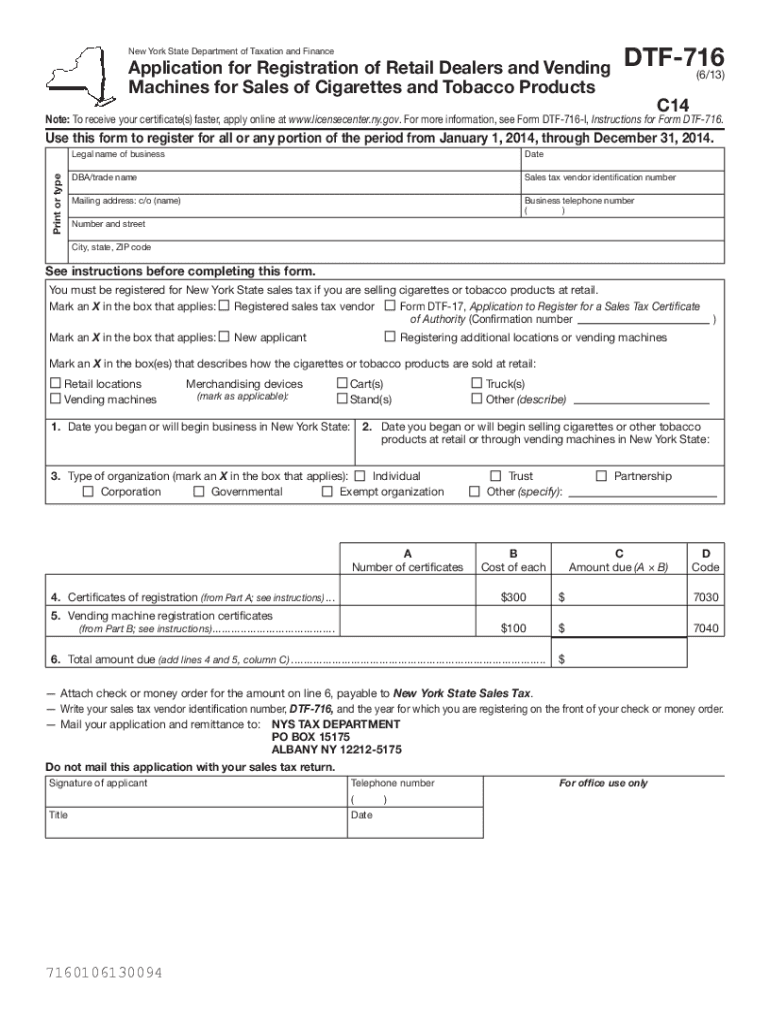
How to use or fill out Instructions for Form DTF716 - Tax NY with our platform

- Click ‘Get Form’ to open it in the editor.
- Begin by entering your legal business name and DBA/trade name in the designated fields. Ensure accuracy as this information is crucial for your registration.
- Fill in your sales tax vendor identification number and mailing address, including the city, state, and ZIP code. This ensures that all correspondence reaches you promptly.
- Indicate whether you are a new applicant or registering additional locations by marking the appropriate boxes. This helps categorize your application correctly.
- Complete the sections regarding your business operations, including the date you began selling tobacco products and the type of organization. Select from options like Individual, Corporation, or Partnership.
- In Part A and Part B, list all business locations and vending machines respectively. Provide necessary details such as addresses and serial numbers for each machine.
- Finally, calculate the total amount due based on your entries and attach a check or money order before submitting your application to the NYS Tax Department.
Start using our platform today to simplify filling out Form DTF716 for free!
Fill out Instructions for Form DTF716 - Tax NY online
It's free
It's free
See more Instructions for Form DTF716 - Tax NY versions
We've got more versions of the Instructions for Form DTF716 - Tax NY form. Select the right Instructions for Form DTF716 - Tax NY version from the list and start editing it straight away!
Security and compliance
At DocHub, your data security is our priority. We follow HIPAA, SOC2, GDPR, and other standards, so you can work on your documents with confidence.
Learn more


