




Here's how it works

01. Edit your form online
Type text, add images, blackout confidential details, add comments, highlights and more.

02. Sign it in a few clicks
Draw your signature, type it, upload its image, or use your mobile device as a signature pad.

03. Share your form with others
Send it via email, link, or fax. You can also download it, export it or print it out.
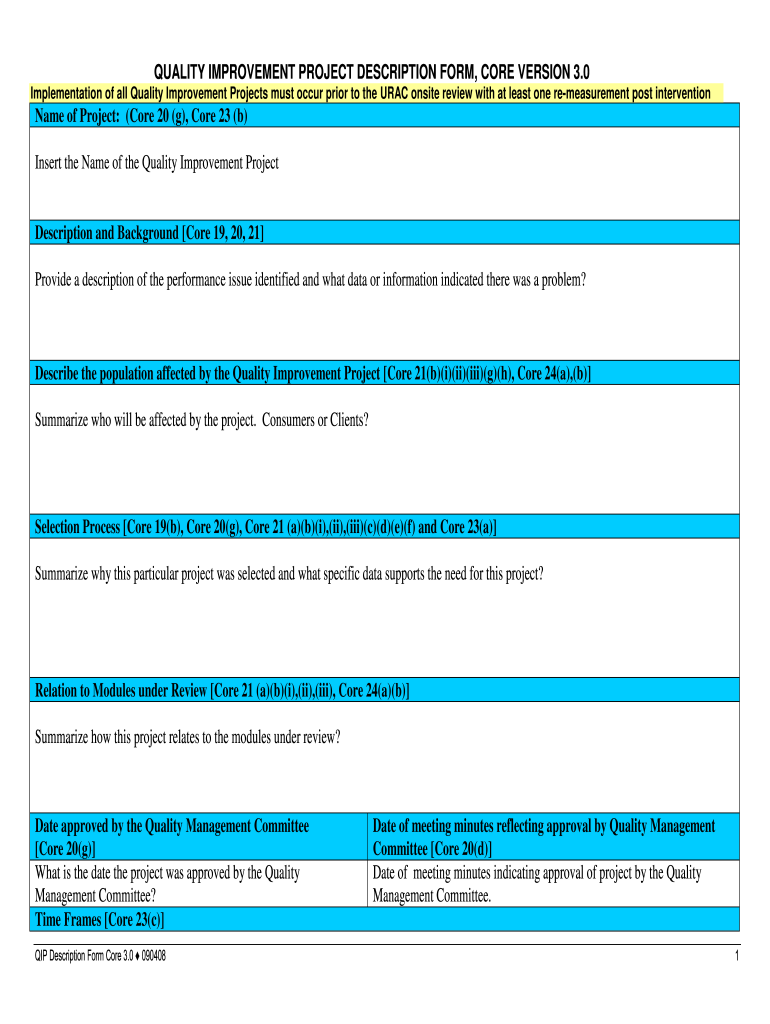
How to use or fill out description form quality project sample with our platform

- Click ‘Get Form’ to open the description form quality project sample in the editor.
- Begin by entering the 'Name of Project' at the top of the form. This should reflect the specific Quality Improvement Project you are working on.
- In the 'Description and Background' section, provide a detailed account of the performance issue identified, including any data that indicated there was a problem.
- Next, describe the population affected by this project. Specify whether it involves consumers or clients.
- For the 'Selection Process', summarize why this project was chosen and include supporting data that highlights its necessity.
- Fill in how this project relates to modules under review, ensuring to reference relevant core components.
- Complete all remaining sections, including dates for approvals and interventions, ensuring accuracy for effective tracking and reporting.
Start using our platform today to streamline your document editing and form completion process for free!
Fill out description form quality project sample online
It's free
It's free
See more description form quality project sample versions
We've got more versions of the description form quality project sample form. Select the right description form quality project sample version from the list and start editing it straight away!
| Versions | Form popularity | Fillable & printable |
|---|---|---|
| 2008 | 4.8 Satisfied (213 Votes) |
Security and compliance
At DocHub, your data security is our priority. We follow HIPAA, SOC2, GDPR, and other standards, so you can work on your documents with confidence.
Learn more




