Type text, add images, blackout confidential details, add comments, highlights and more.

02. Sign it in a few clicks
Draw your signature, type it, upload its image, or use your mobile device as a signature pad.

03. Share your form with others
Send it via email, link, or fax. You can also download it, export it or print it out.

How to use or fill out 2016 BIRT EZ with our platform
Ease of Setup
DocHub User Ratings on G2
Ease of Use
DocHub User Ratings on G2
Click ‘Get Form’ to open the 2016 BIRT EZ in the editor.
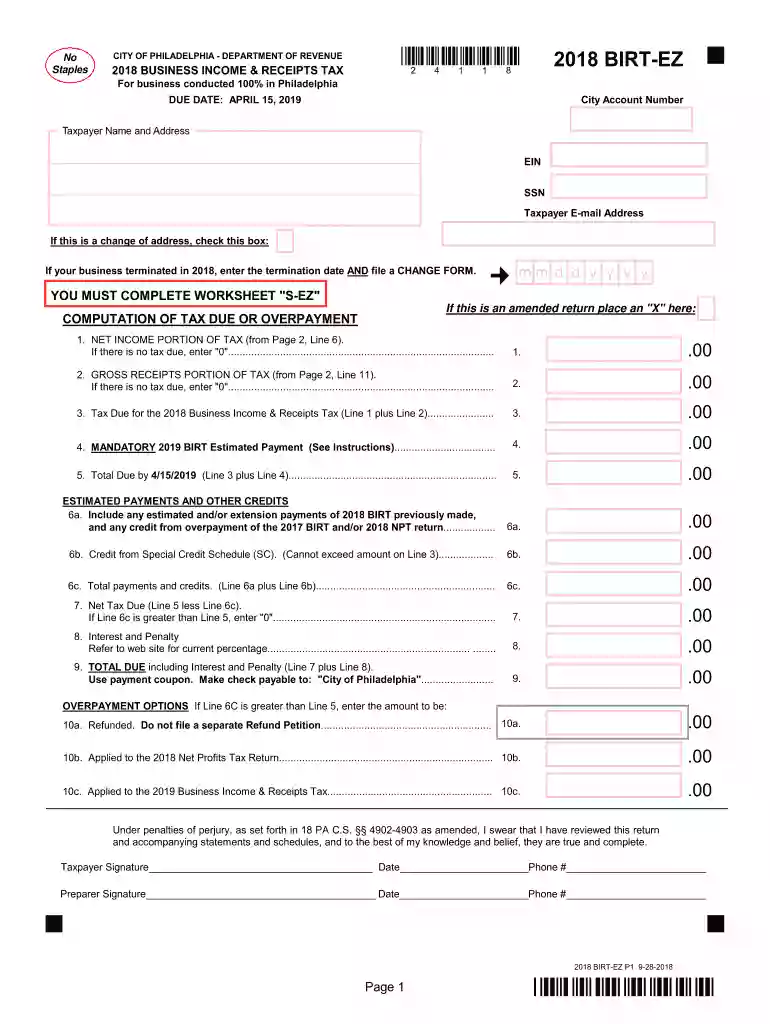
Begin by entering your City Account Number, Taxpayer Name, and Address in the designated fields. Ensure all information is accurate for proper processing.
Fill in your EIN or SSN and provide your email address. If applicable, check the box for a change of address or indicate if your business terminated in 2016.
Complete the Computation of Tax Due section by entering values from your financial records into Lines 1 through 9. Be sure to calculate any estimated payments and credits accurately.
In the Tax Computation Schedules, report your net income using either Method I or Method II as per your accounting practices. Follow through with gross receipts calculations on Lines 7a to 11.
Finally, review all entries for accuracy before signing and dating the form at the bottom. This ensures compliance under penalties of perjury.
Start filling out your 2016 BIRT EZ form online for free today!
Cookie consent notice
This site uses cookies to enhance site navigation and personalize your experience.
By using this site you agree to our use of cookies as described in our Privacy Notice.
You can modify your selections by visiting our Cookie and Advertising Notice.