Intake complaint form - UTLA 2026

Get Form
intake complaint form - UTLA Preview on Page 1

Here's how it works

01. Edit your form online
Type text, add images, blackout confidential details, add comments, highlights and more.

02. Sign it in a few clicks
Draw your signature, type it, upload its image, or use your mobile device as a signature pad.

03. Share your form with others
Send it via email, link, or fax. You can also download it, export it or print it out.

How to use or fill out intake complaint form - UTLA with our platform

Form edit decoration
9.5
Ease of Setup
DocHub User Ratings on G2
9.0
Ease of Use
DocHub User Ratings on G2
  1. Click ‘Get Form’ to open the intake complaint form in the editor.
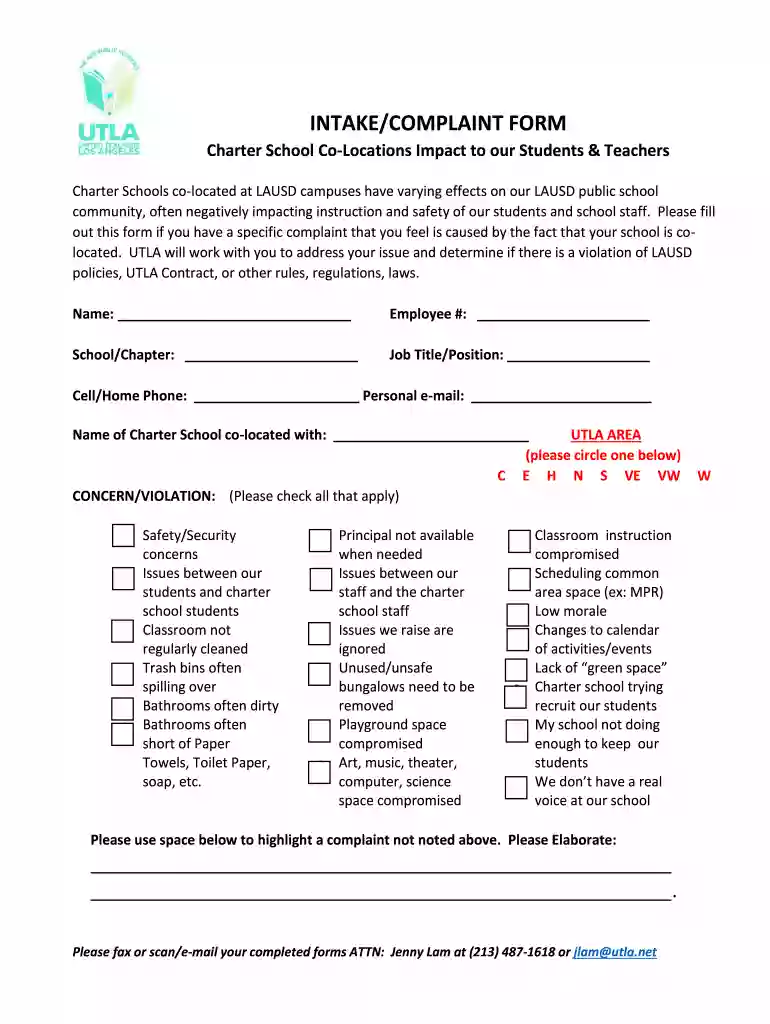
  2. Begin by entering your personal information in the designated fields, including your name, employee number, school/chapter, job title/position, and contact details.
  3. Identify the charter school that is co-located with your school by filling in the appropriate field.
  4. In the UTLA AREA section, circle one of the options provided to indicate your area of concern.
  5. Check all applicable concerns or violations from the list provided. If you have additional complaints not listed, use the space below to elaborate on them.
  6. Answer the important questions regarding communication with your principal and Chapter Chair, as well as details about any Co-Location Committee at your school.
  7. If necessary, provide further elaboration on any points mentioned above in the space provided or attach additional sheets if needed.
  8. Once completed, fax or scan/email your form to Jenny Lam at (213) 487-1618 or jlam@utla.net.

Start using our platform today for free to streamline your document editing and submission process!

be ready to get more

Complete this form in 5 minutes or less

Get form

Got questions?

We have answers to the most popular questions from our customers. If you can't find an answer to your question, please contact us.
Contact us
If you have contacted your school and Local District and still require assistance, referrals or resources, contact the Educational Equity Compliance Office at (213) 241-7682 or EquityCompliance@lausd.net. 1. Please give facts about your complaint.
For CSEA employees hired on or after September 1, 2018, years of qualifying service and age must total at least eighty-seven (87) in order to qualify for retiree health benefits. This must include a minimum of thirty (30) consecutive years of service with the District immediately prior to retirement.
Completed forms may be submitted via email to Charters@cde.ca.gov. You may also file a complaint to the Charter Schools Division by phone at 916-322-6029 or via email to Charters@cde.ca.gov.
Any complainant has the right to file a written complaint of unlawful discrimination, harassment, intimidation, or bullying within six months from the date the alleged incident occurred or the complainant first obtained knowledge/facts of the alleged incident unless the time for filing is extended by the District
Visit the OCR Complaint Assessment System site to file an electronic complaint form, or file a complaint by using the fillable PDF complaint form. Learn how to file a discrimination or retaliation complaint with the ED Office for Civil Rights (OCR).

Security and compliance

At DocHub, your data security is our priority. We follow HIPAA, SOC2, GDPR, and other standards, so you can work on your documents with confidence.

Learn more
ccpa2
pci-dss
gdpr-compliance
hipaa
soc-compliance

People also ask

If you need immediate assistance, please email contact@utla.net or call (213) 487-5560.

Related links