Redstone federal business credit 2026

Get Form
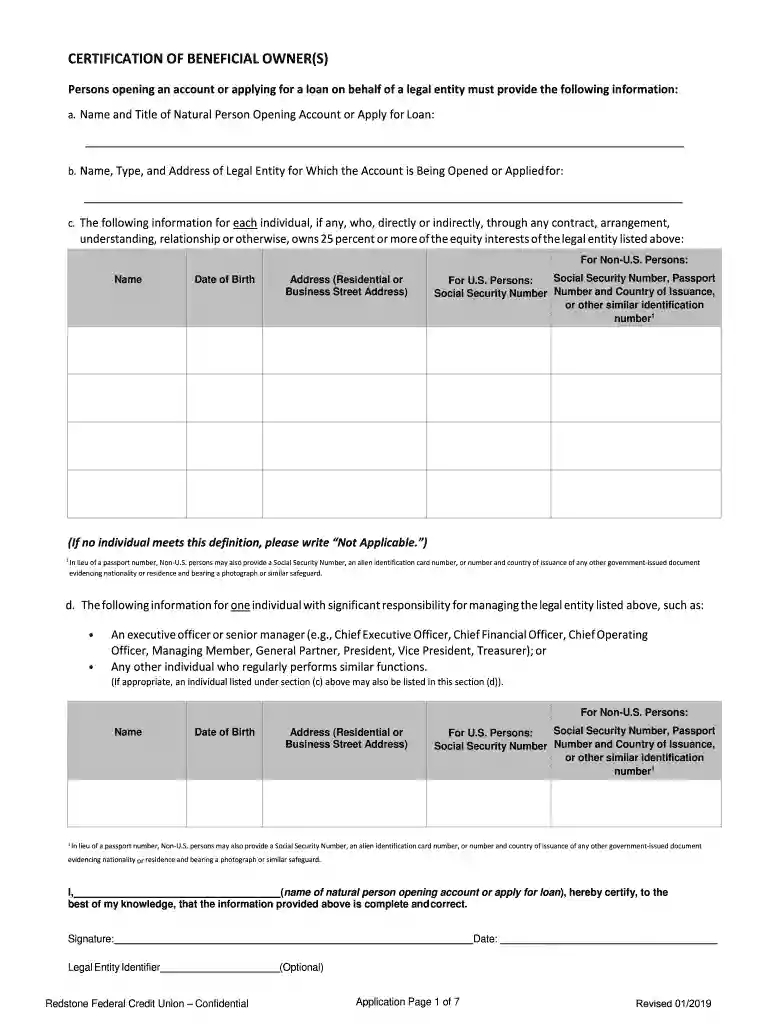
redstone federal credit application Preview on Page 1

Here's how it works

01. Edit your redstone federal credit application online
Type text, add images, blackout confidential details, add comments, highlights and more.

02. Sign it in a few clicks
Draw your signature, type it, upload its image, or use your mobile device as a signature pad.

03. Share your form with others
Send it via email, link, or fax. You can also download it, export it or print it out.

How to use or fill out redstone federal business credit with our platform

Form edit decoration
9.5
Ease of Setup
DocHub User Ratings on G2
9.0
Ease of Use
DocHub User Ratings on G2
  1. Click ‘Get Form’ to open the redstone federal business credit application in the editor.
  2. Begin by filling out the Business Information section, including your Business Name, EIN, and structure (e.g., LLC, Corporation). Ensure all fields are completed accurately.
  3. Next, provide Owner/Principal Guarantor Information for anyone with 25% or more ownership. This includes their name, SSN, date of birth, and contact details.
  4. For businesses that are start-ups or non-profits, attach any required documents such as a Business Plan or financial statements as specified in the instructions.
  5. Review all sections for completeness. Once satisfied, print the application directly from our platform to submit via Fax, Mail, or In Person.

Start using our platform today to streamline your document editing and submission process for the redstone federal business credit application!

See more redstone federal business credit versions

We've got more versions of the redstone federal business credit form. Select the right redstone federal business credit version from the list and start editing it straight away!
Versions Form popularity Fillable & printable
2022 4.4 Satisfied (39 Votes)
2019 4.8 Satisfied (174 Votes)
2018 4.2 Satisfied (60 Votes)
2014 4.9 Satisfied (39 Votes)
2014 4 Satisfied (20 Votes)
2014 4.7 Satisfied (63 Votes)
2013 4.5 Satisfied (47 Votes)
2013 4.8 Satisfied (120 Votes)
2007 4 Satisfied (51 Votes)
2003 4.8 Satisfied (180 Votes)
be ready to get more

Complete this form in 5 minutes or less

Get form

Got questions?

We have answers to the most popular questions from our customers. If you can't find an answer to your question, please contact us.
Contact us
FICO is a credit score model used by most top lenders. If you are enrolled in online banking with Redstone, your FICO1 score is available for FREE. You can check it an unlimited number of times without it impacting your score.
Redstone Federal Credit Union is BBB Accredited. This business has committed to upholding the BBB Standards for Trust.
Personal and business credit score numbers are independent of each other but are often used together to determine your ability to secure a business loan.
If any business credit card activity is reported to consumer credit bureaus, it will appear similarly to any personal credit card activity on your credit report. This activity could affect your payment history, credit utilization and the length of your credit history, among other factors.
Payment History: Late or missed payments on a business line of credit, especially if personally guaranteed, can negatively affect personal credit scores.

Security and compliance

At DocHub, your data security is our priority. We follow HIPAA, SOC2, GDPR, and other standards, so you can work on your documents with confidence.

Learn more
ccpa2
pci-dss
gdpr-compliance
hipaa
soc-compliance

People also ask

With absolutely no monthly maintenance fees, Redstones Business Checking Accounts offer convenient ways for you to handle it all. Whether youre running a small business or managing a larger company with a higher balance, well help you keep your expenses low so your business can grow.

Related links