




Here's how it works

01. Edit your 2055 appraisal form online
Type text, add images, blackout confidential details, add comments, highlights and more.

02. Sign it in a few clicks
Draw your signature, type it, upload its image, or use your mobile device as a signature pad.

03. Share your form with others
Send form 2055 via email, link, or fax. You can also download it, export it or print it out.
How to use or fill out Fannie Mae Form 2055 (Old Form) - Tomaino Appraisal, LLC with our platform

- Click ‘Get Form’ to open it in the editor.
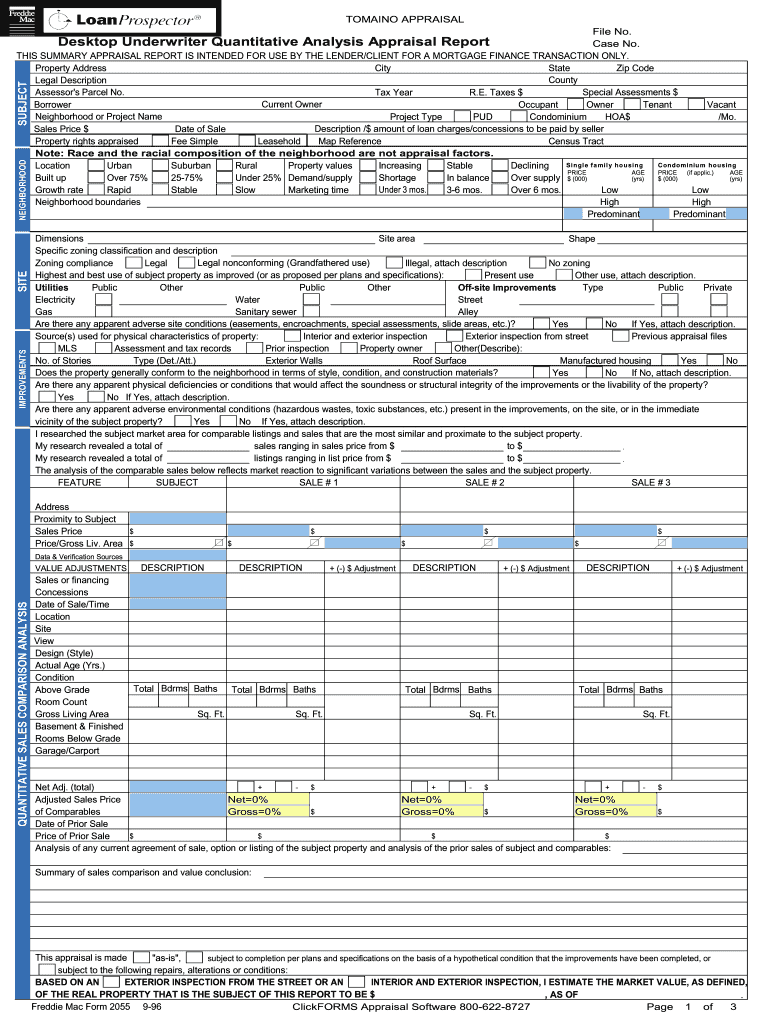
- Begin by entering the File No. and Case No. at the top of the form. This information is crucial for tracking your appraisal.
- Fill in the Property Address, City, State, Zip Code, and County. Ensure accuracy as this identifies the property being appraised.
- Complete the Current Owner, Borrower, and Occupant sections. Specify if the property is Owner-Occupied, Tenant-Occupied, or Vacant.
- In the Neighborhood or Project Name section, indicate whether it’s a PUD or Condominium and provide HOA fees if applicable.
- Proceed to fill out details regarding Sales Price, Date of Sale, and Property Rights Appraised. This data is essential for valuation.
- Continue through each section methodically—detailing improvements, site conditions, neighborhood characteristics, and comparable sales analysis.
Start using our platform today to streamline your document editing and form completion process for free!
Fill out Fannie Mae Form 2055 (Old Form) - Tomaino Appraisal, LLC online
It's free
It's free
Security and compliance
At DocHub, your data security is our priority. We follow HIPAA, SOC2, GDPR, and other standards, so you can work on your documents with confidence.
Learn more


