




Here's how it works

01. Edit your form 532 alaska motor fuel tax online
Type text, add images, blackout confidential details, add comments, highlights and more.

02. Sign it in a few clicks
Draw your signature, type it, upload its image, or use your mobile device as a signature pad.

03. Share your form with others
Send alaska form 532 via email, link, or fax. You can also download it, export it or print it out.
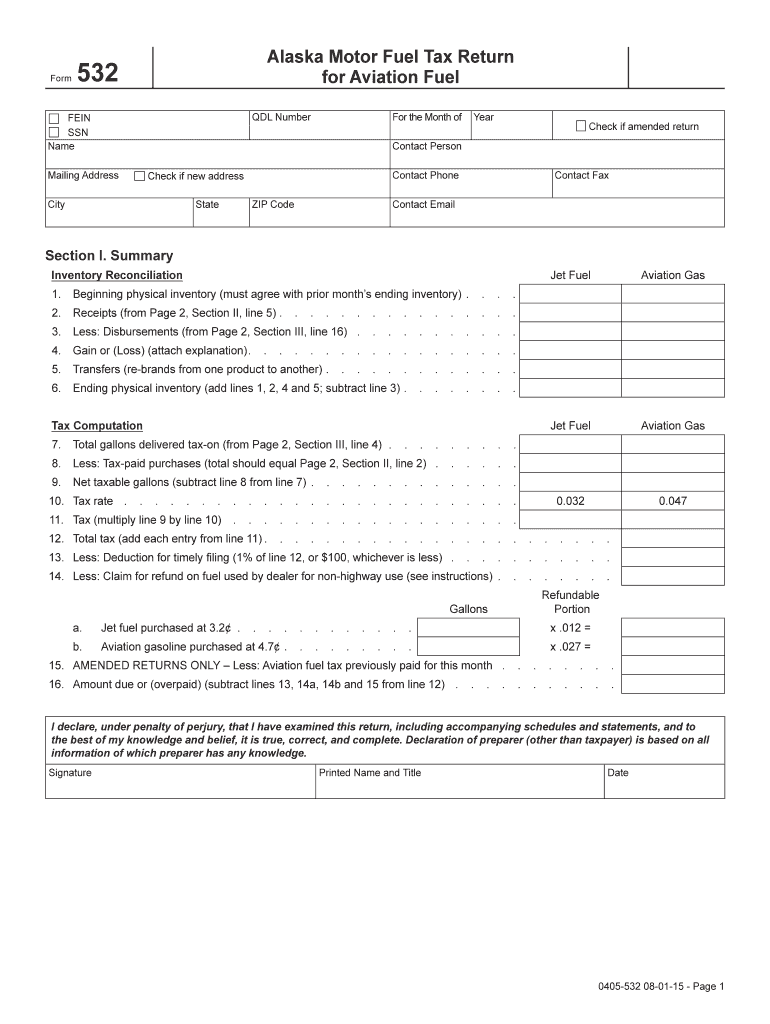
How to use or fill out Alaska Form 532 with our platform

- Click ‘Get Form’ to open Alaska Form 532 in the editor.
- Begin by entering your QDL Number, FEIN or SSN, and your name at the top of the form. Ensure that all information is accurate for proper processing.
- Fill in the month and year for which you are reporting. If this is an amended return, check the appropriate box.
- In Section I, provide your beginning physical inventory and receipts from Section II. Calculate disbursements and determine any gains or losses as instructed.
- Proceed to tax computation by entering total gallons delivered tax-on and calculating net taxable gallons based on provided tax rates for jet fuel and aviation gas.
- Complete all relevant schedules for receipts, disbursements, and any exemptions. Make sure to report each load separately in whole numbers as required.
- Finally, review your entries for accuracy before signing and dating the declaration at the bottom of the form.
Start filling out Alaska Form 532 online for free using our platform today!
Fill out alaska form 532 online
It's free
It's free
Security and compliance
At DocHub, your data security is our priority. We follow HIPAA, SOC2, GDPR, and other standards, so you can work on your documents with confidence.
Learn more


