




Here's how it works
How to use or fill out 2012 wc 10 form with our platform

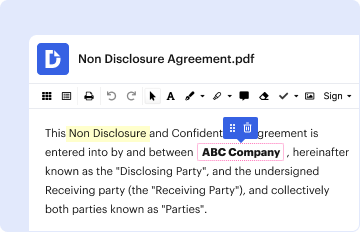
- Click ‘Get Form’ to open the 2012 wc 10 form in the editor.
- Begin by entering your personal information in the designated fields, including your name, address, and contact details. Ensure accuracy as this information is crucial for processing.
- Next, navigate to the section regarding employment details. Fill in your employer's name and address, along with your job title and the dates of employment relevant to the claim.
- Proceed to describe the nature of your injury or illness in the provided text box. Be specific about how it occurred and any medical treatment received.
- Finally, review all entered information for completeness and accuracy. Use our platform’s tools to make any necessary edits before saving or submitting your form.
Start using our platform today for free to streamline your document editing and form completion!
It's free
See more 2012 wc 10 form versions
Got questions?
Can I sign my 2012 wc 10 form on a mobile?
Of course, you’ll find many different applications for this on the web. Nevertheless, if you need to eSign your 2012 wc 10 form without installing additional software, DocHub is the optimum choice you can make. This powerful editor works on mobile devices just as on desktops. Open our editor in any internet browser, register or log in to your account, and start processing your paperwork.
How do you complete 2012 wc 10 form on iOS?
You need only an internet connection and a web browser to fill out your 2012 wc 10 form by using an iOS phone. Open the DocHub website and authenticate. Then, add your file or choose it from the list in your dashboard. Then use our editing instruments to fill out your form and save all your adjustments. You can also send it to a specified recipient right away.
What is the most frequently reported claim at work?
What is the most common workers comp claim?
Who is exempt from workers compensation in NJ?
Security and compliance
At DocHub, your data security is our priority. We follow HIPAA, SOC2, GDPR, and other standards, so you can work on your documents with confidence.
Learn more


