




01. Edit your kotak mahindra bank tds form 281 online
Type text, add images, blackout confidential details, add comments, highlights and more.

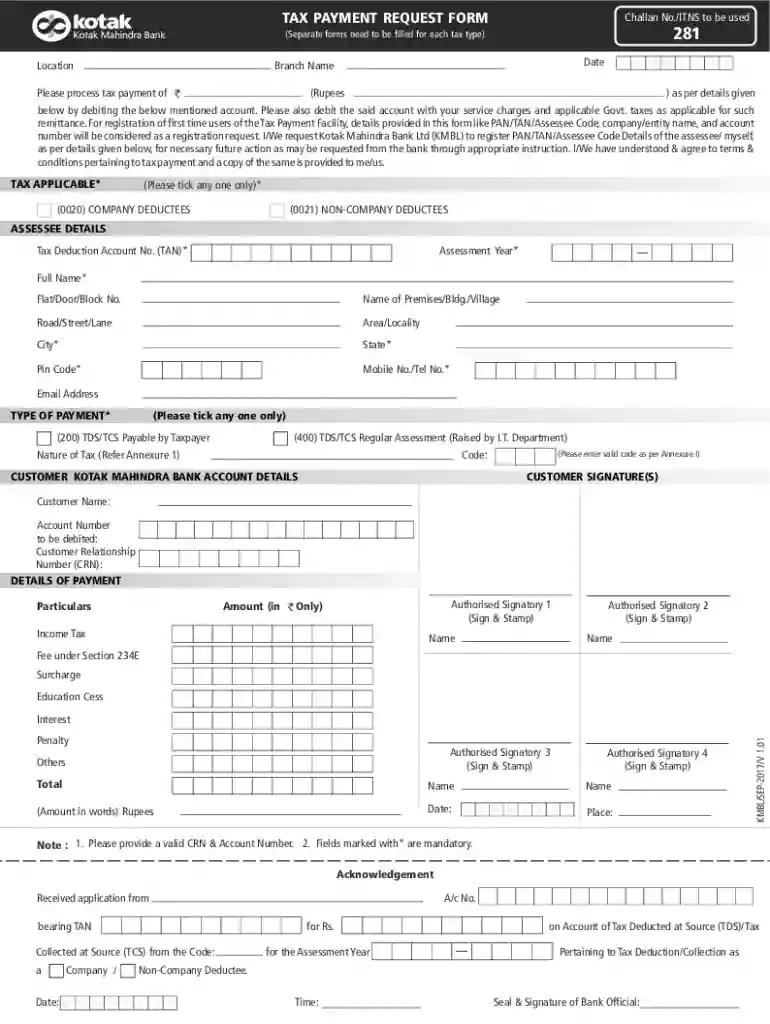
Type text, add images, blackout confidential details, add comments, highlights and more.

Draw your signature, type it, upload its image, or use your mobile device as a signature pad.

Send kotak tax payment request form 281 via email, link, or fax. You can also download it, export it or print it out.
Online forms facilitate the collection and processing of information in a digital format, allowing users to submit data through web-based platforms rather than traditional paper forms. These forms are commonly used for a variety of applications, ranging from simple registration forms to complex tax filing documents. They allow information to be directly inputted into a database, helping to streamline operations, reduce errors, and improve efficiency. For example, businesses and individuals can use online forms to file taxes, apply for jobs, or collect customer feedback.
Accessing the Form: Begin by accessing the relevant platform or website hosting the form. Ensure you have a stable internet connection to avoid interruptions.
Filling in Details: Enter your personal or business information accurately. This often includes names, addresses, and specific details relevant to the form's purpose.
Reviewing Entries: Check all the entered information for accuracy. Ensuring there are no errors can prevent delays or issues.
Submission: Once satisfied with the details, submit the form. Some platforms may require confirmation through email or additional steps.
Receiving Confirmation: After submission, look for a confirmation message or email to ensure the process is complete.
Efficiency: Online forms save time by eliminating the need for physical paperwork and manual data entry. Form submissions are instant and can be done from any location.
Cost-Effectiveness: Reduces costs related to paper, printing, and postage, benefiting both businesses and individual users.
Accessibility: Available 24/7, allowing users to fill out forms at their convenience without time or location constraints.
Real-Time Data Collection: Instantaneous data entry into digital systems allows for immediate processing and response.
Fillable Fields: Specific areas within an online form where users input their information, often including text boxes, checkboxes, and dropdown menus.
Electronic Signatures: Digital signatures that hold the same legal weight as handwritten ones, commonly used in online forms to authenticate the user.
Encryption: A security measure used to protect the data submitted through online forms, ensuring it remains confidential and secure from unauthorized access.
User Interface: An intuitive design enhances user experience, making it easier to input and review information.
Form Validation: Built-in checks within the form help ensure data is entered correctly, such as verifying email formats or mandatory field completion.
Security Features: Encryption and authentication protocols safeguard user data during submission and storage.
Online forms must comply with legal standards such as the Electronic Signatures in Global and National Commerce (ESIGN) Act, ensuring electronic records and signatures are valid. It is crucial for forms collecting personal or sensitive data to adhere to privacy laws and regulations, like the General Data Protection Regulation (GDPR) or the Health Insurance Portability and Accountability Act (HIPAA), to protect user information.
Online forms can often be integrated with software such as TurboTax or QuickBooks, allowing users to pull data and populate forms automatically. This compatibility enhances user convenience and ensures accuracy by minimizing manual data entry. For instance, business owners can connect accounting software directly to tax forms, streamlining the tax filing process.
Tax Filing: Individuals and businesses use online forms to submit tax returns electronically, simplifying the process and receiving refunds faster.
Job Applications: Employers often use online forms to collect applications, making it easier to sort candidates by qualifications quickly.
Customer Feedback: Companies deploy online surveys to gather customer insights, enabling them to improve products and services based on consumer responses.
While many online forms are standardized, some require attention to state-specific regulations or rules. For example, tax forms may have different requirements or exemptions depending on the state of residence. Users should ensure they comply with state laws to avoid penalties or rejected submissions. Where discrepancies exist, consulting with state government websites or legal experts can provide clarity.
Failing to comply with submission deadlines or filling out forms incorrectly can result in penalties ranging from fines to legal consequences. In tax scenarios, late filings might incur interest and late fees. Understanding and adhering to requirements is essential to ensure compliance and avoid such repercussions.
We've got more versions of the kotak mahindra bank tds form 281 form. Select the right kotak mahindra bank tds form 281 version from the list and start editing it straight away!
At DocHub, your data security is our priority. We follow HIPAA, SOC2, GDPR, and other standards, so you can work on your documents with confidence.
Payment Request Form Non-Tax Levy Appointment and DOL Form 2026 Form. State Tax Exemption Certificate (Form. General #: 718.951.5000
Apr 29, 2026 Use Form 9465 to request a monthly installment plan if you cannot pay the full amount you owe shown on your tax return (or on a notice we sent you).Read more
Feb 1, 2018 Use Form 7004 to request an automatic extension of time to file certain business income tax, information, and other returns. The extension willRead more


