Form 990 2026

Get Form
990 t Preview on Page 1

Here's how it works

01. Edit your 990 t online
Type text, add images, blackout confidential details, add comments, highlights and more.

02. Sign it in a few clicks
Draw your signature, type it, upload its image, or use your mobile device as a signature pad.

03. Share your form with others
Send it via email, link, or fax. You can also download it, export it or print it out.

How to use or fill out form 990 with our platform

Form edit decoration
9.5
Ease of Setup
DocHub User Ratings on G2
9.0
Ease of Use
DocHub User Ratings on G2
  1. Click ‘Get Form’ to open the form 990 in the editor.
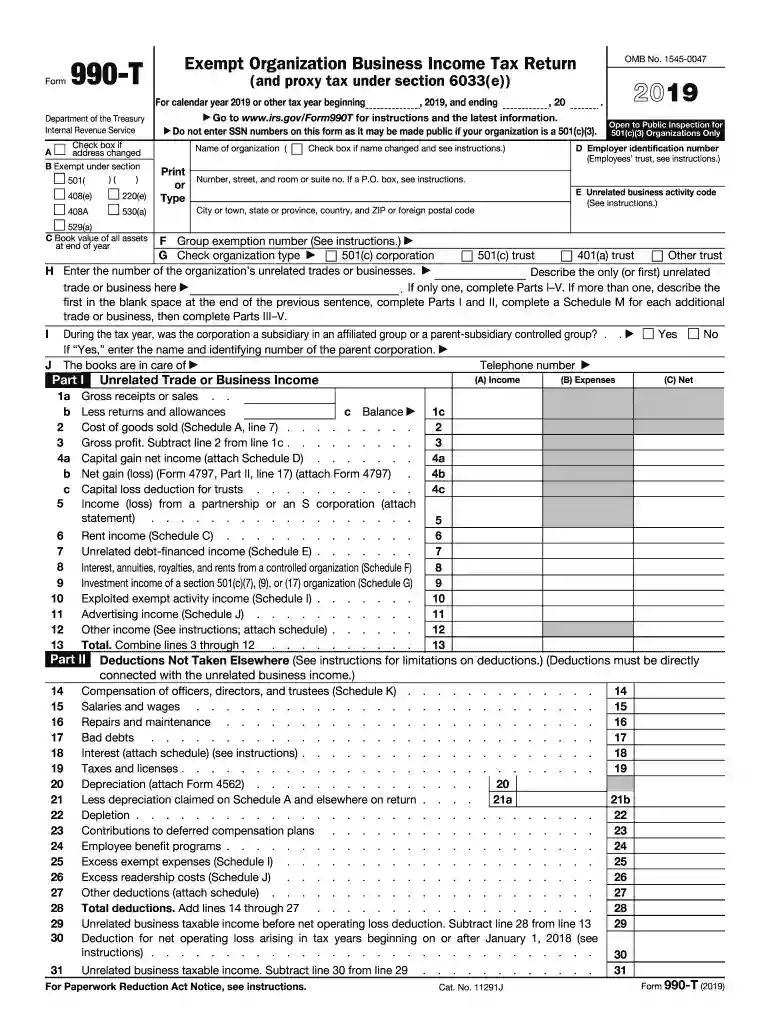
  2. Begin by entering your organization’s name and employer identification number (EIN) in the designated fields. Ensure accuracy as this information is crucial for IRS processing.
  3. Proceed to Part I, where you will report unrelated trade or business income. Fill in gross receipts, returns, and allowances, then calculate your gross profit.
  4. In Part II, list deductions not taken elsewhere. This includes compensation of officers and other expenses directly connected to your unrelated business income.
  5. Complete Parts III and IV for tax computation based on your unrelated business taxable income. Follow the instructions carefully to ensure compliance with IRS regulations.
  6. Finally, review all entries for accuracy before signing and submitting the form electronically through our platform for a seamless experience.

Start using our platform today to fill out form 990 easily and efficiently!

See more form 990 versions

We've got more versions of the form 990 form. Select the right form 990 version from the list and start editing it straight away!
Versions Form popularity Fillable & printable
2023 4.2 Satisfied (34 Votes)
2022 4.9 Satisfied (53 Votes)
2021 4.8 Satisfied (136 Votes)
2020 4.3 Satisfied (84 Votes)
2019 4.4 Satisfied (79 Votes)
2018 4.3 Satisfied (146 Votes)
2017 4.3 Satisfied (127 Votes)
2014 4.3 Satisfied (71 Votes)
be ready to get more

Complete this form in 5 minutes or less

Get form

Got questions?

We have answers to the most popular questions from our customers. If you can't find an answer to your question, please contact us.
Contact us
Form 990-N (e-Postcard) is an annual notice. Form 990 is the IRS primary tool for gathering information about tax-exempt organizations, educating organizations about tax law requirements and promoting compliance. Organizations also use the Form 990 to share information with the public about their programs.
IRS Form 990 data can be obtained from many sources, including the IRS. In addition, there are portions of the IRS Form 990, such as a roster of the board, leadership compensation, and governance information, one would not find in an audited financial statement.
Nonprofits with annual revenue of $500,000 or more must file the Form 990.
The IRS requires that a nonprofit organization file some version of the 990 if its gross receipts are over $50,000. If gross receipts are $50,000 or below, only IRS Form 990-N (e-Postcard) need be filed. The California Attorney General has different filing requirements for charities.
An organization that fails to file the required information return (Form 990, Form 990-EZ, or Form 990-PF) or e-Postcard (Form 990-N) for three consecutive tax years will automatically lose its tax-exempt status.

Security and compliance

At DocHub, your data security is our priority. We follow HIPAA, SOC2, GDPR, and other standards, so you can work on your documents with confidence.

Learn more
ccpa2
pci-dss
gdpr-compliance
hipaa
soc-compliance
be ready to get more

Complete this form in 5 minutes or less

Get form

People also ask

The 990 is the tax form the Internal Revenue Service (IRS) requires all 501(c)(3) tax-exempt charitable and nonprofit organizations to submit annually.

Related links