Type text, add images, blackout confidential details, add comments, highlights and more.

02. Sign it in a few clicks
Draw your signature, type it, upload its image, or use your mobile device as a signature pad.

03. Share your form with others
Send it via email, link, or fax. You can also download it, export it or print it out.

How to use or fill out form 33b with our platform
Ease of Setup
DocHub User Ratings on G2
Ease of Use
DocHub User Ratings on G2
Click ‘Get Form’ to open it in the editor.
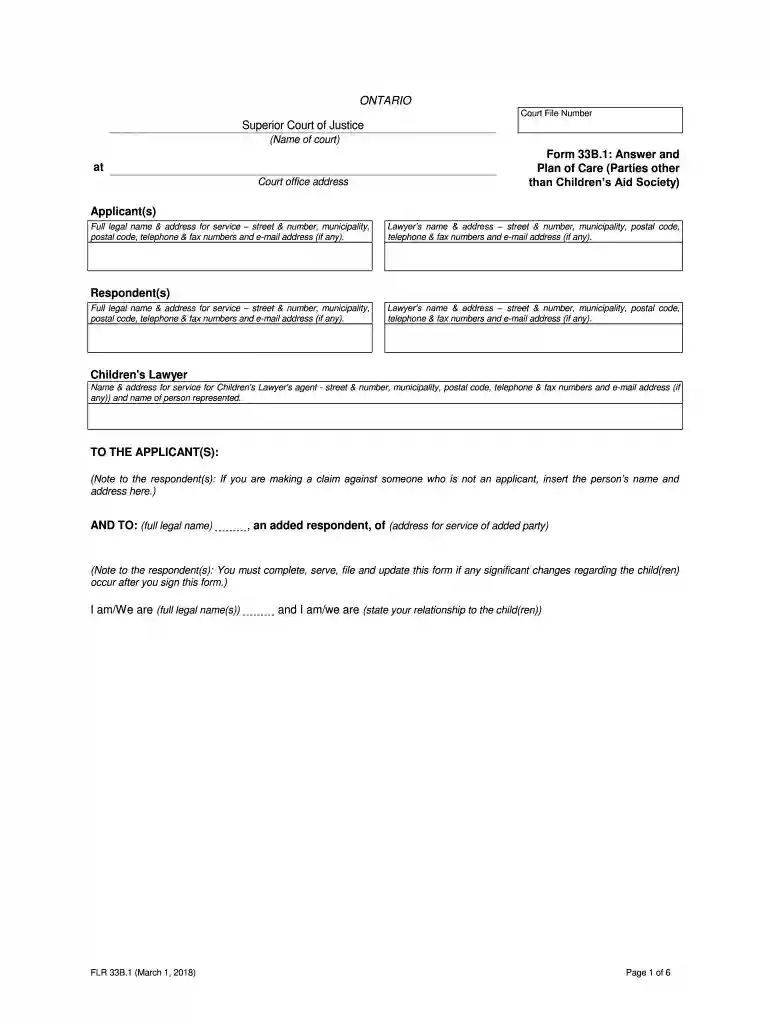
Begin by entering the Court File Number and the name of the court at the top of the form. This establishes the context for your submission.
In the Applicant(s) section, provide full legal names and addresses for service, including contact details. Ensure accuracy as this information is crucial for communication.
Fill in the Respondent(s) section similarly, ensuring all required details are complete. If applicable, include information about any Children's Lawyer involved.
Proceed to Part 1 where you will list the child(ren) involved, including their full legal names, birthdates, ages, and any relevant cultural affiliations.
In Parts 2 and 3, indicate your agreement or disagreement with specific facts from previous applications. Be sure to reference the correct paragraphs.
Complete Part 4 by outlining your proposed plan of care for the child(ren), addressing living arrangements, schooling, support services, and activities.
Finally, in Part 5, detail any claims against other parties and provide supporting facts. Review all entries for completeness before submitting.
Start using our platform today to fill out form 33b easily and efficiently!
Form 33b instructionsForm 33b pdfForm 33b 2021Form 33b downloadHow to fill out form 33bIRS Form 433-DForm 433-B instructionsForm 433 B instructions pdf
Security and compliance
At DocHub, your data security is our priority. We follow HIPAA, SOC2, GDPR, and other standards, so you can work on your documents with confidence.
After we review the completed Form 433-B, you may be asked to provide verification for the assets, encumbrances, income and expenses reported. Documentation mayRead more
May 12, 2021 33b. CSF from LP2. Form Approved. OMB No. 0920-0009. Exp Date: 08/31/2022. Page 2. Public reporting burden of this collection of information isRead more
Jan 1, 2022 Must be submitted within 30 days of foreseeable leave if leave is FMLA qualifying. Form #: P33B - Caregiver. To be used by an employee who isRead more
Cookie consent notice
This site uses cookies to enhance site navigation and personalize your experience.
By using this site you agree to our use of cookies as described in our Privacy Notice.
You can modify your selections by visiting our Cookie and Advertising Notice.