




01. Edit your form online
Type text, add images, blackout confidential details, add comments, highlights and more.

Type text, add images, blackout confidential details, add comments, highlights and more.

Draw your signature, type it, upload its image, or use your mobile device as a signature pad.

Send it via email, link, or fax. You can also download it, export it or print it out.
The term "form online" refers to the digital creation, editing, and submission of documents and forms through internet-based platforms, like DocHub. This process eliminates the need for physical paperwork, offering a streamlined and eco-friendly method to handle various administrative tasks. With online forms, users can conveniently enter data, apply digital signatures, and share documents with others. This approach is applicable across numerous sectors, including business, education, and government, where managing forms efficiently is crucial.
To effectively use a form online, users should first select a reliable platform like DocHub, known for its user-friendly interface and comprehensive features. Once the platform is chosen:
Access the Platform: Log in to the DocHub website using your credentials. You may need to create an account if you are a new user.
Upload Document: Import the document from your computer, Google Drive, Dropbox, or OneDrive. Ensure that the file is compatible (e.g., PDF, DOC).
Edit and Annotate: Utilize the platform’s editing tools to fill out the form. This might include inserting text, images, or annotations as required.
Add Signature: Use the electronic signature feature to sign the document. Options include drawing your signature with a mouse, typing and selecting a font, or uploading an image of a handwritten signature.
Collaborate and Share: Share the completed form with others directly through the platform. Set permissions to allow viewing, editing, or signing as needed.
Online platforms facilitate real-time collaboration and document management, making them vital for efficient workflows.
Completing a form online involves several key steps to ensure accuracy and compliance:
Preparation: Gather all necessary information and documents beforehand. This includes personal identification details, relevant reference numbers, and any supporting documents as required by the form.
Form Filling:
Review and Verify: Before finalizing, double-check all entered information for accuracy. This step is crucial to avoid errors that could result in rejections or delays.
Digital Signature: Apply your electronic signature to verify authenticity and consent. Ensure it adheres to any legal standards in your jurisdiction.
Submission: Once reviewed, submit the form via the platform’s submission feature, and save a copy for your records.
Online forms ensure efficient processing and tracking, streamlining administrative tasks significantly.
Opting to form online offers several advantages over traditional paper processes:
These benefits make online form processing an attractive option for individuals and businesses aiming to optimize their administrative processes.
When using forms online, several key elements play a critical role:
Understanding these elements aids in leveraging online forms effectively while maintaining data integrity and compliance.
Online form use often involves adhering to state-specific regulations, particularly for legal and governmental documents:
Being mindful of these variations supports compliance and avoids potential legal issues associated with improper submissions.
Online forms are used in various contexts, such as:
These examples illustrate the versatility and utility of online forms in different sectors, showcasing their role in modernizing administrative tasks.
Online forms must meet legal standards to ensure their validity:
These legal considerations are crucial for businesses and individuals relying on digital documentation for official purposes.
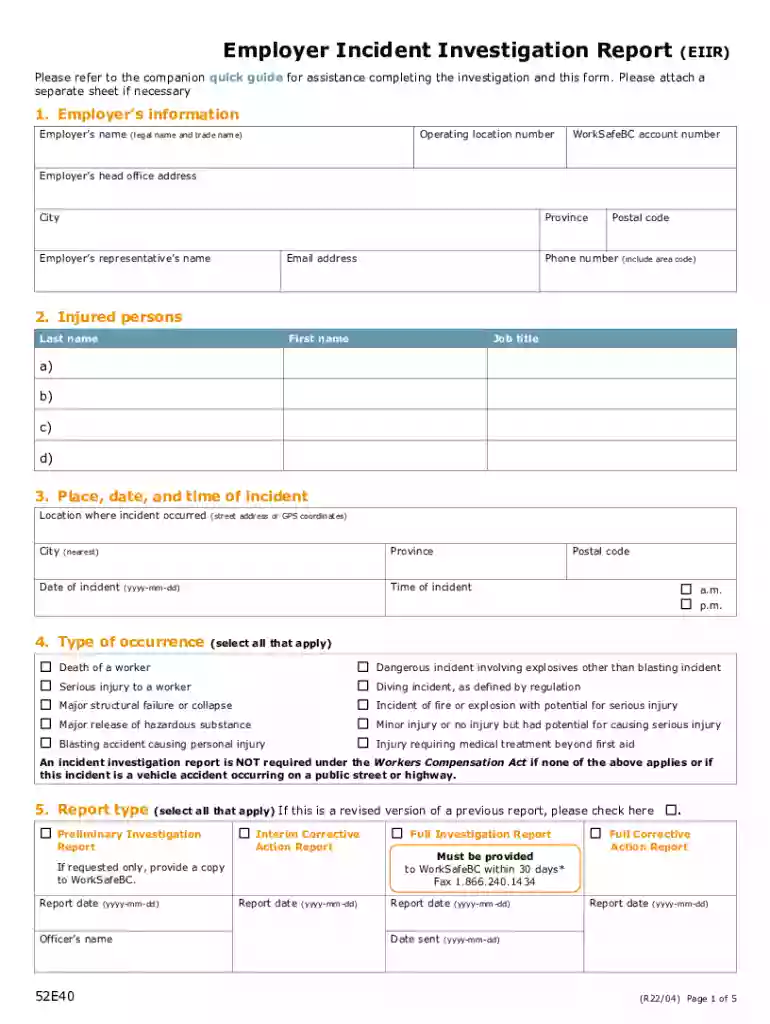
We've got more versions of the Employer Incident Investigation Report (EIIR) form. Select the right Employer Incident Investigation Report (EIIR) version from the list and start editing it straight away!
At DocHub, your data security is our priority. We follow HIPAA, SOC2, GDPR, and other standards, so you can work on your documents with confidence.


