




Here's how it works

01. Edit your what does eiir stand for online
Type text, add images, blackout confidential details, add comments, highlights and more.

02. Sign it in a few clicks
Draw your signature, type it, upload its image, or use your mobile device as a signature pad.

03. Share your form with others
Send eiir form via email, link, or fax. You can also download it, export it or print it out.
How to use or fill out eiir with our platform

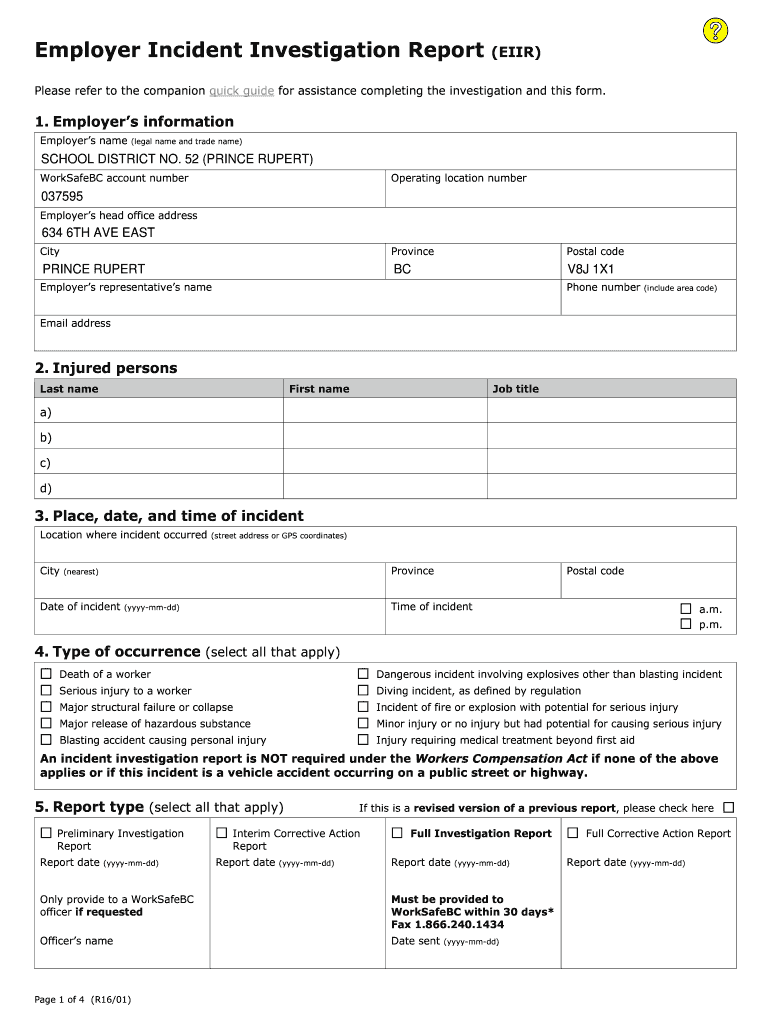
- Click ‘Get Form’ to open the Employer Incident Investigation Report (EIIR) in the editor.
- Begin by entering the employer’s information, including the legal name, WorkSafeBC account number, and head office address. Ensure all details are accurate for compliance.
- Fill in the injured person's details, including their last name, first name, and job title. This section is crucial for identifying those affected.
- Document the place, date, and time of the incident. Provide specific location details such as street address or GPS coordinates to ensure clarity.
- Select all applicable types of occurrences from the list provided. This helps categorize the incident accurately.
- Complete sections on witnesses and other relevant persons involved in the investigation to gather comprehensive insights.
- Describe the sequence of events leading up to the incident and any unsafe conditions that contributed to it. This analysis is vital for understanding root causes.
- Summarize corrective actions taken or proposed to prevent future incidents. Assign responsibilities and set expected completion dates for accountability.
Start using our platform today for free to streamline your document editing and form completion!
Fill out eiir online
It's free
It's free
See more eiir versions
We've got more versions of the eiir form. Select the right eiir version from the list and start editing it straight away!
Security and compliance
At DocHub, your data security is our priority. We follow HIPAA, SOC2, GDPR, and other standards, so you can work on your documents with confidence.
Learn more


