




01. Edit your tn writ possession online
Type text, add images, blackout confidential details, add comments, highlights and more.

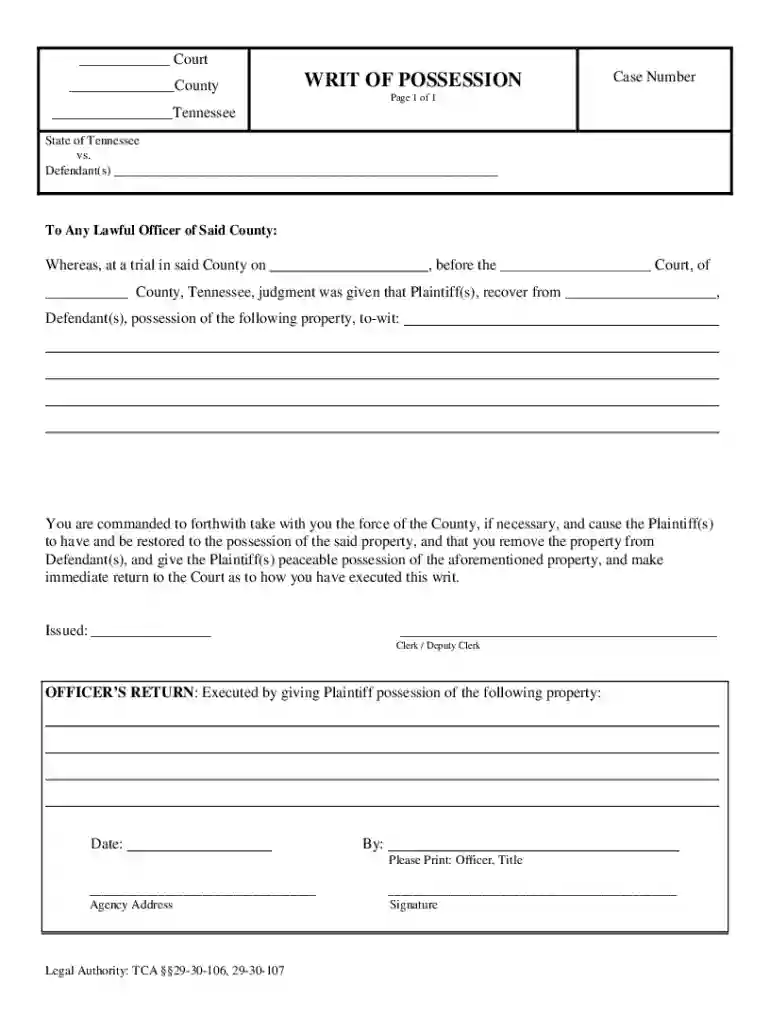
Type text, add images, blackout confidential details, add comments, highlights and more.

Draw your signature, type it, upload its image, or use your mobile device as a signature pad.

Send it via email, link, or fax. You can also download it, export it or print it out.
Online forms are digital versions of traditional paper forms that Internet users can complete and submit on electronic devices. These forms streamline processes by eliminating the need for physical paperwork and mailing, allowing for instant submission and processing. Businesses, government agencies, and various organizations commonly use online forms to collect data, applications, and user feedback efficiently. They enable users to fill out required fields using simple input methods, such as checkboxes, dropdown menus, and text boxes. Online forms are essential in digital document workflows, providing a user-friendly interface that enhances data collection and management efficacy.
To use an online form, follow these general steps. First, access the form via a web link provided by the host organization. Ensure you have a stable Internet connection for a seamless experience. Upon accessing the form, review any instructions or guidance provided at the top. This section often outlines how to complete the form accurately and highlights necessary fields to avoid common errors. Enter information in the required fields, marked by asterisks, and ensure data accuracy. Some forms may offer the ability to save progress and resume later, which is helpful for longer submissions. Once all information is entered, check the form for any errors or omissions, then click the submit button to send your data for processing.
Completing an online form involves several steps to ensure accurate data entry and proper submission:
Access the Form: Navigate to the website where the form is hosted.
Read Instructions: Carefully review any instructions or requirements before starting.
Fill in the Fields:
Review Information: Double-check your entries for accuracy and completeness.
Attach Documents: If the form requires additional documents, ensure they are in supported formats (e.g., PDF, DOCX).
Submit the Form: Click the submit button and wait for a confirmation message or page.
Track Submission: Some forms allow tracking of progress or status through provided reference numbers.
Online forms hold the same legal significance as their paper counterparts when properly used. For example, signing contracts or agreements online through platforms like DocHub ensures legality and adherence to the ESIGN Act. Information processed this way is secure, maintaining the integrity and confidentiality of user data. It is crucial for users to understand that submitting an online form often implies agreement to terms and conditions set forth by the issuer. Whether it's tax forms filed to comply with IRS regulations or employment applications with confidentiality clauses, online forms support various legally binding actions.
Key elements common to many online forms include fields for personal information such as name, address, and contact details. Specific forms may require financial information, employment history, or organizational data, depending on their purpose. Acknowledgment sections for terms and conditions, along with checkboxes for consent, are also standard. Submit buttons finalize the process, often leading to a confirmation page or receipt. Additionally, the presence of validation checks ensures fields are correctly filled before submission, reducing errors and streamlining user experience.
Online forms cater to a diverse audience, from individuals completing personal applications to businesses handling bulk submissions. Everyday users include students applying for educational programs, job seekers submitting resumes, and taxpayers filing returns. Businesses, regardless of size, use online forms for customer feedback, order forms, and internal processes such as employee onboarding. Government agencies leverage online forms to streamline license applications, permits, and public feedback collection, marking a shift towards more efficient, paperless operations.


Online forms can vary significantly by state due to differing regulations and requirements. For tax-related forms, such as those for income tax filings, states may have unique mandates regarding information disclosure and submission deadlines. Similarly, business registration forms might require specific permits or additional documentation contingent on state laws. For instance, a business license form in California might differ in complexity and data requirements from one in Texas. It's vital to consult local government websites or professional advisors to ensure compliance with state-specific requisites when submitting forms online.
When completing forms online, compatibility with software and devices is crucial to facilitating a smooth process. Platforms like DocHub generally function across all major browsers, such as Chrome, Firefox, Safari, and Edge, and are optimized for both desktop and mobile users. The compatibility with various operating systems (Windows, macOS, and Linux) further ensures accessibility. For financial forms, compatibility with software like TurboTax or QuickBooks can aid users in integrating or importing relevant data efficiently, streamlining tax submission processes or financial reporting.
Various scenarios illustrate the practical use of online forms:
Each example reflects the efficiency and adaptability of online forms for diverse applications in everyday and professional contexts.
We've got more versions of the tn writ possession form. Select the right tn writ possession version from the list and start editing it straight away!
| Versions | Form popularity | Fillable & printable |
|---|---|---|
| 2018 | 4.8 Satisfied (168 Votes) |
At DocHub, your data security is our priority. We follow HIPAA, SOC2, GDPR, and other standards, so you can work on your documents with confidence.


