Type text, add images, blackout confidential details, add comments, highlights and more.
02. Sign it in a few clicks
Draw your signature, type it, upload its image, or use your mobile device as a signature pad.
03. Share your form with others
Send occupational questionnaire moho via email, link, or fax. You can also download it, export it or print it out.
How to use or fill out occupational questionnaire occupational therapy with our platform
Ease of Setup
DocHub User Ratings on G2
Ease of Use
DocHub User Ratings on G2
Click ‘Get Form’ to open the occupational questionnaire in the editor.
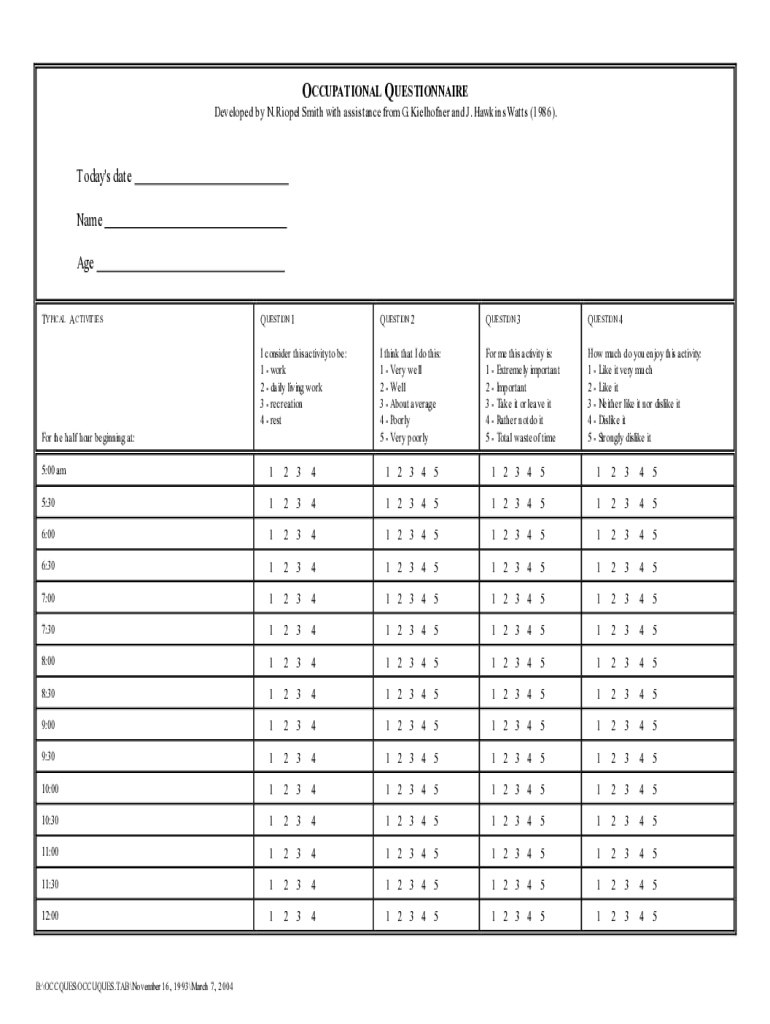
Begin with Part One, where you will record your daily activities. Use the provided worksheet to note down your main activity for each half-hour slot from the time you wake up.
For each activity, if it extends beyond a half hour, continue to document it in subsequent rows.
Move on to Part Two after listing your activities. Here, answer four questions for each activity by circling the number that best represents your experience regarding work type, performance level, importance, and enjoyment.
Ensure you respond to every question as accurately as possible; your insights are crucial for effective assessment.
Start using our platform today for free and streamline your form completion process!
Fill out occupational questionnaire occupational therapy online It's free
An Occupational Questionnaire typically consists of multiple choice, yes/no, or similar types of questions that cover a variety of competencies related to theRead more
Occupational Therapy services will include evaluation, treatment planning, instruction, questionnaire, adapted to include drug use. It assessesRead more
Cookie consent notice
This site uses cookies to enhance site navigation and personalize your experience.
By using this site you agree to our use of cookies as described in our Privacy Notice.
You can modify your selections by visiting our Cookie and Advertising Notice.