Idaho authorization release 2026

Get Form
idaho authorization release Preview on Page 1

Here's how it works

01. Edit your form online
Type text, add images, blackout confidential details, add comments, highlights and more.

02. Sign it in a few clicks
Draw your signature, type it, upload its image, or use your mobile device as a signature pad.

03. Share your form with others
Send it via email, link, or fax. You can also download it, export it or print it out.

How to use or fill out Idaho Authorization Release with our platform

Form edit decoration
9.5
Ease of Setup
DocHub User Ratings on G2
9.0
Ease of Use
DocHub User Ratings on G2
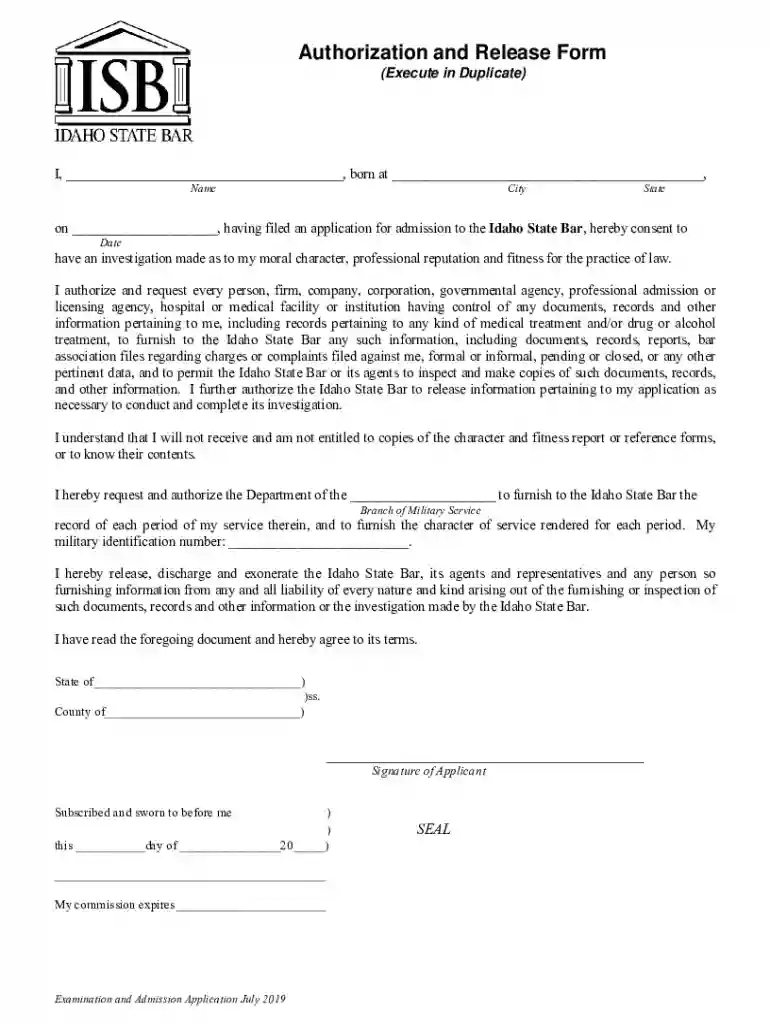
  1. Click ‘Get Form’ to open the Idaho Authorization Release in the editor.
  2. Begin by entering your full name in the designated field at the top of the form. Ensure accuracy as this will be used for identification purposes.
  3. Next, fill in your place of birth, including city and state, followed by the date of your application for admission to the Idaho State Bar.
  4. In the authorization section, clearly indicate your consent for an investigation into your moral character and professional reputation. This is crucial for processing your application.
  5. Complete the military service section by specifying your branch of service and providing your military identification number if applicable.
  6. Finally, review all entered information for accuracy before signing. Use our platform’s signature feature to add your signature electronically.

Start using our platform today to complete your Idaho Authorization Release quickly and efficiently!

See more idaho authorization release versions

We've got more versions of the idaho authorization release form. Select the right idaho authorization release version from the list and start editing it straight away!
Versions Form popularity Fillable & printable
2019 4.8 Satisfied (60 Votes)
2019 4.3 Satisfied (70 Votes)
2018 4.4 Satisfied (92 Votes)
be ready to get more

Complete this form in 5 minutes or less

Get form

Got questions?

We have answers to the most popular questions from our customers. If you can't find an answer to your question, please contact us.
Contact us
To respect HIPAA compliance rules, a signed HIPAA release form must be obtained from a patient before their protected health information can be shared with other individuals or organizations, except in the case of routine disclosures for treatment, payment or healthcare operations permitted by the HIPAA Privacy Rule.
Begin by specifying your name, the entity authorized to disclose information, and the individuals or entities you authorize to receive it. Indicate the specific information and purpose for which it will be disclosed, add an expiration date or event, and sign and date the form to confirm your consent.
More generally, HIPAA allows the release of information without the patients authorization when, in the medical care providers best judgment, it is in the patients interest. Despite this language, medical care providers are very reluctant to release information unless it is clearly allowed by HIPAA.
HIPAA Authorization Defined A description of the PHI. The name of the person making the authorization. The name of the person or organization who is authorized to receive the PHI. A description of the purpose for the use or disclosure. An expiration date for the authorization.

Security and compliance

At DocHub, your data security is our priority. We follow HIPAA, SOC2, GDPR, and other standards, so you can work on your documents with confidence.

Learn more
ccpa2
pci-dss
gdpr-compliance
hipaa
soc-compliance
be ready to get more

Complete this form in 5 minutes or less

Get form