Bill insurance form 2026

Get Form
uihc form Preview on Page 1

Here's how it works

01. Edit your uihc form online
Type text, add images, blackout confidential details, add comments, highlights and more.

02. Sign it in a few clicks
Draw your signature, type it, upload its image, or use your mobile device as a signature pad.

03. Share your form with others
Send it via email, link, or fax. You can also download it, export it or print it out.

How to use or fill out bill insurance form with our platform

Form edit decoration
9.5
Ease of Setup
DocHub User Ratings on G2
9.0
Ease of Use
DocHub User Ratings on G2
  1. Click ‘Get Form’ to open the bill insurance form in the editor.
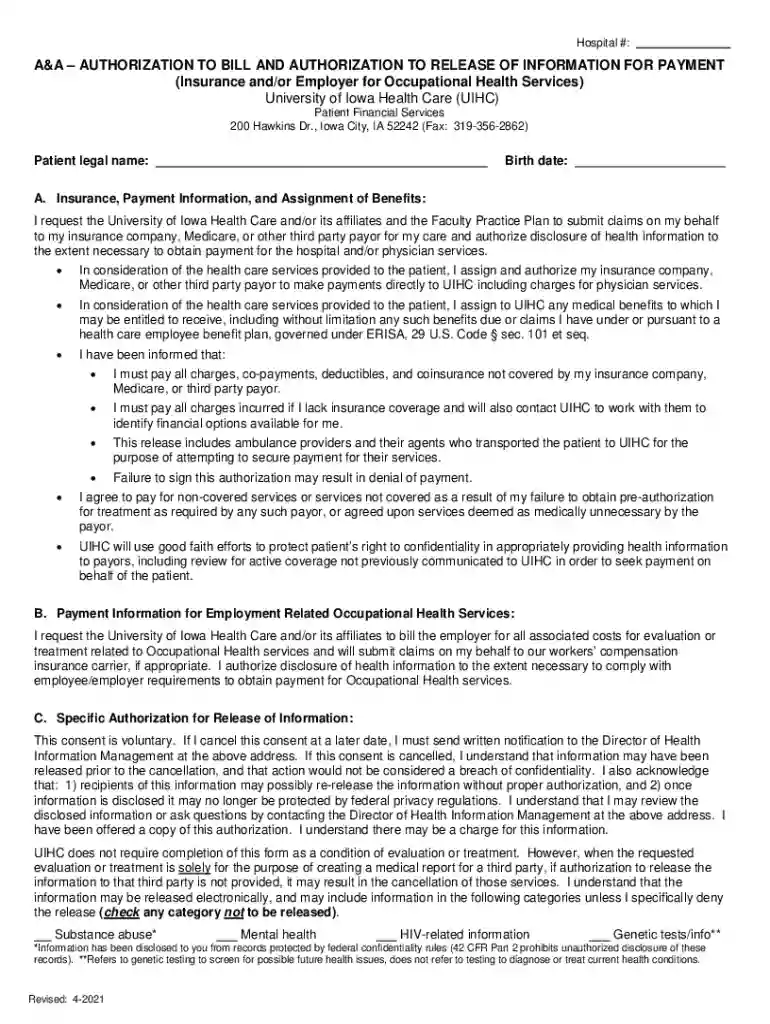
  2. Begin by entering the patient’s legal name and birth date in the designated fields at the top of the form.
  3. In section A, provide your insurance information. This includes authorizing UIHC to submit claims on your behalf and disclosing necessary health information for payment.
  4. Review and complete any additional assignments of benefits, ensuring you understand your financial responsibilities outlined in this section.
  5. If applicable, fill out section B regarding employment-related occupational health services, authorizing billing to your employer or workers' compensation carrier.
  6. In section C, read through the specific authorization for release of information. Indicate any categories of information you do not wish to be released by checking the appropriate boxes.
  7. Finally, sign and date the form at the bottom. If someone else is signing on behalf of the patient, ensure their relationship is noted.

Start using our platform today to easily fill out your bill insurance form online for free!

See more bill insurance form versions

We've got more versions of the bill insurance form form. Select the right bill insurance form version from the list and start editing it straight away!
Versions Form popularity Fillable & printable
2021 4.8 Satisfied (129 Votes)
2019 4.2 Satisfied (78 Votes)
2018 3.9 Satisfied (44 Votes)
be ready to get more

Complete this form in 5 minutes or less

Get form

Got questions?

We have answers to the most popular questions from our customers. If you can't find an answer to your question, please contact us.
Contact us
The two most common claim forms are the CMS-1500 and the UB-04. These two forms look and operate similarly, but they are not interchangeable. The UB-04 is based on the CMS-1500, but is actually a variation on itits also known as the CMS-1450 form.
The UB-04 claim form is used to submit claims for outpatient services by institutional facilities (for example, outpatient departments, Rural Health Clinics and chronic dialysis centers).
The UB-04 form, previously called the CMS-1450 form, is the standard claim form used by an institutional healthcare provider to submit inpatient and outpatient medical claims for reimbursement from insurance companies when a provider qualifies for a waiver from the ASCA requirement for electronic submission of claims.
As a medical billing company for various doctors and facilities, we understand that knowing which form to use is the first step to filing a successful claim. UB-40 and CMS-1500 are the two most common claim forms for submitting to insurance companies.
Ub 04 Forms - Office Depot.

Security and compliance

At DocHub, your data security is our priority. We follow HIPAA, SOC2, GDPR, and other standards, so you can work on your documents with confidence.

Learn more
ccpa2
pci-dss
gdpr-compliance
hipaa
soc-compliance
be ready to get more

Complete this form in 5 minutes or less

Get form

People also ask

Common UB-04 Submission Pitfalls Incorrect or Missing Patient Demographics. Inaccurate Value Codes and Condition Codes. Omitting Occurrence Codes and Dates. Revenue Code and CPT/HCPCS Mismatch. Incorrect Patient Status (Form Locator 17) Invalid or Outdated Payer IDs. Duplicate Billing. Charges Not Matching Medical Records.

Related links