



Here's how it works



How to use or fill out NYS 100 form online with our platform

- Click ‘Get Form’ to open the NYS 100 form in the editor.
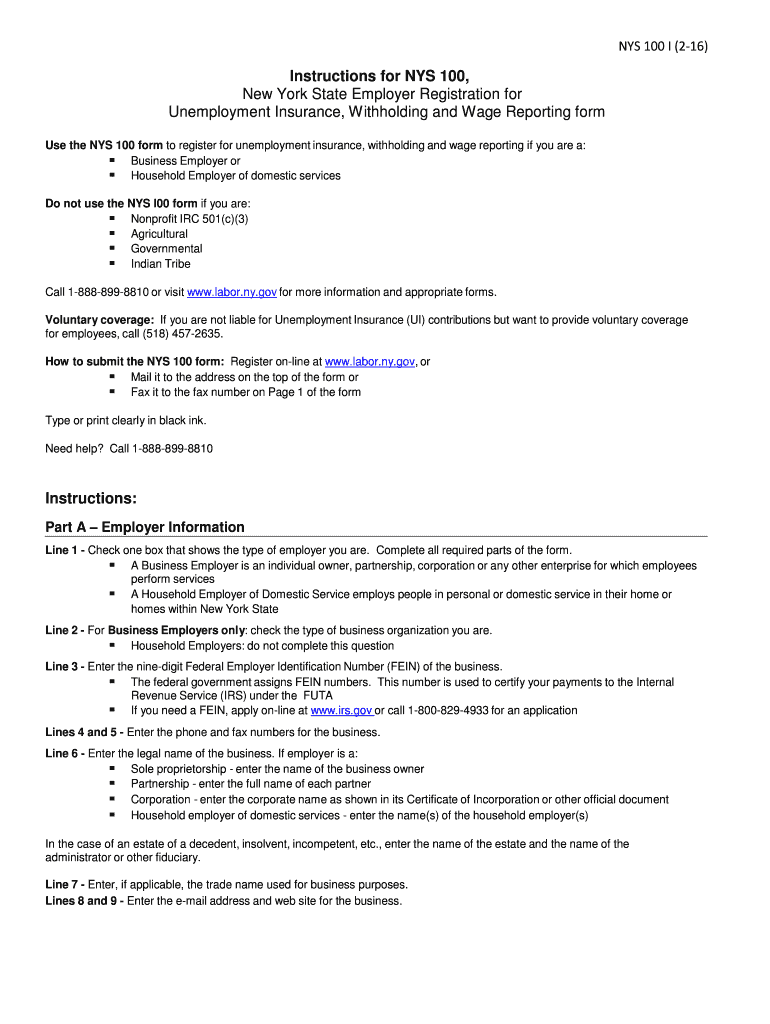
- Begin with Part A – Employer Information. Select your employer type by checking the appropriate box and complete all required fields, including your Federal Employer Identification Number (FEIN) if applicable.
- Move to Part B – Liability Information. Enter the date your business began in New York State and provide details about your payroll history, ensuring you answer questions regarding Unemployment Insurance registration accurately.
- Proceed to Part C if you are a Household Employer. Indicate when you expect to pay household employees total cash wages of $500 or more and provide the number of employees.
- In Part D, fill out the Required Addresses section with your business's mailing and physical addresses, ensuring accuracy for correspondence.
- Complete Part E by entering information about each legal entity involved in your business. Ensure all details are accurate before signing at the end of the form.
Start filling out your NYS 100 form online for free today using our platform!
It's free
See more nys 100 form online versions
Got questions?
Can I draw my eSignature to approve my nys 100 form?
Of course, electronically drawing your signature is acceptable, but only if you utilize a tool that complies with industry laws and regulations. Consider DocHub, which guarantees eSignature validity under ESIGN and UETA requirements. All you need to eSign your nys 100 form is an account with DocHub and an internet connection. Once you open your file in our editor, click Sign and choose the Draw option.
How do you edit nys 100 form online on Android?
Document editing with DocHub is equally convenient on desktop and mobile devices. You just need an internet browser to edit your nys 100 form online on Android. Open our site and sign in to access the instruments you require. Add your file and introduce your intended changes. After that, you can keep your form in your file storage or send it out immediately.
Security and compliance
At DocHub, your data security is our priority. We follow HIPAA, SOC2, GDPR, and other standards, so you can work on your documents with confidence.
Learn more