



Here's how it works



How to use or fill out Instructions for Form 941 (Rev. December 2021) with our platform

- Click ‘Get Form’ to open the Instructions for Form 941 in the editor.
- Begin by entering your Employer Identification Number (EIN), name, and address in the designated fields at the top of the form.
- Fill out Part 1 by providing details about your employees, including wages paid, tips reported, and federal income tax withheld.
- In Part 2, indicate your deposit schedule and total tax liability for the quarter based on your payroll records.
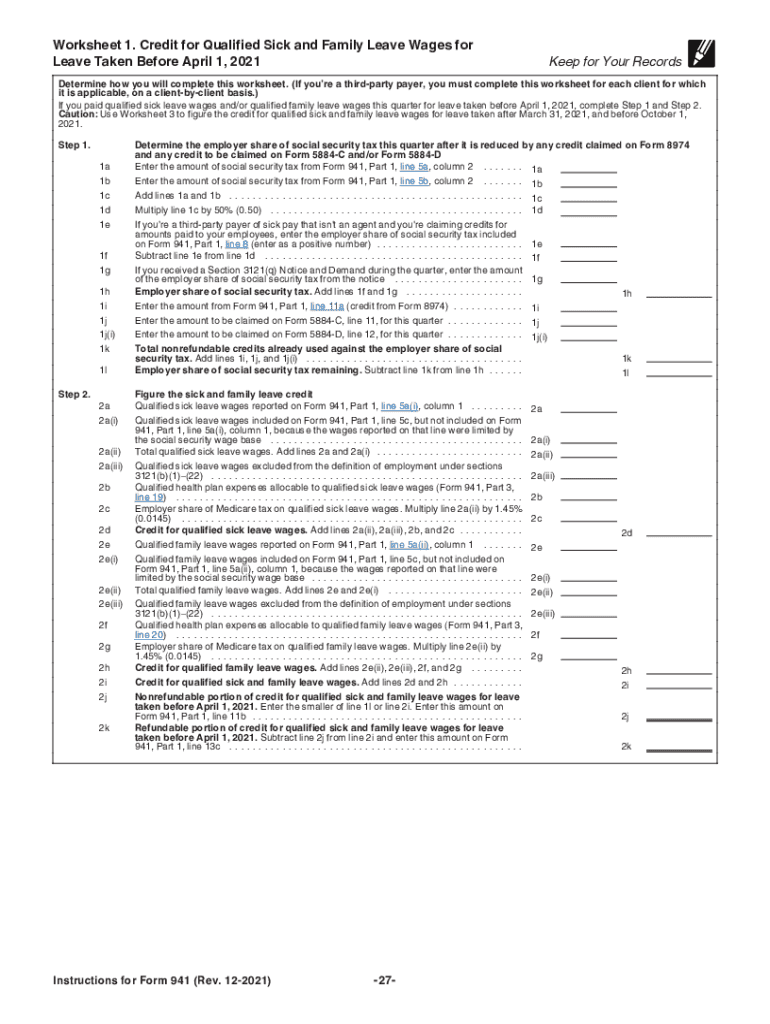
- Complete Parts 3 and 4 by detailing any credits you are claiming, such as those for qualified sick leave or family leave wages.
- Review all entries for accuracy before submitting. Ensure that you have signed the form where required.
Utilize our platform to streamline your document editing and submission process for free!
It's free
See more Instructions for Form 941 (Rev. December 2021). Instructions for Form 941, Employer's QUARTERLY Federal Tax Return versions
| Versions | Form popularity | Fillable & printable |
|---|---|---|
| 2025 | 4.7 Satisfied (24 Votes) | |
| 2024 | 4.8 Satisfied (23 Votes) | |
| 2023 | 4.3 Satisfied (37 Votes) | |
| 2022 | 4.8 Satisfied (26 Votes) | |
| 2022 | 4.8 Satisfied (116 Votes) | |
| 2021 | 4.4 Satisfied (95 Votes) | |
| 2021 | 4.2 Satisfied (155 Votes) | |
| 2020 | 4.3 Satisfied (72 Votes) | |
| 2020 | 4.3 Satisfied (170 Votes) | |
| 2020 | 4.2 Satisfied (44 Votes) | |
| 2019 | 4.4 Satisfied (205 Votes) | |
| 2018 | 4.3 Satisfied (77 Votes) | |
| 2017 | 4.4 Satisfied (289 Votes) | |
| 2016 | 4.4 Satisfied (541 Votes) | |
| 2012 | 4.3 Satisfied (68 Votes) |
Got questions?
Can I sign my 2021 941 file on a mobile?
Sure, you’ll find many different apps for this on the web. Nonetheless, if you need to eSign your 2021 941 file without installing extra software, DocHub is the best choice you can make. This powerful editor works on mobile devices just like on desktops. Open our editor in any internet browser, register or sign in to your account, and start processing your forms.
Do I need to install software to modify my where to mail 2021 941 form?
If you edit your where to mail 2021 941 form with DocHub, you only need a steady internet connection and virtually any web browser installed on your device. No need to install any third-party applications or research guides. Just open a tab with DocHub, drag and drop your file, and edit it immediately.
How do I file Form 941 2021?
How to fill out 941 Employers Quarterly Federal Tax Return?
Where do I file my 941 employer quarterly federal tax return?
Security and compliance
At DocHub, your data security is our priority. We follow HIPAA, SOC2, GDPR, and other standards, so you can work on your documents with confidence.
Learn more